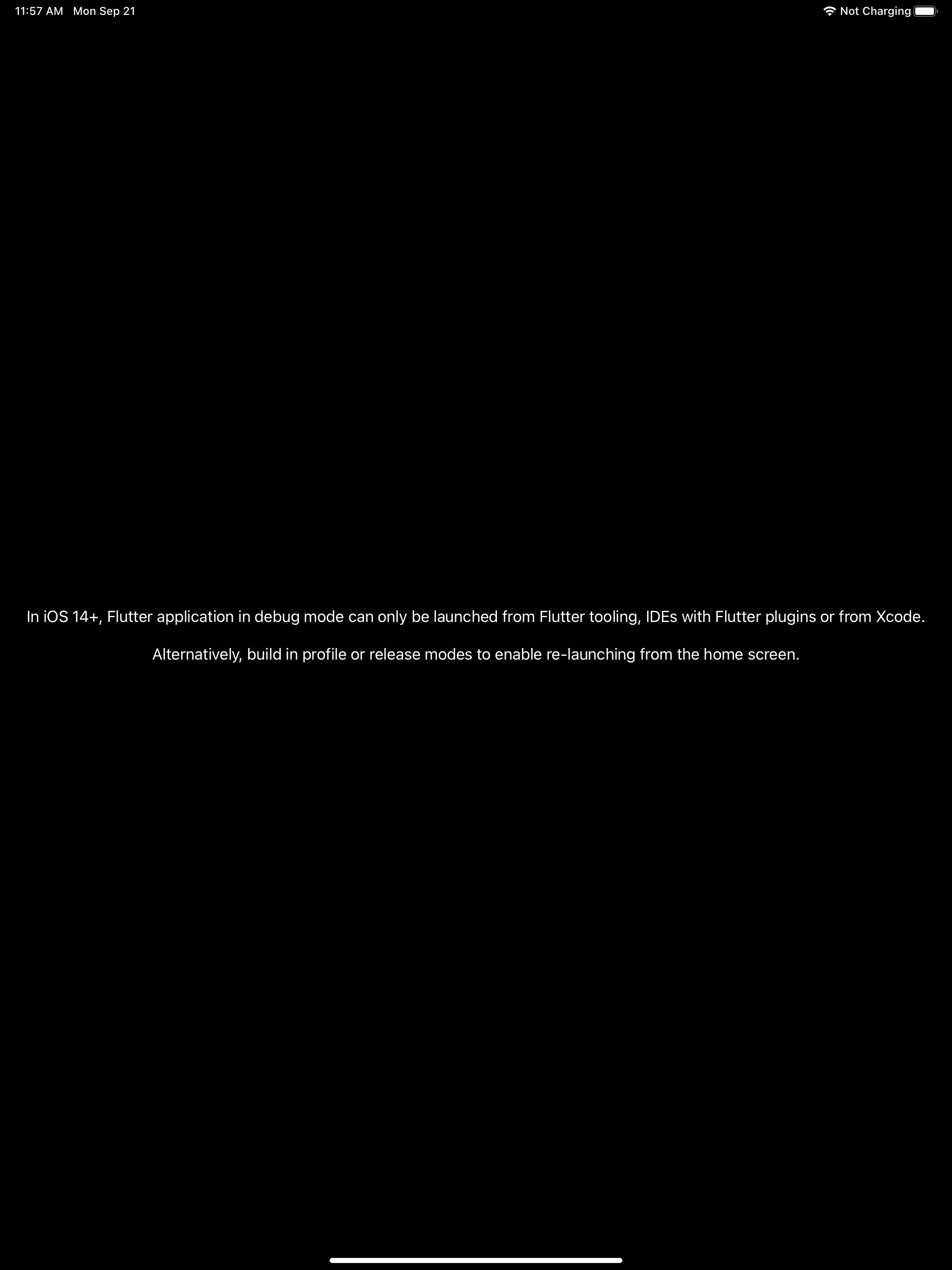
Dark mode friendly iOS debugging message #21277
Conversation


|
It looks like this pull request may not have tests. Please make sure to add tests before merging. If you need an exemption to this rule, contact Hixie on the #hackers channel in Chat. Reviewers: Read the Tree Hygiene page and make sure this patch meets those guidelines before LGTMing. |


| messageLabel.textAlignment = NSTextAlignmentCenter; | ||
| messageLabel.autoresizingMask = | ||
| UIViewAutoresizingFlexibleWidth | UIViewAutoresizingFlexibleHeight; | ||
| messageLabel.textColor = UIColor.blackColor; |
There was a problem hiding this comment.
nit/optional: tiny upgrade to consider: UIColor.label here and UIColor.systemBackground on line 329 (to make this whole warning dark mode compatible)

There was a problem hiding this comment.
Right. You could also make the container have UIColor.systemBackgroundColor and the label take UIColor.labelColor to be fully dark-mode compatible. Don't forget to put the the setters behind an @available(iOS 13.whatever) if you do though.
There was a problem hiding this comment.
Updated to make the container background systemBackgroundColor. I didn't bother making the label black on <iOS 13 since this label only shows up on iOS 14 and later.
Updated the description screenshot.
I don't think I need to specify the labelColor, that's the default, right?

| messageLabel.textAlignment = NSTextAlignmentCenter; | ||
| messageLabel.autoresizingMask = | ||
| UIViewAutoresizingFlexibleWidth | UIViewAutoresizingFlexibleHeight; | ||
| messageLabel.textColor = UIColor.blackColor; |
There was a problem hiding this comment.
Right. You could also make the container have UIColor.systemBackgroundColor and the label take UIColor.labelColor to be fully dark-mode compatible. Don't forget to put the the setters behind an @available(iOS 13.whatever) if you do though.

|
LGTM thanks |
 jmagman
added
the
waiting for tree to go green
jmagman
added
the
waiting for tree to go green


* Update 1.22 engine to use Dart 2.10.0-110.5.beta
* Dark mode friendly iOS debugging message (#21277)
* Update FlutterViewController.mm (#21362)
* Tweaked the label here a little for style ("apps", not "application" -- plural and shorter); and "launching" rather than "re-launching"?
* Fix iOS platform view's mask view blocking touch events. (#21286)
* Disconnect the view's AndroidKeyProcessor when detaching from the engine (#21307)
* Remove extraneous window inset call on IME animation (#21213)
* Retain the WindowInsetsAnimation callback if code shrinking is enabled (#21330)

Co-authored-by: Jenn Magder <[email protected]>
Co-authored-by: Tim Sneath <[email protected]>
Co-authored-by: Chris Yang <[email protected]>
Co-authored-by: Jason Simmons <[email protected]>
Co-authored-by: Gary Qian <[email protected]>
5 participants


Description
With dark mode on, the "Flutter application in debug mode can only be launched from Flutter tooling" was a white label on a white background, and wasn't visible. Make the container dark-mode-friendly.
Related Issues
Fixes flutter/flutter#66161
Tests
My eyeballs.