Project history
The historical look and feel for the project is visible here:
- https://www.theopensourceway.org/
- https://www.theopensourceway.org/book/ (Red Hat downstream version)
-
https://www.theopensourceway.org/wiki/Main_Page (the logo and dandelion background theme were contributed by the Red Hat Brand team who worked on the opensource.com design)
- Wiki header with text logo and dandelion theme:

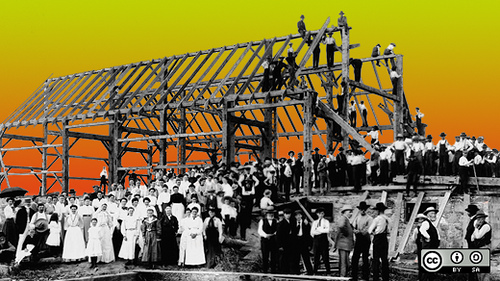
- Barnraising aesthetic:
- Discussion of logos during 2020 rebranding
- Wiki header with text logo and dandelion theme:
Some related, even 'sibling', projects' logos:


Former versions of the Open Source Way Guidebook were published via scripted build process. These were the semi-automated steps for building the book from source into HTML and PDF, then publishing it on theopensourceway.org:
-
Clone the
guidebookandtheopensourceway_old_websiterepos to your local system, side by side in the same directory- The build/publish scripts expect the repos to be in the same directory.
-
In the terminal
cdinto the directory where you have the clone of theguidebookrepo. -
Make any changes to content in the Asciidoc source, then commit them and push the changes to GitHub.
-
To build the book for testing your changes, from the command line inside of the
guidebookdirectory, run this command:./build-book.sh
-
When the script is complete, there will be new PDF and HTML files in the same directory.
-
To publish the book, run this command, which starts by rebuilding the book, copying it to the website repo, and then committing and pushing to GitHub.
./publish-book.sh
-
Once the script has run, the automation will update theopensourceway.org within a few minutes typically.
If you do not have an sshkey enabled with GitHub, the script will pause and wait for your password entry for the git push step.