Hide title bar on mac, and change style with theme. Fixes Issue #1055 #1972
Conversation


|
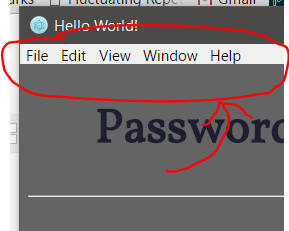
@StormBurpee Wow, it look nice! But if you switch to the frameless window, how do you access the old window menu on top? |

|
Hi @ZeroX-DG I'll take a look at this now. If we want to go with the frameless window it might be a matter of creating a custom menu bar. Which I'm happy to look into right now. Other than that the other option is to just have this style on OSX, but for continuity it would look better if we had it on windows as well. The only thing is I don't have a windows machine for a few days to test on, so if someone could when I make the next commit that would be great! |

|
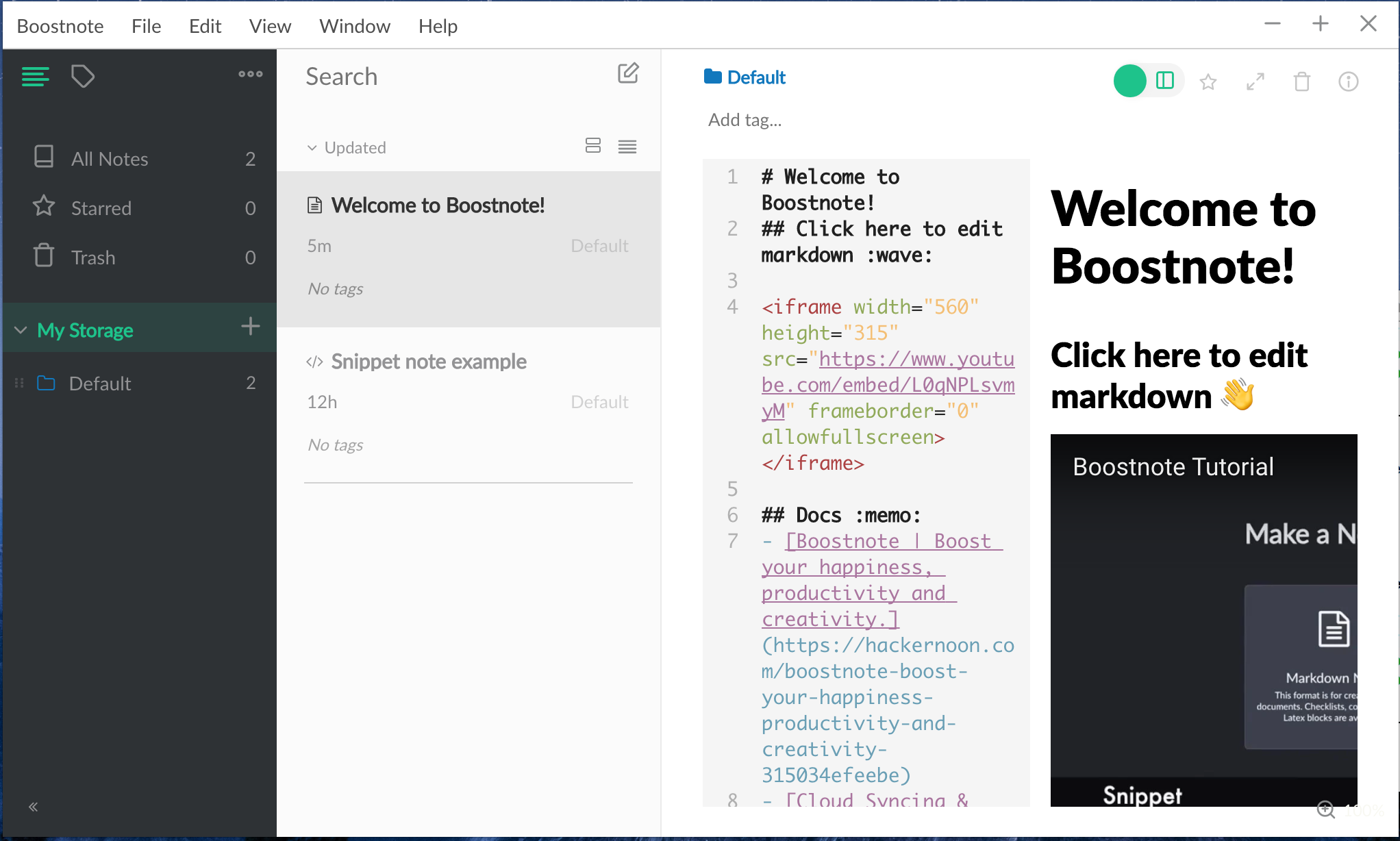
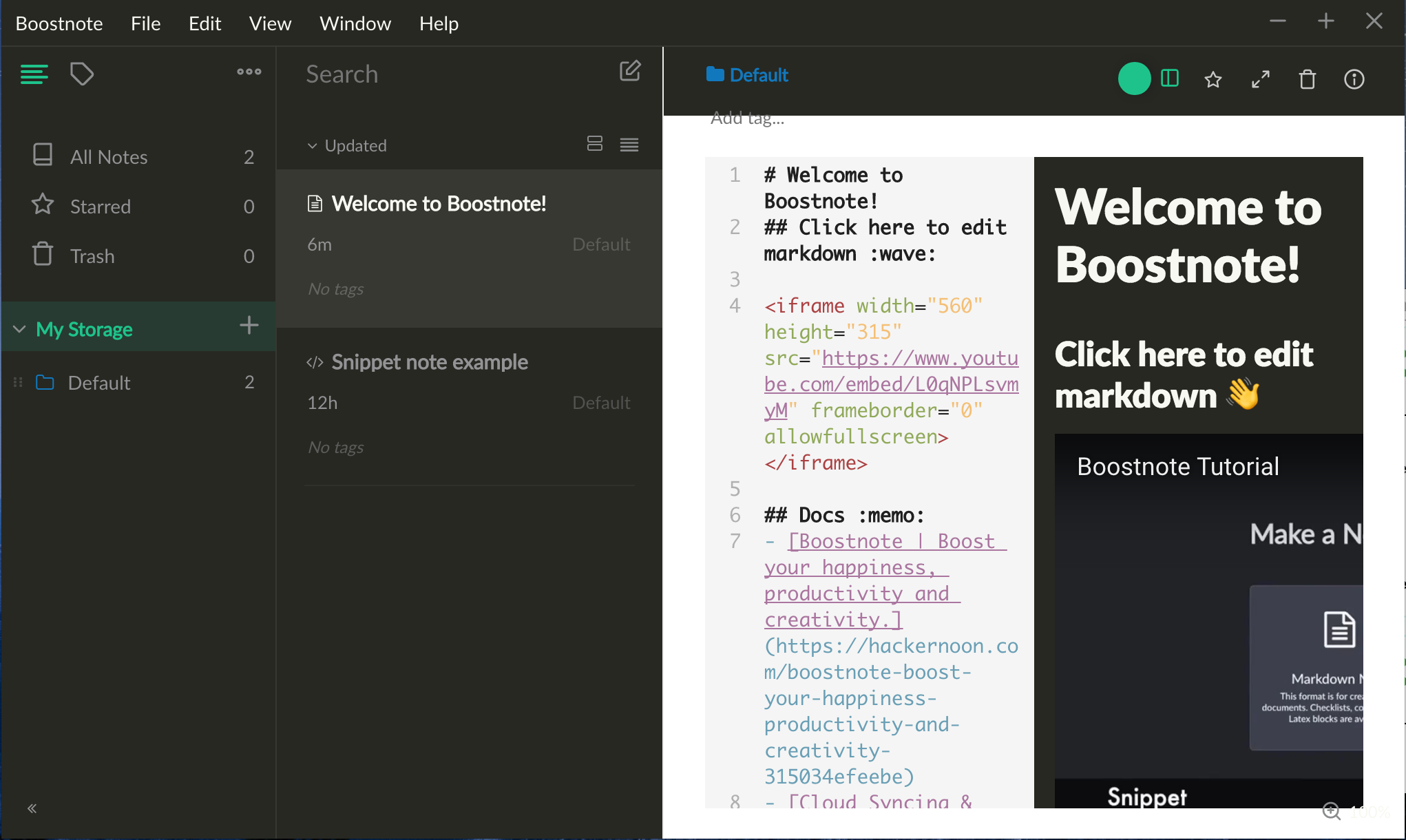
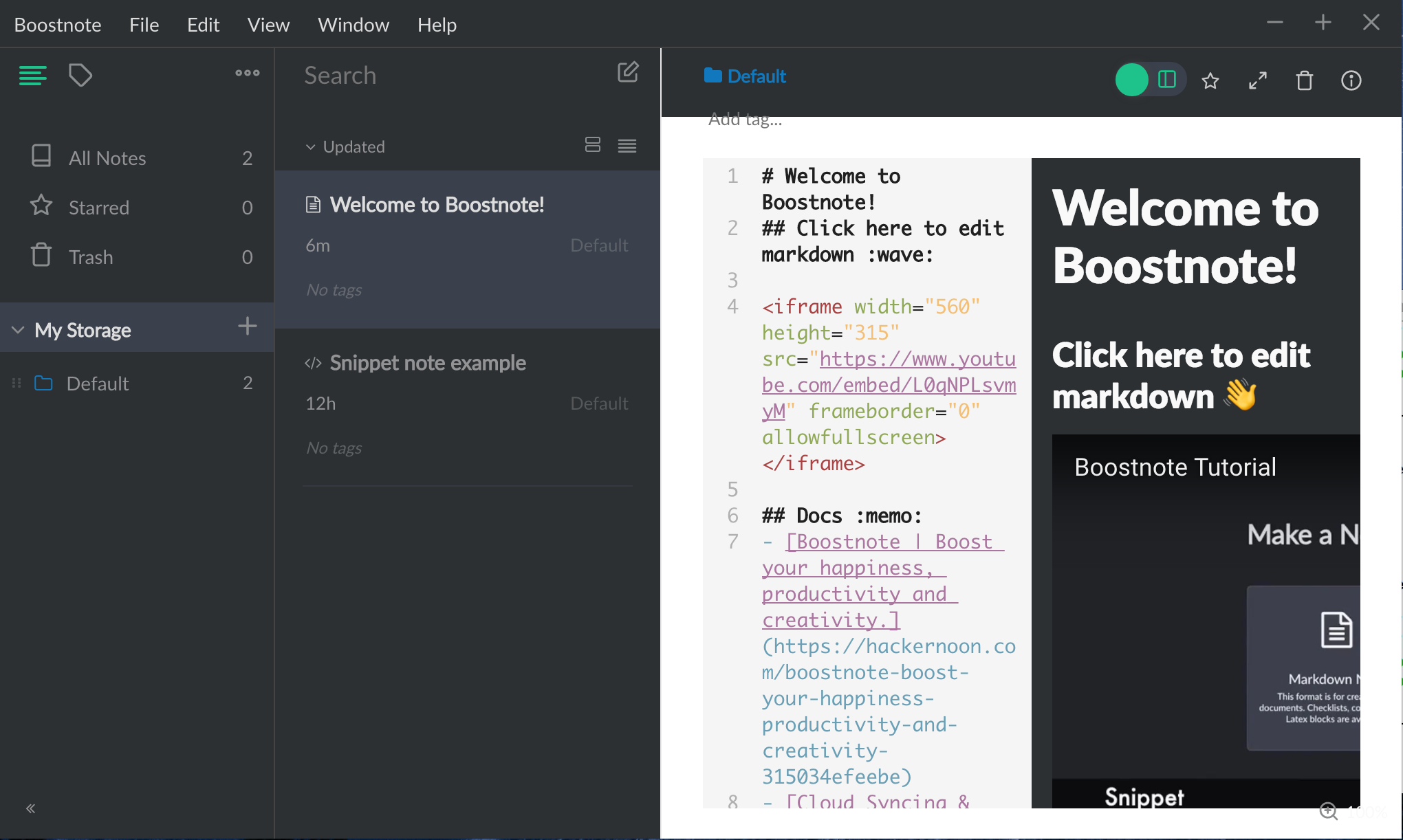
Hey @ZeroX-DG and everyone else. I've made it so it works with windows now and has the menu bar. I was still testing this on a mac, hence why it has the extra menu options. But it will adapt to all the menus for the specified operating system. Here are a few images, let me know what you guys think. So the mac version looks like this And now the windows version will look like this On windows this also works with themes, so it follows along with the same style as mac! Just it's a solid colour this way. Themes |


 sosukesuzuki
left a comment
sosukesuzuki
left a comment
sosukesuzuki
left a comment
There was a problem hiding this comment.
please confirm my reviews!
and please fix from eslint!!
browser/main/Main.js
Outdated
| styleName='toolbar-controls'> | ||
| <ul className="menubar-list" styleName="menubar-list"> | ||
| {Object.keys(this.state.menu).map(key => { | ||
| return <li className="menuItem" styleName="menu-item" onBlur={this.closemenu} onClick={() => this.openSubmenu(key)}>{this.state.menu[key].label}<ApplicationMenuDropdown menu={this.state.menu[key].submenu} open={this.state.openmenu == key ? true : false}></ApplicationMenuDropdown></li>; |
There was a problem hiding this comment.
This line is so long! please indention!
browser/main/Main.js
Outdated
| styleName='toolbar-controls'> | ||
| <ul className="menubar-list" styleName="menubar-list"> | ||
| {Object.keys(this.state.menu).map(key => { | ||
| return <li className="menuItem" styleName="menu-item" onBlur={this.closemenu} onClick={() => this.openSubmenu(key)}>{this.state.menu[key].label}<ApplicationMenuDropdown menu={this.state.menu[key].submenu} open={this.state.openmenu == key ? true : false}></ApplicationMenuDropdown></li>; |
There was a problem hiding this comment.
please write like below(and fix from eslint):
Object.keys(this.state.menu).map(key =>
  <li
    className="menuItem"
    styleName="menu-item"
    onBlur={this.closemenu}
    onClick={() => this.openSubmenu(key)}>
      {this.state.menu[key].label}
    <ApplicationMenuDropdown
      menu={this.state.menu[key].submenu}
      open={this.state.openmenu == key ? true : false} />
  </li>)
browser/main/Main.js
Outdated
| onMouseMove={(e) => this.handleMouseMove(e)} | ||
| onMouseUp={(e) => this.handleMouseUp(e)} | ||
| > | ||
| <div className={config.is_win ? 'windows-app-header' : 'mac-app-header'} styleName={config.is_win ? 'windows-app-header' : 'mac-app-header'}> |
There was a problem hiding this comment.
why did you writer both className and styleName?
I think className is unnecessary.
There was a problem hiding this comment.
The same applies to other components.
| styleName={this.state.open == true ? "root" : "root-hidden"}> | ||
| <ul className="dropdown-items" | ||
| styleName="dropdown-items"> | ||
| {Object.keys(this.state.menu).map(key => { |
There was a problem hiding this comment.
please remove {} and return.

|
please use yarn instead of npm. |
 kazup01
added
awaiting changes 🖊️
kazup01
added
awaiting changes 🖊️
|
Hi, @sosukesuzuki Regards |

|
@StormBurpee Please remove |
|
Anyway, nice work! 😃 💯 |
| open: props.open | ||
| } | ||
|
|
||
| console.log(this.state.menu, 'submenu') |
There was a problem hiding this comment.
Why console?
I want you to remove console.log.
| this.state = { | ||
| isActive: false, | ||
| menu: props.menu.items, | ||
| open: props.open |
There was a problem hiding this comment.
I want you to don't use state in this case.
please use props.
|
|
||
| return ( | ||
| <div className='ApplicationMenuDropdown' | ||
| styleName={this.state.open === true ? 'root' : 'root-hidden'}> |
There was a problem hiding this comment.
please write like below:
render  () {
  const { className, open, menu } = this.props
  const menuItems = menu.items
  return (
    ~~~~~~~
    styleName={open ? 'root' : 'root-hidden'}
    ~~~~~~~
    onClick={() => menuItems[key].click()}>
    ~~~~~~~
  )
}|
|
||
| this.toggleFullScreen = () => this.handleFullScreenButton() | ||
| const isWin = global.process.platform === 'win32' | ||
| ConfigManager.set({isWin: isWin}) |
There was a problem hiding this comment.
please write like below:
ConfigManager.set({isWin})|
|
||
| this.toggleFullScreen = () => this.handleFullScreenButton() | ||
| const isWin = global.process.platform === 'win32' | ||
| ConfigManager.set({isWin: isWin}) |
There was a problem hiding this comment.
ConfigManager.set({isWin})
|
@StormBurpee please confirm my review! |

|
How is the current state? |
|
Close this pr now because it seems to be abandoned. If anyone is interested in this issue, please create another one. |


|
I have created a new PR from this one and will fix issues from there #2318 |

6 participants


Hi, thought I'd take a go at this.
Haven't got a windows machine near me to test it there, however you might want to look at making it a frameless window for windows. Then just add in custom close, max and minimise buttons. (Pretty easy, I can look at doing it for you if you like the look of this commit.)
Also, if you went down this route, we could look at hiding the minimise and maximise buttons when the sidebar is folded (I think that's what you guys call it.), so it just shows the close button, and doesn't overlap. Again this is all personal preference, but it would look nice.
Had to do a few style changes with the modal for preferences, other things where just personal preference to make it align and look how I thought it looked best. However you might want to make some small changes to some of the positioning of the elements. (I'd probably move the preferences button into the top bar)
Other than that, this should achieve what is brought up in issue #1055
The top bar is draggable and also changes with each style. :) Let me know what you guys think, or if you need me to change anything! It's pretty self explanatory however.