git clone -c core.symlinks=true https://github.com/shejan0/UE5-Wiimote-Plugin
Create a new project and copy the "Wiimote" folder into: "NewProject/Plugins/".
Generate the Visual Studio Project files for your Unreal Project and Build Solution
There is also a build in Releases if you want a build for Windows
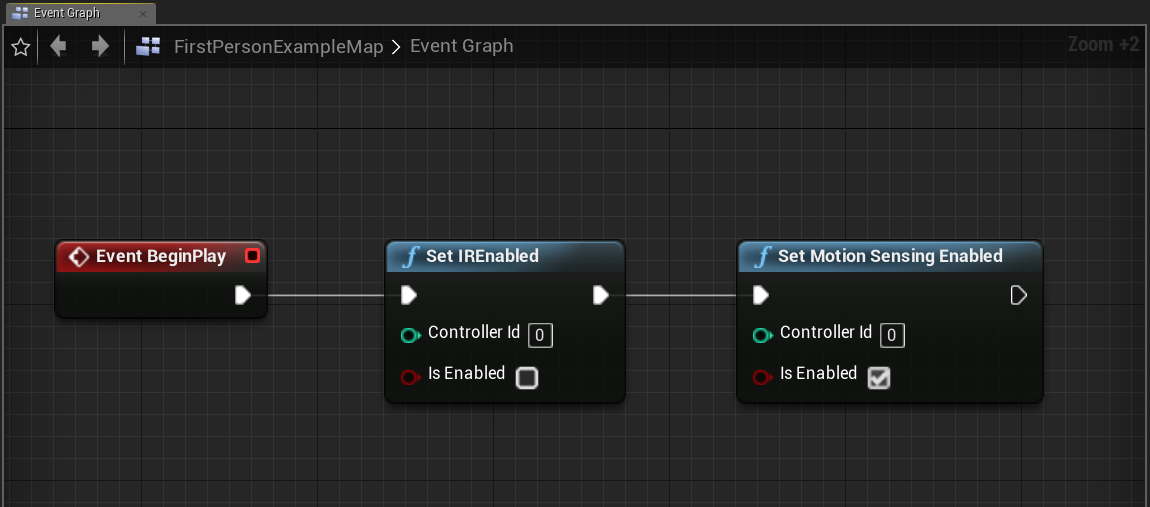
Initialize the WiiMote
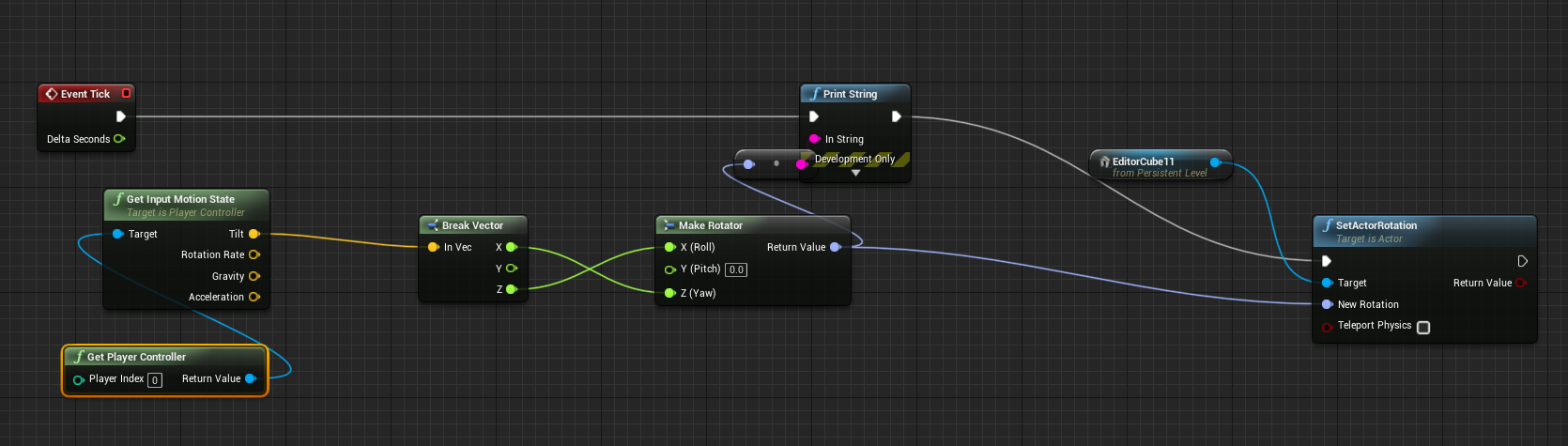
Simple Use
- RVL-CNT-01: http://www.dolphin-emulator.com/connect-wiimote.html
- RVL-CNT-01-TR: https://dolphin-emu.org/docs/guides/wii-remote-plus-rvl-cnt-01-tr-connection-guide/
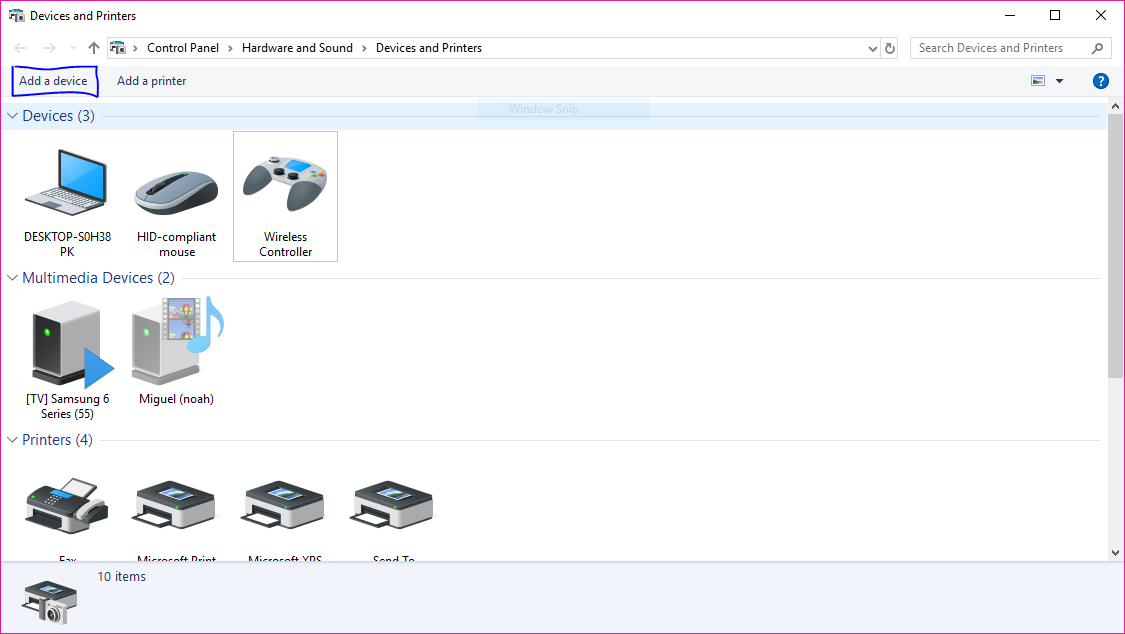
Add a new device. Click on the "Add Device" button.
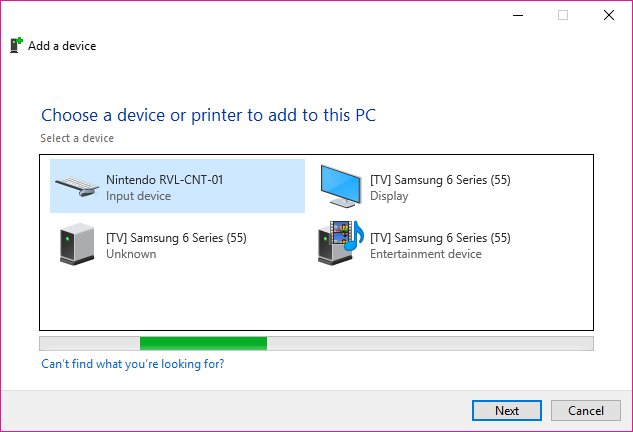
Press "1" and "2" on the WiiMote until it appears on the list and press next
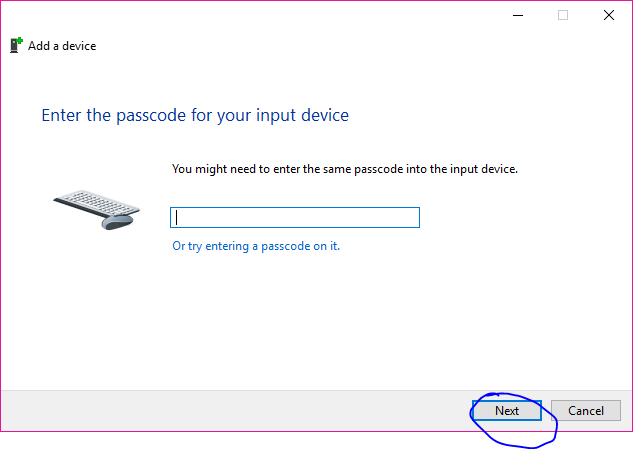
Just press Next leaving the input blank