
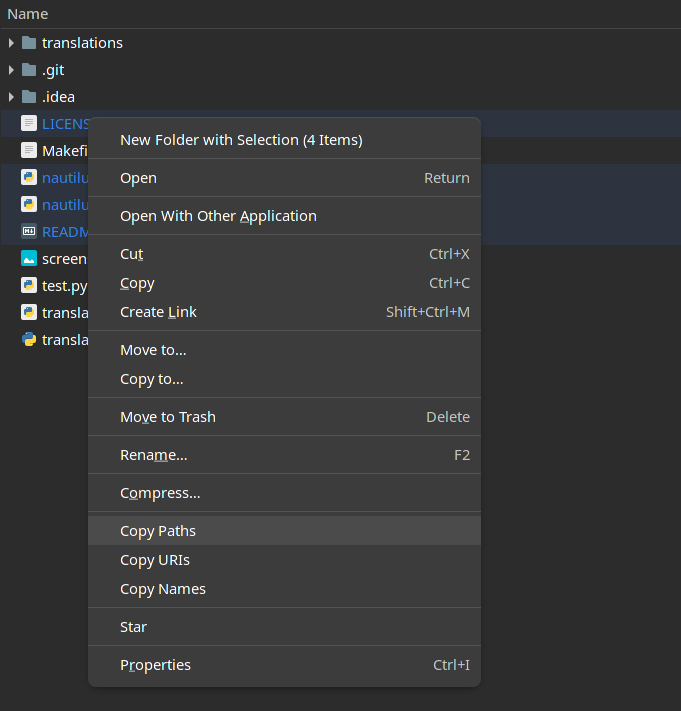
yay -S nautilus-copy-pathoryaourt -S nautilus-copy-path- Restart the Nautilus (
nautilus -q)
git clone https://aur.archlinux.org/nautilus-copy-path.gitcd nautilusmakepkg -si- Restart the Nautilus (
nautilus -q)
Fedora sudo dnf install nautilus-python python3-gobject
Ubuntu sudo apt install python-nautilus python3-gi
-
git clone https://github.com/chr314/nautilus-copy-path.git -
cd nautilus-copy-path -
make install -
Restart the Nautilus (
nautilus -q)
-
cd path/to/nautilus-copy-path -
make uninstall -
Restart the Nautilus (
nautilus -q)
configuration file: config.json
example:
{
  "items": {
    "path": true,
    "uri": true,
    "name": true
  },
  "selections": {
    "clipboard": true,
    "primary": true
  },
  "language": "auto",
  "separator": ", "
}- Chinese
- English
- French
- German
- Greek
- Italian
- Japanese
- Polish
- Portuguese
- Romanian
- Russian
- Spanish
Translations files are in translations directory
example: English Translation
-
Copy the english translation file (
en.json), the new file name must be the new language code (e.g.es.json) -
Translate the values in the new file
-
Add information in the README in the section Currently supported languages about new language
-
Create Pull Request with the new translation