Does this issue occur when all extensions are disabled?: Yes
- VS Code Version: code-oss-dev 1.75.0 05e1981
- OS Version: Mac os 12.2.1 (21D62) intel
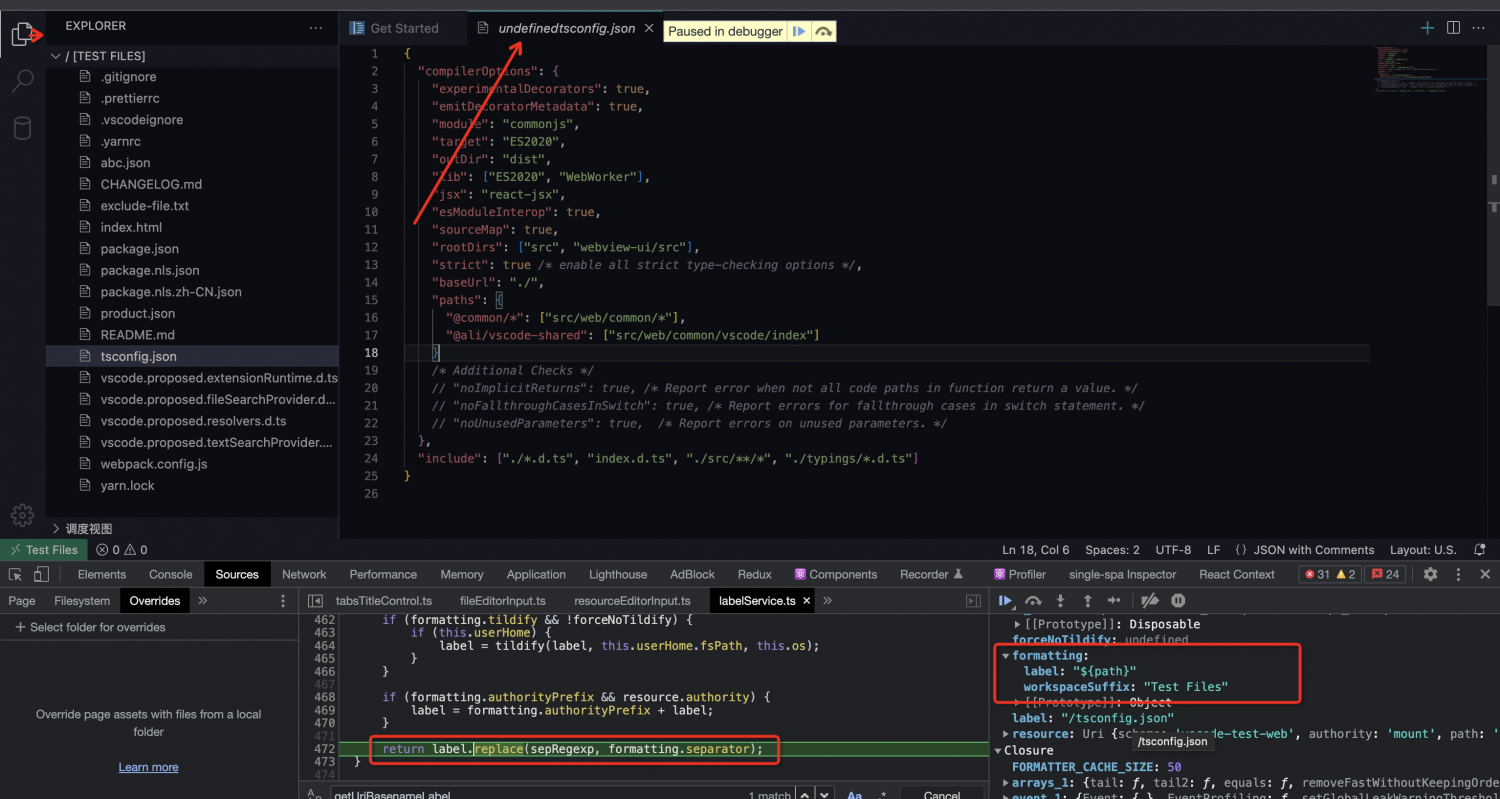
Steps to Reproduce:
- git clone the vscode latest source code.
- Use
cmd + shift + b keybinding to start the development process. (Core - Build and Ext - Build).
Prepare a simple file system extensions such as vscode-web-playground and use ./scripts/code-web.sh --extensionDevelopmentPath=LocalFileSystemPath . Execute ./scripts/code-web.sh . to start VS Code Web. It should be noted that the second parameter is ., Maybe this should be the reason why the workspace is an empty file name.- When the web is started, if no accident occurs, the workspace will open an empty name but the actual data of the file tree is the current code warehouse, just like in the screenshot.
- Open a few files casually, either in the root directory or in a folder at any level, and you will find that the undefined is carried in the label.


Does this issue occur when all extensions are disabled?: Yes
Steps to Reproduce:
cmd + shift + bkeybinding to start the development process. (Core - Build and Ext - Build).Prepare a simple file system extensions such asExecutevscode-web-playgroundand use./scripts/code-web.sh --extensionDevelopmentPath=LocalFileSystemPath ../scripts/code-web.sh .to start VS Code Web. It should be noted that the second parameter is., Maybe this should be the reason why the workspace is an empty file name.