vscode-test related updates #2695
There are no files selected for viewing
This file contains hidden or bidirectional Unicode text that may be interpreted or compiled differently than what appears below. To review, open the file in an editor that reveals hidden Unicode characters.
Learn more about bidirectional Unicode characters
| Original file line number | Diff line number | Diff line change |
|---|---|---|
|
|
@@ -9,108 +9,58 @@ MetaDescription: Use Continuous Integration for testing Visual Studio Code exten | |
|
|
||
| # Continuous Integration | ||
|
|
||
| Extension tests can be run on CI services. The `vscode-test` repository itself contains a sample extension that is tested on Azure Devops Pipelines. You can check out the [build pipeline](https://dev.azure.com/vscode/VSCode/_build?definitionId=14) or jump directly to the [build definition yaml file](https://github.com/microsoft/vscode-test/blob/master/azure-pipelines.yml). | ||
|
||
|
|
||
| ## Azure Pipelines | ||
|
|
||
| <a href="https://azure.microsoft.com/services/devops/"><img alt="Azure Pipelines" src="/assets/api/working-with-extensions/continuous-integration/pipelines-logo.png" width="318" /></a> | ||
|
|
||
| You can create free projects on [Azure DevOps](https://azure.microsoft.com/services/devops/). This gives you source code hosting, planning boards, building and testing infrastructure, and more. On top of that, you get [10 free parallel jobs](https://azure.microsoft.com/services/devops/pipelines/) for building your projects across all 3 major platforms: Windows, macOS and Linux. | ||
|
|
||
| After registering and creating your new project, simply add the following `azure-pipelines.yml` to the root of your extension's repository. Other than the xvfb setup for Linux, the definition is straight-forward: | ||
|
|
||
| ```yaml | ||
| trigger: | ||
| - master | ||
|
|
||
| strategy: | ||
| matrix: | ||
| linux: | ||
| imageName: 'ubuntu-16.04' | ||
| mac: | ||
| imageName: 'macos-10.13' | ||
| windows: | ||
| imageName: 'vs2017-win2016' | ||
|
|
||
| pool: | ||
| vmImage: $(imageName) | ||
|
|
||
| steps: | ||
|
|
||
| - task: NodeTool@0 | ||
| inputs: | ||
| versionSpec: '8.x' | ||
| displayName: 'Install Node.js' | ||
|
|
||
| - bash: | | ||
joaomoreno marked this conversation as resolved.
Show resolved
Hide resolved
|
||
| if [ $AGENT_OS == "Linux" ]; then | ||
octref marked this conversation as resolved.
Outdated
Show resolved
Hide resolved
|
||
| set -e | ||
| /usr/bin/Xvfb :10 -ac >> /tmp/Xvfb.out 2>&1 & | ||
| disown -ar | ||
| echo "Started xvfb" | ||
| fi | ||
| displayName: Start xvfb | ||
|
|
||
| - bash: | | ||
| yarn install | ||
octref marked this conversation as resolved.
Outdated
Show resolved
Hide resolved
|
||
| yarn compile | ||
| yarn test | ||
| displayName: Run Tests | ||
| env: | ||
| DISPLAY: :10 | ||
| ``` | ||
|
|
||
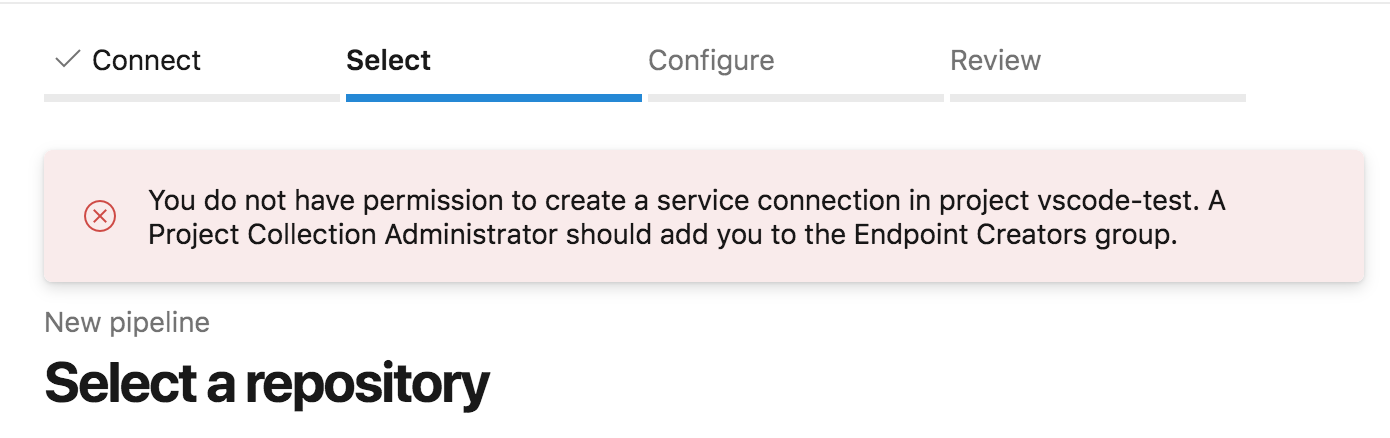
| Next [create a new Pipeline](https://docs.microsoft.com/azure/devops/pipelines/get-started-yaml?view=vsts#get-your-first-build) in your DevOps project and point it to the `azure-pipelines.yml` file. Trigger a build and voilà: | ||
|
|
||
|  | ||
|
|
||
|
|
||


Git LFS file not shown


Oops, something went wrong.
Add this suggestion to a batch that can be applied as a single commit.
This suggestion is invalid because no changes were made to the code.
Suggestions cannot be applied while the pull request is closed.
Suggestions cannot be applied while viewing a subset of changes.
Only one suggestion per line can be applied in a batch.
Add this suggestion to a batch that can be applied as a single commit.
Applying suggestions on deleted lines is not supported.
You must change the existing code in this line in order to create a valid suggestion.
Outdated suggestions cannot be applied.
This suggestion has been applied or marked resolved.
Suggestions cannot be applied from pending reviews.
Suggestions cannot be applied on multi-line comments.
Suggestions cannot be applied while the pull request is queued to merge.
Suggestion cannot be applied right now. Please check back later.
Uh oh!
There was an error while loading. Please reload this page.