Home


Notebook for use images inside the Microsoft Planetary Computer
JupyterLab "CPU - Python" Enviroment
-
Menu: File-> Open from URL...
https://raw.githubusercontent.com/lmotta/ms_planetary_scenes/main/clone_ms_planetary_scenes.ipynb -
Run clone_ms_planetary_scenes.ipynb
It will be clone this repository in '~/PlanetaryComputerExamples_prevfogo'
-
Open '~/PlanetaryComputerExamples_prevfogo/scenes_process.ipynb'
- It is cool use how application by Voilà (need enable Voilà plugin)
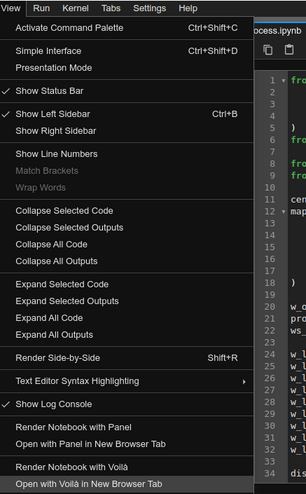
- It is cool use how application by Voilà (need enable Voilà plugin)
-
Application
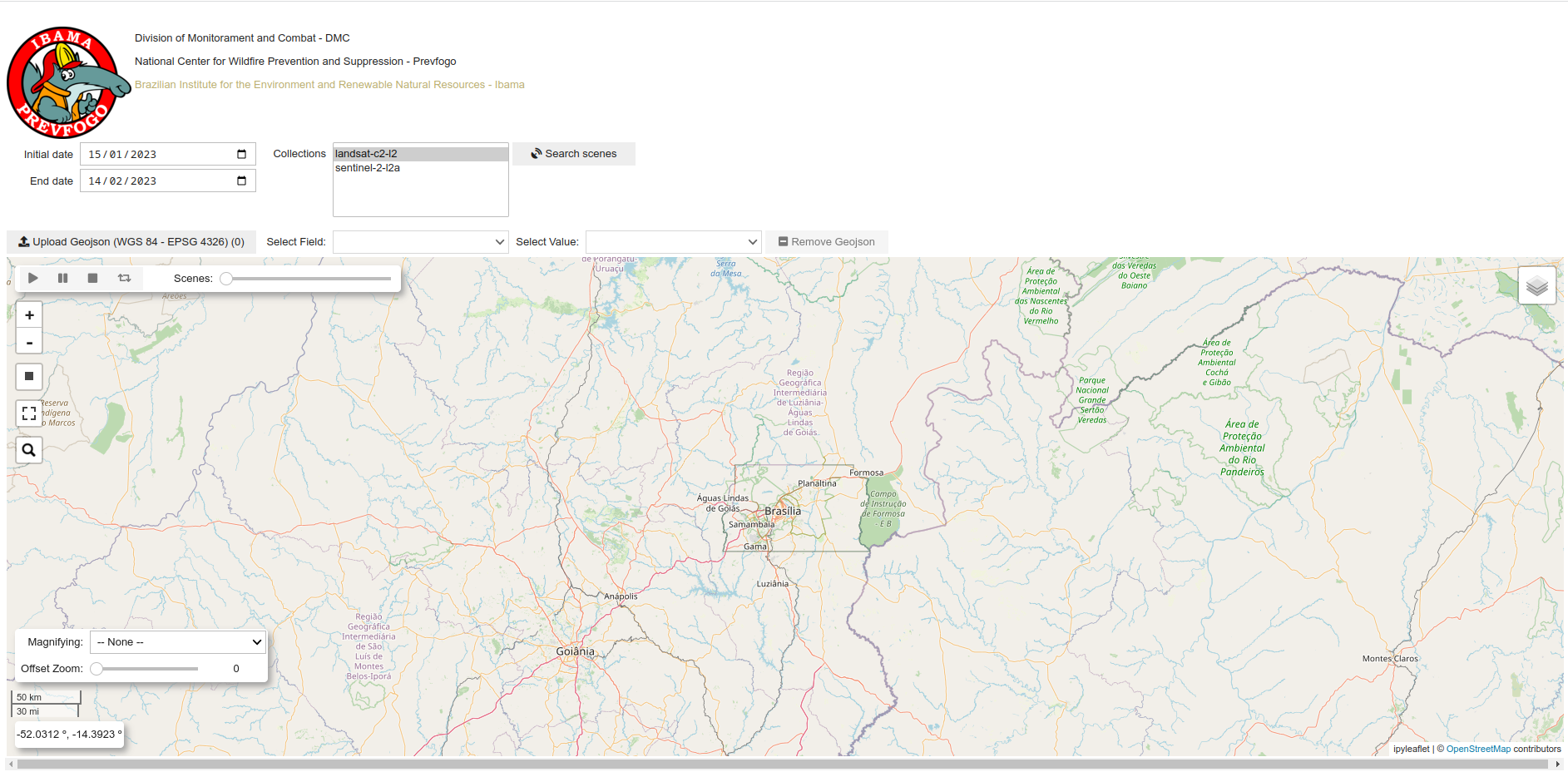
-
Features
- Search scenes:
- Dates range: Initial and End
- Collections: Select collections
- Rectangle: Draw a rectangle in map (define the AOI)
-
Results:
- Create the set of scenes by date (using for Scenes widget in Map) - Valid scenes
- If find error, create the Error scenes
- Can show the table of Valid scenes (selected by date) or Error scenes
- Geojson:
- Upload: Geojson file.
- Need keys: FeatureCollection, name and features
- CRS: WGS 84 (EPSG 4326)
- Select field: Field for find a feature
- Select value: The attribute value using for define the feature that will be added in Map
- Remove Geojson: Remove the Geojson layer
- Upload: Geojson file.
- Scenes:
- Choose the date of the scenes to add them to the Map
- Can use the Play for change date automatic
- Magnifying:
- Magnifying glass able to display a portion of the map with other image with diferent zoom
- Select satellite image provider: Google or Esri. Use -- None -- for disable this tool
- Offset Zoom: The level to sum for current map zoom
- When has selected image provider the mouse clik enable/disable this tool
- Search scenes: