
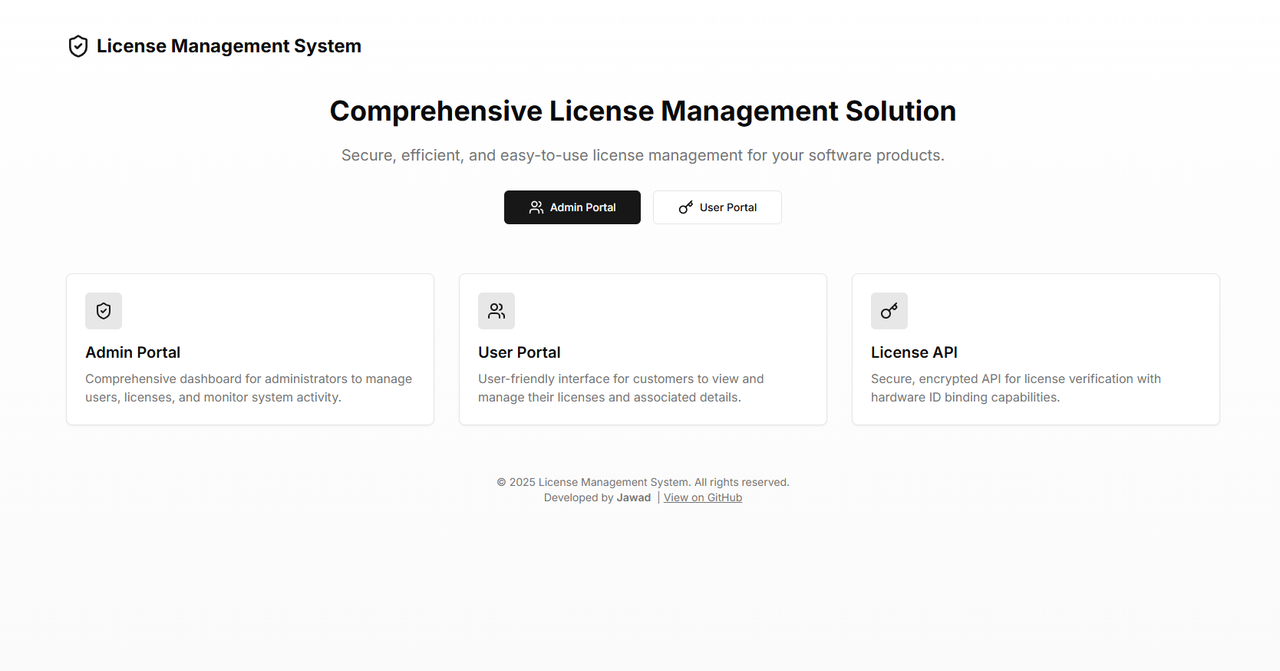
A comprehensive solution for software license management with secure verification capabilities. This system provides separate portals for administrators and users, along with a robust API for license verification in client applications.
AdminUser: testuser AdminPassword: testpass
- Dashboard: Get a comprehensive overview of your license system with statistics on total users, licenses, active users, and licenses expiring soon.
- User Management: Create, view, and manage users with unique user hashes for authentication.
- License Management: Generate and manage software licenses with detailed controls:
- License key generation
- Expiration dates
- Hardware binding options
- License revocation capabilities
- Software assignment
- Secure Authentication: Admin authentication with role-based permissions.
- License Dashboard: Users can view all their licenses in one place.
- License Details: Detailed view of each license with key information:
- License key
- Software name
- Expiration date
- Hardware binding status
- Usage instructions
- Secure Authentication: Simple authentication using a unique user hash.
- Secure Communication: All API requests and responses are encrypted using AES.
- Hardware Binding: Optional hardware ID binding for enhanced security.
- Comprehensive Validation: Checks for license validity, expiration, revocation, and hardware binding.
- Frontend: Next.js, React, Tailwind CSS, shadcn/ui
- Backend: Next.js API Routes
- Database: PostgreSQL with Prisma ORM
- Authentication: JWT (JSON Web Tokens)
- Security: AES encryption for API communication, reCAPTCHA for form protection
- Charts: Recharts for data visualization
- Node.js 18+
- PostgreSQL database
- npm or yarn
- Clone the repository:
git clone https://github.com/killcod3/license-management-system.git
cd license-management-system- Install dependencies:
npm install
# or
yarn install- Set up environment variables by creating a
.envfile:
# Database
DATABASE_URL="postgresql://username:password@localhost:5432/license_management"

# JWT Secret (generate a secure random string)
JWT_SECRET="your-secure-jwt-secret-key"

# AES Secret for License Verification API (generate a secure random string)
AES_SECRET_KEY="your-secure-aes-secret-key"

# Google reCAPTCHA (register at https://www.google.com/recaptcha)
NEXT_PUBLIC_RECAPTCHA_SITE_KEY="your-recaptcha-site-key"
RECAPTCHA_SECRET_KEY="your-recaptcha-secret-key"
- Run database migrations:
npx prisma migrate dev- Start the development server:
npm run dev
# or
yarn dev- Visit
http://localhost:3000in your browser to access the application.
When you first run the system and try to login to the admin portal, it will automatically create an owner account with the credentials you provide. This only happens if no admin accounts exist in the system.
npm run build
# or
yarn buildnpm start
# or
yarn startThe system includes a secure API for verifying licenses in your software applications. See API Documentation for detailed documentation and examples.
- All passwords are securely hashed using bcrypt
- JWT tokens are used for authentication and have an 8-hour expiration
- reCAPTCHA protection is implemented on all login forms
- License verification API uses AES encryption for all communication
- Hardware binding adds an additional layer of protection against unauthorized license sharing
id: Unique identifier (CUID)username: Admin username (unique)password: Hashed passwordrole: Admin role ('owner' or 'admin')createdAt: Timestamp of account creationupdatedAt: Timestamp of last update
id: Unique identifier (CUID)username: User's nameuserHash: Unique hash used for authenticationcreatedAt: Timestamp of account creationupdatedAt: Timestamp of last updatelicenses: Relation to License table
id: Unique identifier (CUID)licenseKey: Unique license keyuserId: Foreign key to User tablesoftwareName: Name of the softwareexpirationDate: License expiration datehardwareId: Optional hardware identifier for bindinghardwareBindingEnabled: Whether hardware binding is enabledstatus: License status ('active' or 'revoked')createdAt: Timestamp of license creationupdatedAt: Timestamp of last update
Contributions are welcome! Please feel free to submit a Pull Request.
This project is licensed under the MIT License - see the LICENSE file for details.