The "Amuse" plugin is now available inside the main pear-desktop repository!
To migrate:
- Download Pear Desktop (previously th-ch/youtube-music)
- Enable "Amuse" plugin
- Create a YouTube Music preset on the Amuse website.
- Use the link in your streaming software
If you are also using the Amuse widget for Spotify, you now require Spotify Premium to use your own apps in the API.
For Spotify widget alternatives, firstly consider switching to YouTube Music and Amuse will continue to function. Otherwise, try a different music overlay: Nutty's @ nutty.gg, https://nyako.cat/music-overlay, OBS-Tuna, etc. (not affiliated with Amuse, YouTube, or Pear-Desktop).









Read this in other languages: 🇰🇷, 🇮🇸, 🇨🇱 🇪🇸, 🇷🇺
Electron wrapper around YouTube Music featuring:
- Native look & feel, aims at keeping the original interface
- Framework for custom plugins: change YouTube Music to your needs (style, content, features), enable/disable plugins in one click
| Player Screen (album color theme & ambient light) |
|---|
 |
- Features
- Available plugins
- Translation
- Download
- Themes
- Dev
- Build your own plugins
- Build
- Production Preview
- Tests
- License
- FAQ
-
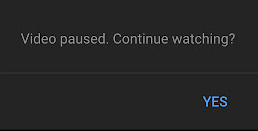
Auto confirm when paused (Always Enabled): disable the "Continue Watching?" popup that pause music after a certain time
-
And more ...
-
Ad Blocker: Block all ads and tracking out of the box
-
Album Actions: Adds Undislike, Dislike, Like, and Unlike buttons to apply this to all songs in a playlist or album
-
Album Color Theme: Applies a dynamic theme and visual effects based on the album color palette
-
Ambient Mode: Applies a lighting effect by casting gentle colors from the video, into your screen’s background
-
Audio Compressor: Apply compression to audio (lowers the volume of the loudest parts of the signal and raises the volume of the softest parts)
-
Blur Navigation Bar: makes navigation bar transparent and blurry
-
Bypass Age Restrictions: bypass YouTube's age verification
-
Captions Selector: Enable captions
-
Compact Sidebar: Always set the sidebar in compact mode
-
Crossfade: Crossfade between songs
-
Disable Autoplay: Makes every song start in "paused" mode
-
Discord Rich Presence: Show your friends what you listen to with Rich Presence
-
Downloader: downloads MP3 directly from the interface (youtube-dl)
-
Exponential Volume: Makes the volume slider exponential so it's easier to select lower volumes
-
In-App Menu: gives bars a fancy, dark look
(see this post if you have problem accessing the menu after enabling this plugin and hide-menu option)
-
Scrobbler: Adds scrobbling support for Last.fm and ListenBrainz
-
Lumia Stream: Adds Lumia Stream support
-
Lyrics Genius: Adds lyrics support for most songs
-
Music Together: Share a playlist with others. When the host plays a song, everyone else will hear the same song
-
Navigation: Next/Back navigation arrows directly integrated in the interface, like in your favorite browser
-
No Google Login: Remove Google login buttons and links from the interface
-
Notifications: Display a notification when a song starts playing (interactive notifications are available on windows)
-
Picture-in-picture: allows to switch the app to picture-in-picture mode
-
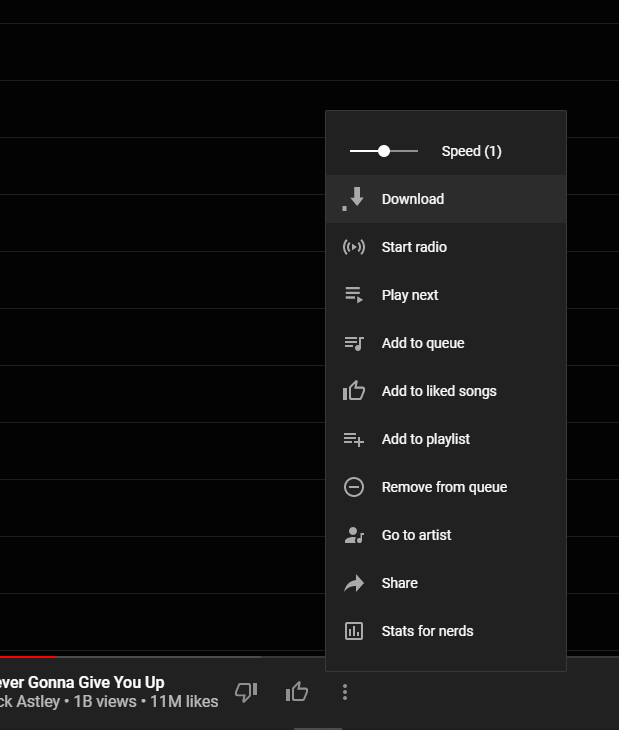
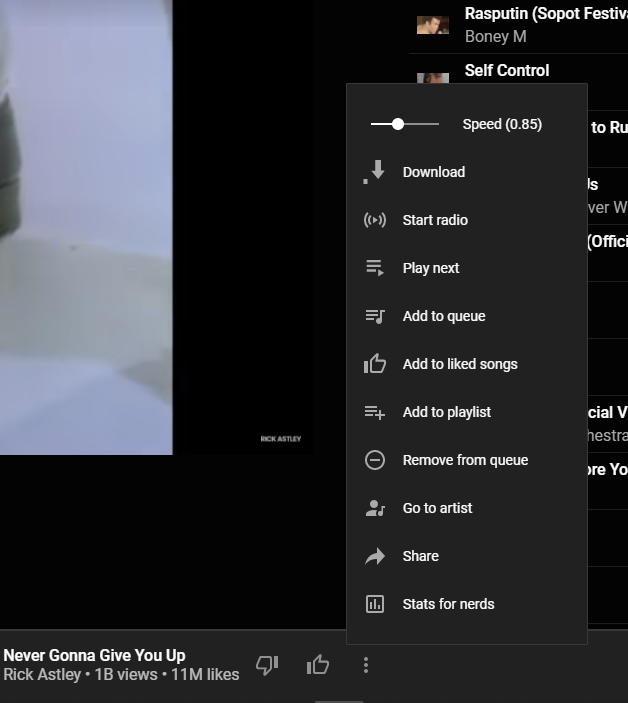
Playback Speed: Listen fast, listen slow! Adds a slider that controls song speed
-
Precise Volume: Control the volume precisely using mousewheel/hotkeys, with a custom hud and customizable volume steps
-
Shortcuts (& MPRIS): Allows setting global hotkeys for playback (play/pause/next/previous) + disable media osd by overriding media keys + enable Ctrl/CMD + F to search + enable linux mpris support for mediakeys + custom hotkeys for advanced users
-
Skip Disliked Song: Skips disliked songs
-
Skip Silences: Automatically skip silenced sections
-
SponsorBlock: Automatically Skips non-music parts like intro/outro or parts of music videos where the song isn't playing
-
Synced Lyrics: Provides synced lyrics to songs, using providers like LRClib.
-
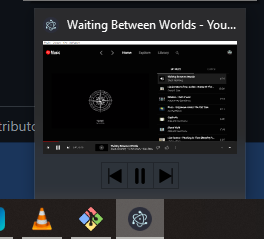
Taskbar Media Control: Control playback from your Windows taskbar
-
TouchBar: Custom TouchBar layout for macOS
-
Video Quality Changer: Allows changing the video quality with a button on the video overlay
-
Video Toggle: Adds a button to switch between Video/Song mode. can also optionally remove the whole video tab
-
Visualizer: Different music visualizers






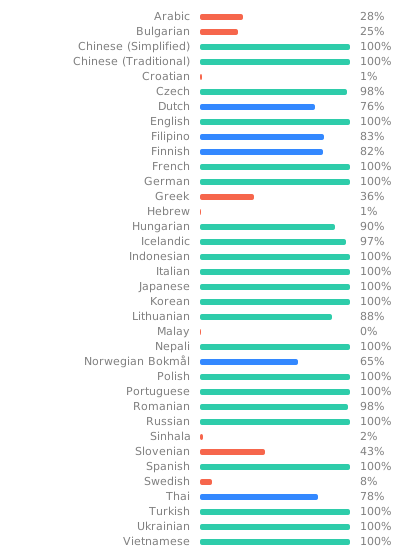
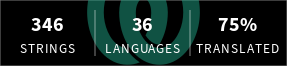
You can help with translation on Hosted Weblate.
You can check out the latest release to quickly find the latest version.
Install the youtube-music-bin package from the AUR. For AUR installation instructions, take a look at
this wiki page.
You can install the app using Homebrew (see the cask definition):
brew install th-ch/youtube-music/youtube-musicIf you install the app manually and get an error "is damaged and can’t be opened." when launching the app, run the following in the Terminal:
/usr/bin/xattr -cr /Applications/YouTube\ Music.appYou can use the Scoop package manager to install the youtube-music package from
the extras bucket.
scoop bucket add extras
scoop install extras/youtube-music
Alternately you can use Winget, Windows 11s
official CLI package manager to install the th-ch.YouTubeMusic package.
Note: Microsoft Defender SmartScreen might block the installation since it is from an "unknown publisher". This is also true for the manual installation when trying to run the executable(.exe) after a manual download here on github (same file).
winget install th-ch.YouTubeMusic- Download the
*.nsis.7zfile for your device architecture in release page.x64for 64-bit Windowsia32for 32-bit Windowsarm64for ARM64 Windows
- Download installer in release page. (
*-Setup.exe) - Place them in the same directory.
- Run the installer.
You can load CSS files to change the look of the application (Options > Visual Tweaks > Themes).
Some predefined themes are available in https://github.com/kerichdev/themes-for-ytmdesktop-player.
git clone https://github.com/th-ch/youtube-music
cd youtube-music
pnpm install --frozen-lockfile
pnpm devUsing plugins, you can:
- manipulate the app - the
BrowserWindowfrom electron is passed to the plugin handler - change the front by manipulating the HTML/CSS
Create a folder in src/plugins/YOUR-PLUGIN-NAME:
index.ts: the main file of the plugin
import style from './style.css?inline'; // import style as inline

import { createPlugin } from '@/utils';

export default createPlugin({
  name: 'Plugin Label',
  restartNeeded: true, // if value is true, ytmusic show restart dialog
  config: {
    enabled: false,
  }, // your custom config
  stylesheets: [style], // your custom style,
  menu: async ({ getConfig, setConfig }) => {
    // All *Config methods are wrapped Promise<T>
    const config = await getConfig();
    return [
      {
        label: 'menu',
        submenu: [1, 2, 3].map((value) => ({
          label: `value ${value}`,
          type: 'radio',
          checked: config.value === value,
          click() {
            setConfig({ value });
          },
        })),
      },
    ];
  },
  backend: {
    start({ window, ipc }) {
      window.maximize();

      // you can communicate with renderer plugin
      ipc.handle('some-event', () => {
        return 'hello';
      });
    },
    // it fired when config changed
    onConfigChange(newConfig) { /* ... */ },
    // it fired when plugin disabled
    stop(context) { /* ... */ },
  },
  renderer: {
    async start(context) {
      console.log(await context.ipc.invoke('some-event'));
    },
    // Only renderer available hook
    onPlayerApiReady(api: YoutubePlayer, context: RendererContext) {
      // set plugin config easily
      context.setConfig({ myConfig: api.getVolume() });
    },
    onConfigChange(newConfig) { /* ... */ },
    stop(_context) { /* ... */ },
  },
  preload: {
    async start({ getConfig }) {
      const config = await getConfig();
    },
    onConfigChange(newConfig) {},
    stop(_context) {},
  },
});- injecting custom CSS: create a
style.cssfile in the same folder then:
// index.ts
import style from './style.css?inline'; // import style as inline

import { createPlugin } from '@/utils';

export default createPlugin({
  name: 'Plugin Label',
  restartNeeded: true, // if value is true, ytmusic will show a restart dialog
  config: {
    enabled: false,
  }, // your custom config
  stylesheets: [style], // your custom style
  renderer() {} // define renderer hook
});- If you want to change the HTML:
import { createPlugin } from '@/utils';

export default createPlugin({
  name: 'Plugin Label',
  restartNeeded: true, // if value is true, ytmusic will show the restart dialog
  config: {
    enabled: false,
  }, // your custom config
  renderer() {
    // Remove the login button
    document.querySelector(".sign-in-link.ytmusic-nav-bar").remove();
  } // define renderer hook
});- communicating between the front and back: can be done using the ipcMain module from electron. See
index.tsfile and example insponsorblockplugin.
- Clone the repo
- Follow this guide to install
pnpm - Run
pnpm install --frozen-lockfileto install dependencies - Run
pnpm build:OS
pnpm dist:win- Windowspnpm dist:linux- Linux (amd64)pnpm dist:linux:deb-arm64- Linux (arm64 for Debian)pnpm dist:linux:rpm-arm64- Linux (arm64 for Fedora)pnpm dist:mac- macOS (amd64)pnpm dist:mac:arm64- macOS (arm64)
Builds the app for macOS, Linux, and Windows, using electron-builder.
pnpm startpnpm testUses Playwright to test the app.
MIT © th-ch
If Hide Menu option is on - you can show the menu with the alt key (or ` [backtick] if using
the in-app-menu plugin)