



If only certain buffers could be so grossly incandescent.

solaire-mode is an aesthetic plugin designed to visually distinguish "real"
buffers (i.e. file-visiting code buffers where you do most of your work) from
"unreal" buffers (like popups, sidebars, log buffers, terminals, etc) by giving
the latter a slightly different -- often darker -- background:

This plugin accomplishes this by doing two things when activated:
-
solaire-modebuffer-locally remaps all the faces insolaire-mode-remap-alist. e.g.default->solaire-default-face, andmode-line->solaire-mode-line-face -
solaire-global-modewill globally swap faces insolaire-mode-swap-alistIF your active theme is insolaire-mode-themes-to-face-swap. Use this if you think your theme has its designated solaire-*-face colors the wrong way around.
Praise the sun.
Important
It is the responsibility of your active theme to style this package's faces to
look good. By default, solaire-mode will disable itself if a theme doesn't
appear to support it. See the "Configuration" section below covers how to add support to a
theme that lacks it.
solaire-mode is available on MELPA:
-
package.el users:
M-x package-install RET solaire-mode -
straight.el users:
(straight-use-package 'solaire-mode) -
Doom Emacs users: Enable the
:ui doommodule (no additional configuration needed).
Simply activate solaire-global-mode:
(solaire-global-mode +1)solaire-mode-real-buffer-fn(default:solaire-mode-real-buffer-p): The predicate function used to determine if a buffer is "real" or not. It takes no arguments and must return truthy for buffers wheresolaire-modeshould not be activated in.solaire-mode-remap-alist: An alist mapping original faces to replacement faces, which will be buffer-locally remapped in any buffersolaire-modeis enabled in.solaire-mode-swap-alist: An alist mapping original faces to replacement faces, which will be swapped globally ifsolaire-global-modeis used and the current theme is insolaire-mode-themes-to-face-swap.solaire-mode-themes-to-face-swap(default:()): A list of themes to swap faces insolaire-mode-swap-alistfor. Can be symbols, regexps, or functions.solaire-mode-supported-themes(default:()): Themes to ignore support for and keep solaire-mode forcibly enabled for anyway. Can be:all(all themes) or a list of symbols, regexps, or functions.
-
By default,
solaire-moderemaps the mode-line faces. This interferes with certain mode-line packages like telephone-line or powerline, but works fine for doom-modeline. To disable this behavior use:(dolist (face '(mode-line mode-line-inactive)) (setf (alist-get face solaire-mode-remap-modeline) nil))
-
It is up to themes to decide whether unreal buffers (i.e. non-file-visiting) are lighter or darker than real buffers. If you don't like their arrangement, add that theme to
solaire-mode-themes-to-face-swap:(add-to-list 'solaire-mode-themes-to-face-swap 'doom-vibrant)
Then solaire-mode will swap all the faces in
solaire-mode-swap-alist(for example, swapping thedefaultface withsolaire-default-face).solaire-mode-themes-to-face-swapsupports regexps and functions for more granular control, e.g.(add-to-list 'solaire-mode-themes-to-face-swap "^doom-") ;; or (add-to-list 'solaire-mode-themes-to-face-swap (lambda (theme) (memq theme '(doom-one doom-vibrant doom-city-lights))))
-
This package uses
face-remap.elto achieve its effect. Any packages that utilize this can override it or be overridden by solaire-mode. Take care when using multiple packages that use this machanism.
For the sake of performance, solaire-mode will disable itself if the active
theme doesn't support it. "Support" means a theme must, at least, change
solaire-default-face's :background. My recommendation is that it be
slightly darker than default's background.
For example doom-one (seen in the screenshot above) prefers
solaire-default-face be darker than default:
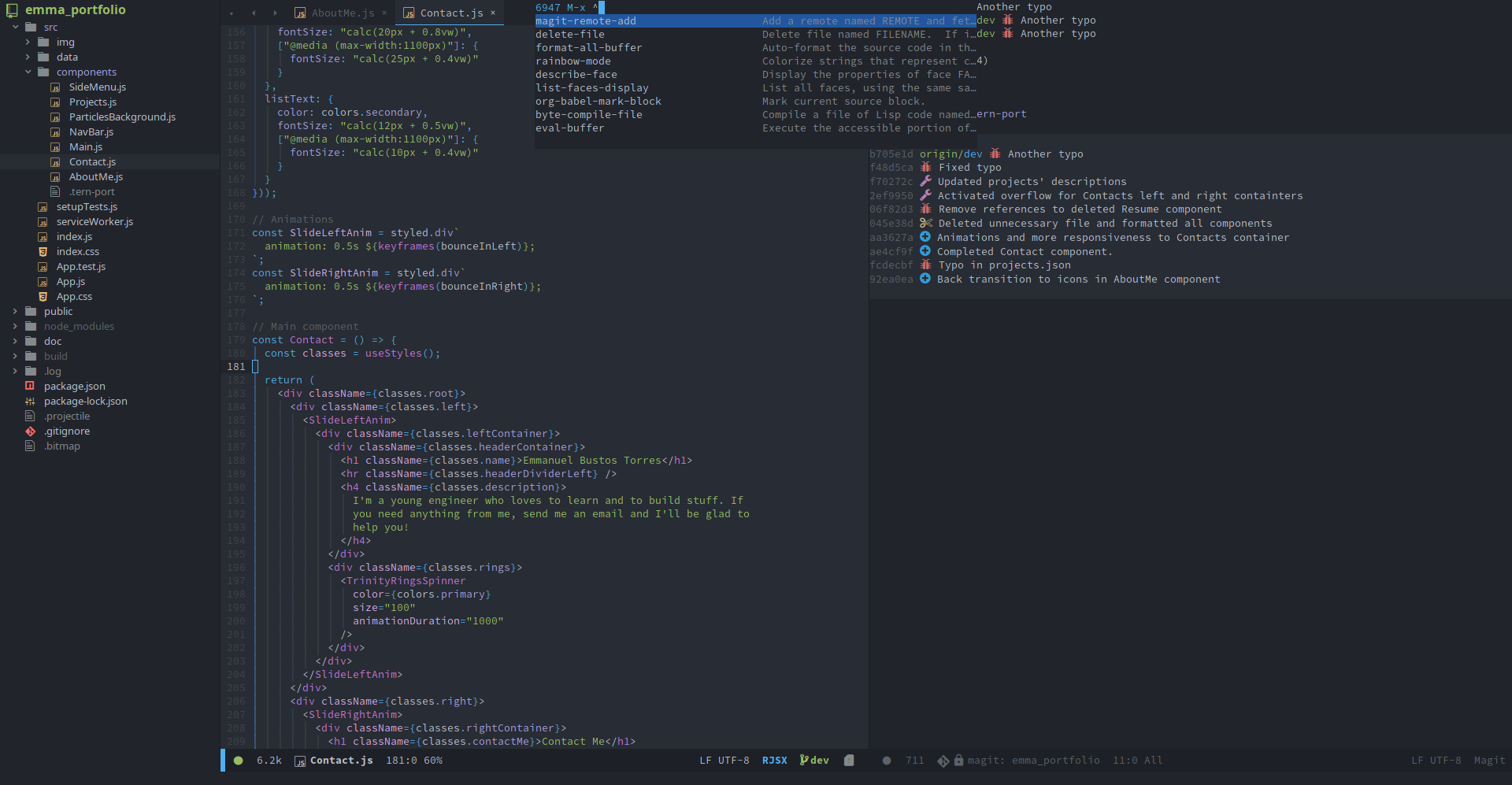
Others, like doom-vibrant prefer the opposite:
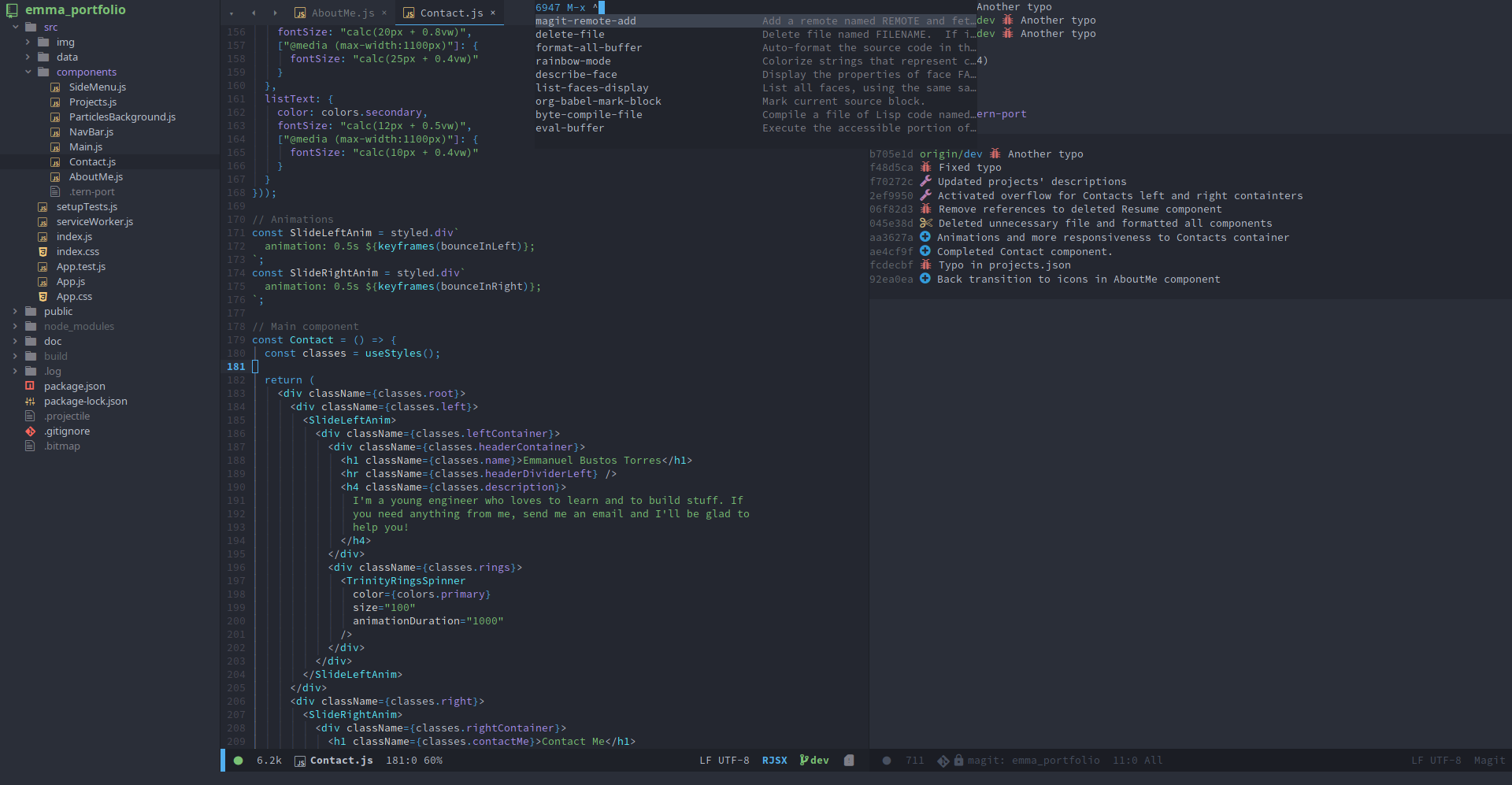
For full support, themes can customize the following faces:
| Face | Remapped face |
|---|---|
| solaire-default-face | default |
| solaire-fringe-face | fringe |
| solaire-line-number-face | line-number |
| solaire-hl-line-face | hl-line |
| solaire-org-hide-face | org-hide, org-indent |
| solaire-mode-line-face | mode-line |
| solaire-mode-line-inactive-face | mode-line-inactive |
| solaire-header-line-face | header-line |
Feel free to PR more.
If your theme doesn't support solaire-mode, here's what you should try before opening an issue:
-
Request your theme's author add support for it (by, at least, styling
solaire-default-face's:background). Here are all the faces this package remaps and what do:Original face Replacement face default solaire-default-face hl-line solaire-hl-line-face region solaire-region-face org-hide solaire-org-hide-face org-indent solaire-org-hide-face linum solaire-line-number-face line-number solaire-line-number-face header-line solaire-header-line-face mode-line solaire-mode-line-face mode-line-active solaire-mode-line-active-face mode-line-inactive solaire-mode-line-inactive-face highlight-indentation-face solaire-hl-line-face fringe solaire-fringe-face -
Use
custom-theme-set-facesto add it yourself:;;; after loading your theme (custom-theme-set-faces 'theme-that-doesnt-support-solaire-mode '(solaire-default-face ((t (:background "black")))))
solaire-mode will detect this and recognize that the theme supports it.
-
If
custom-set-facesis used instead, solaire-mode won't detect your change, in which case modifysolaire-mode-supported-themesto forcibly keep solaire-mode enabled:;;; after loading your theme and solaire-mode ;; Unconditionally activate for all themes: (setq solaire-mode-supported-themes :all) ;; OR unconditionally activate for one theme: (add-to-list 'solaire-mode-supported-themes 'theme-that-doesnt-support-solaire-mode) ;; OR unconditionally activate for all themes matching an arbitrary rule (regexp ;; or function): (add-to-list 'solaire-mode-supported-themes "^modus-") (add-to-list 'solaire-mode-supported-themes (lambda (theme) (eq (plist-get (get theme 'theme-properties) :background-mode) 'dark)))