
Common dialog fragments based on https://github.com/afollestad/material-dialogs
Features
- handles fragments save/restore states for you automatically
- includes mechanism to handle dialog events (even after screen restoration) inside activity and/or fragments
- includes some special dialogs (extracted in own modules) like e.g. a custom color dialog, text and number dialogs, multi text and number dialogs, a fast adapter recycler view dialog, an ads dialog - maybe even more to come
- also supports to show dialogs as dialog or bottom sheet
- easily extendable - create you own dialogs, simply check out the extension modules
 Simple info dialog Simple info dialog |
 Info dialog with Timeout + Warning Info dialog with Timeout + Warning |
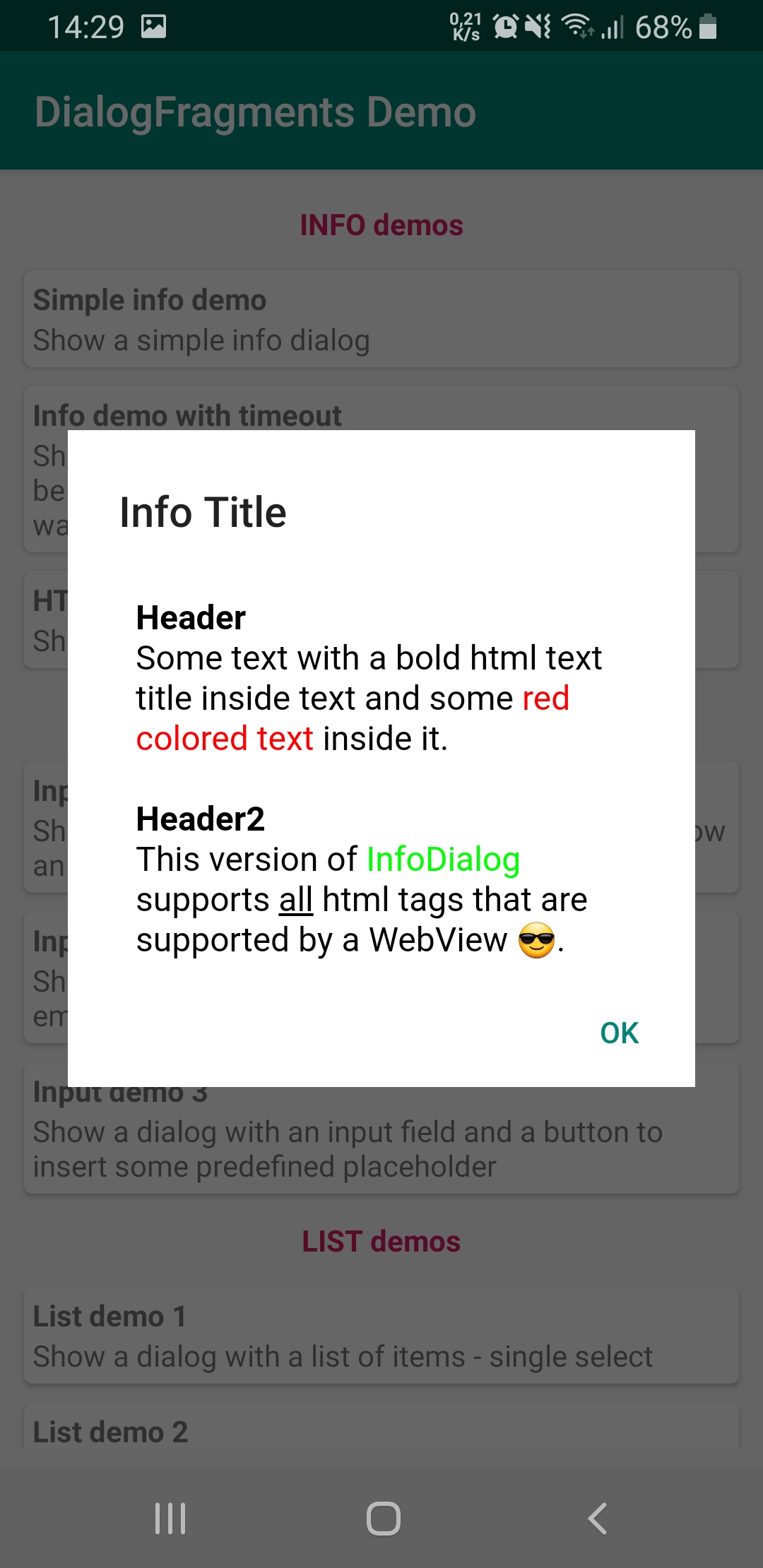 Info dialog with HTML content Info dialog with HTML content |
 Simple list dialog Simple list dialog |
 Multi select list dialog with images Multi select list dialog with images |
 Multi select list dialog with custom check marks Multi select list dialog with custom check marks |
 Multi click list dialog Multi click list dialog |
 Custom parcelable data list dialog Custom parcelable data list dialog |
 Color picker dialog Color picker dialog |
 Datetime dialog Datetime dialog |
 EditText dialog EditText dialog |
 Multi EditText dialog Multi EditText dialog |
 Number dialog Number dialog |
 Custom number dialog Custom number dialog |
 Multi number dialog Multi number dialog |
 Progress dialog Progress dialog |
 Frequency dialog Frequency dialog |
 Debug settings dialog Debug settings dialog |
Gradle (via JitPack.io)
- add jitpack to your project's
build.gradle:
repositories {
    maven { url "https://jitpack.io" }
}- add the implementation statement(s) to your module's
build.gradle:
dependencies {

	// --------
	// core - DialogInfo, DialogList, DialogProgress
	// --------

	implementation "com.github.MFlisar.MaterialDialogFragments:dialogs:<LATEST-VERSION>"

	// --------
	// optional
	// --------

	// input - DialogInput, DialogNumber, DialogNumberPicker
	implementation "com.github.MFlisar.MaterialDialogFragments:dialogs-input:<LATEST-VERSION>"

	// specials
	implementation "com.github.MFlisar.MaterialDialogFragments:dialogs-datetime:<LATEST-VERSION>"
	implementation "com.github.MFlisar.MaterialDialogFragments:dialogs-fastadapter:<LATEST-VERSION>"
	implementation "com.github.MFlisar.MaterialDialogFragments:dialogs-color:<LATEST-VERSION>"
	implementation "com.github.MFlisar.MaterialDialogFragments:dialogs-frequency:<LATEST-VERSION>"
	implementation "com.github.MFlisar.MaterialDialogFragments:dialogs-ads:<LATEST-VERSION>"

	// --------
	// alternatively, to include ALL modules at once
	// --------

	// implementation 'com.github.MFlisar:MaterialDialogFragments:<LATEST-VERSION>'
}
Usage is very simply, you only need to do following:
-
ActivitiesorFragmentsusing the dialog fragments must implement the simpleDialogFragmentCallbackinterface:interface DialogFragmentCallback { fun onDialogResultAvailable(event: BaseDialogEvent): Boolean } -
you create a dialog with the corresponding setup class like e.g.:
DialogInfo( 1, // ID - this allows you to identify dialog events in the callback "Info Title".asText(), "Some info label".asText() ) .create() .show(this) -
in the
DialogFragmentCallbackyou can handle the result now like following:override fun onDialogResultAvailable(event: BaseDialogEvent): Boolean { return when (event) { is DialogInfoEvent -> { Toast.makeText(this, "Info dialog closed - ID = ${event.id}", Toast.LENGTH_SHORT).show() true } else false } }
That's all. Optionally you can set up some global settings like following, preferably in your application class once only:
DialogSetup.SEND_CANCEL_EVENT_BY_DEFAULT = true
The DialogSetup offers some other settings as well.
Check the demo app for more informations.