
CANpeek is a graphical CAN bus observer and analyzer for Linux and Windows based on Python and Qt with can databases (DBC) support and some CANopen functionality.
- 🧩 Project-based configuration with filters, DBC files, and persistent decoding options
- 🌐 Multi-interface support: socketcan, pcan, kvaser, vector and other interfaces based on python-can
- 📊 Dual View: Real-time Trace View and hierarchical Grouped View with signal expansion
- 📁 Multi-DBC support with signal decoding from cantools
- 🧠 Generic CANopen decoder with support for NMT, PDO, SDO, Heartbeat, and more
- 🗃️ CANopen Object Dictionary with an SDO client for read/write operations
- 📦 CAN frame transmitter, supporting both raw and signal-based (DBC) messages
- 📜 Log support: Save/load CAN logs in all python-can IO formats
- 🔌 Connections Management: Handling of multiple simultaneous CAN connections
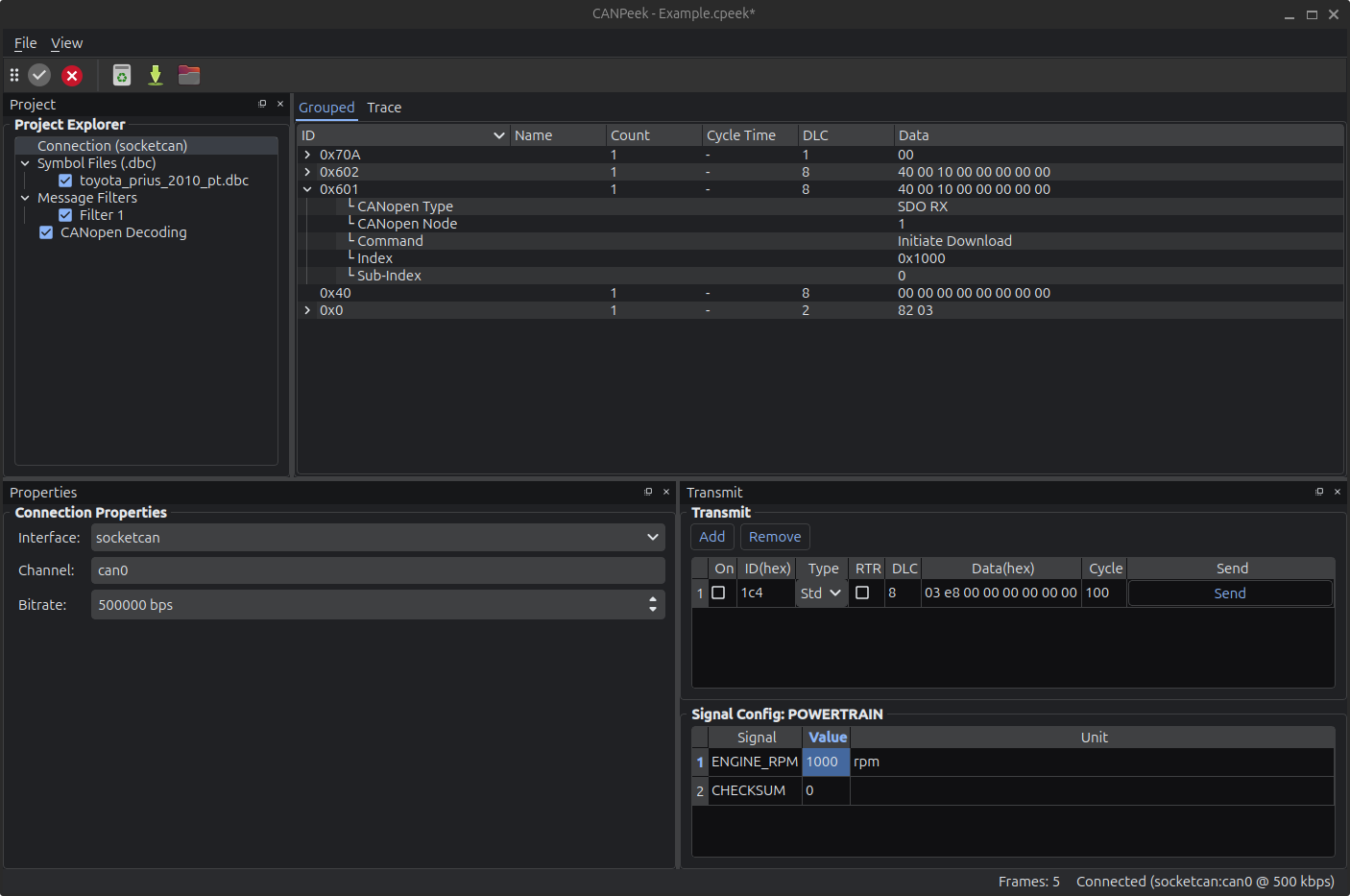
The interfaces avaibility depends on modules and drivers available on your system. Watch console output at startup.
Use the extra [interfaces] to install optionals python modules.
pip install canpeek[interfaces]
canpeek- Install uv
- Run
uv run canpeek --extra interfaces
This project includes code — and this very README — that were generated almost entirely with large language models (LLMs). Yes, the term “AI slop” was insisted upon.
While the app works and provides a full-featured CAN bus GUI, you may find:
- Some awkward structure and bloated chunks of logic
- Repetitive patterns that could use refactoring
- Giant all-in-one files (yes,
main.py, we’re looking at you) - Documentation (including this README) was AI-generated too — so if it sounds polished but slightly overconfident, that’s why.
The goal was rapid prototyping, not pristine architecture. Use it, improve it, rewrite parts of it — all contributions are welcome.
-
Connect to a CAN interface:
- Select backend (
socketcan,pcan,kvaser, etc.) - Enter the channel (e.g.,
can0) - Click Connect
- Select backend (
-
Load DBC files via the "Project Explorer" to decode signals.
-
Create Filters to limit visible traffic.
-
Send CAN messages:
- Manually from the Transmit tab
- If the message id is in the DBC, a dedicated panel is available to edit signals values
-
Save / Load CAN logs in multiples formats.
CANPeek is designed to be quick & simple, you might find those intersesting:
- This project is licensed by MIT License
- icons : Yaru : CC BY-SA 4.0