
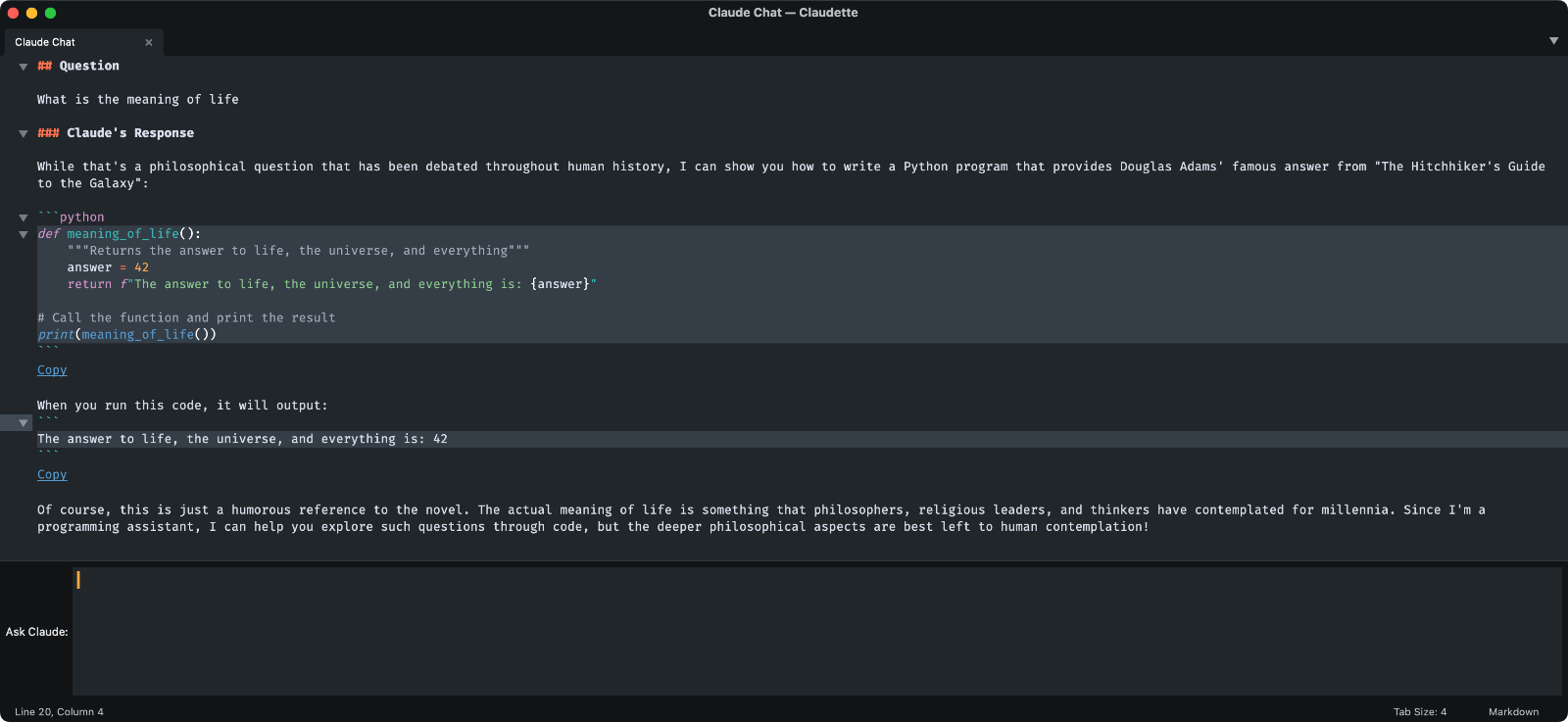
A Sublime Text package that integrates the Anthropic Claude AI API into your editor.
Type "Ask Question" in the command palette or find the Claudette > Ask Question item in the Tools menu to ask a question. Any selected text in the current file will be sent along to the Anthropic Claude API. Note that a Claude API key is required.
- Chat with Claude in multiple chat windows at the same time
- Automatically include selected text as context for your questions
- Include one or more files in the chat context
- Choose between different Claude models
- Configure custom system prompts to customize Claude's behavior
- Chat History: Export and import conversations as JSON files
All commands are available via the Tools > Claudette menu or via the command palette.
-
Ask Question
claudette_ask_question
Opens a question input prompt. Submit your question with the ⏎ Enter key. ⇧ Shift + ⏎ Enter for line breaks.
Pro tip: In a chat view, press Enter to ask a question. -
Ask Question In New Chat View
claudette_ask_new_question
Opens a question input prompt. A new chat view will open if there is an existing conversation in the current view. Useful for having multiple simultaneous chats, each with their own context and history. -
Clear Chat History
claudette_clear_chat_history
Clear the chat history to reduce token usage while keeping previous messages visible in the interface. Prevents resending previous messages in a conversation when a new question is asked. -
Export Chat History
claudette_export_chat_history
Save any Claude chat conversation. Run this command to export the most recently active chat view in the current window to a JSON file. -
Import Chat History
claudette_export_chat_history
Import a chat history JSON file and continue the conversation where it left off. -
Include in Context
claudette_context_add_files
Available as a context menu item in the file list. Include on or more files or the content of a folder to the chat context. -
Add Current File To Context
claudette_context_add_current_file
Add the content of the currently open view to the chat context. -
Remove Current File From Context
claudette_context_add_current_file
Remove the content of the currently open view to the chat context, if it has been added before. -
Add All Open Files To Context
claudette_context_add_open_files
Add the content of the currently open files to the chat context. -
Refresh Included Files
claudette_context_refresh_files
Update the content of the files in the chat context with their latest version. -
Show Included Files
claudette_context_manage_files
Manage the list of files that are currently included in the chat context. -
Clear Included Files
claudette_context_clear_files
Remove all included files from the chat context. -
Switch Model
claudette_select_model_panel
Claudette chat is powered by Claude 3.5 Sonnet by default, but you can switch between all available Anthropic models. -
Switch System Prompt
claudette_select_system_message_panel
Improve Claude's performance by using a system prompt. You can create and manage multiple prompts. -
Switch API Key claudette_select_api_key_panel Claudette allows using multiple API keys.
The Claudette package does not add key bindings out of the box. You can add your own keyboard shortcuts via the Settings > Keybindings settings menu. The following example adds a keyboard shortcut that opens the "Ask Question" panel.
For OSX:
[
	{
		"keys": ["super+k", "super+c"],
		"command": "claudette_ask_question",
	}
]
For Linux and Windows:
[
	{
		"keys": ["ctrl+k", "ctrl+c"],
		"command": "claudette_ask_question",
	}
]
- Install Package Control if you haven't already
- Open the Command Palette (⌘+⇧+P on Mac, Ctrl+⇧+P on Windows/Linux)
- Type "Package Control: Install Package" and press Enter
- Type "Claudette" and press Enter to install
- Get an API key from Anthropic
- Configure API key in Preferences > Package Settings > Claudette > Settings
All code that you share with the Anthropic Claude API, for example by including it in a chat, will be sent to Anthropic's servers. For information about Anthropic's privacy practices, data processing, and legal compliance, please visit the Privacy & Legal documentation.
The package is for the most part written by Claude AI itself.