Getting "Unexpected token <" error since using SystemJS #659

Description

Hey 👋
Operating System : macOS Sierra
Node.js version : v8.1.2
npm version: 5.0.3
I have switched my loader from RequireJS to SystemJS this morning.
To make the change I have install a new aurelia application and I have compare package.json, tasks/*, aurelia.json and index.html files and made the change needed.
The application bundle correctly, but when I try to launch it in the browser I have the error Unexpected token < at random place.
Note that everything was working fine before making the change.

If we take a look to the vendor-bundle.js file at the line 11707 we arrive on the loadModule function.
DefaultLoader.prototype.loadModule = function (id) {
  var _this3 = this;

  return System.normalize(id).then(function (newId) {
    var existing = _this3.moduleRegistry[newId];
    if (existing !== undefined) {
      return Promise.resolve(existing);
    }

    return System.import(newId).then(function (m) {                  // 11707
      _this3.moduleRegistry[newId] = m;
      return ensureOriginOnExports(m, newId);
    });
  });
};
The package @fivb/sdk is a TypeScript package compiled and transpiled to ES5 in different module formats (amd, commonjs, es2015, umd).
In my aurelia.json, I load it as an amd package.
{
  "name": "@fivb/sdk",
  "path": "../node_modules/@fivb/sdk/dist/amd",
  "main": "index"
},
Since SystemJS should handle commonjs as well, I have tried to use this version.
{
  "name": "@fivb/sdk",
  "path": "../node_modules/@fivb/sdk/dist/commonjs",
  "main": "index"
},
Now the error Unexpected token < is gone for @fivb/sdk but happen for axios.
{
  "name": "axios",
  "path": "../node_modules/axios/dist",
  "main": "axios"
},
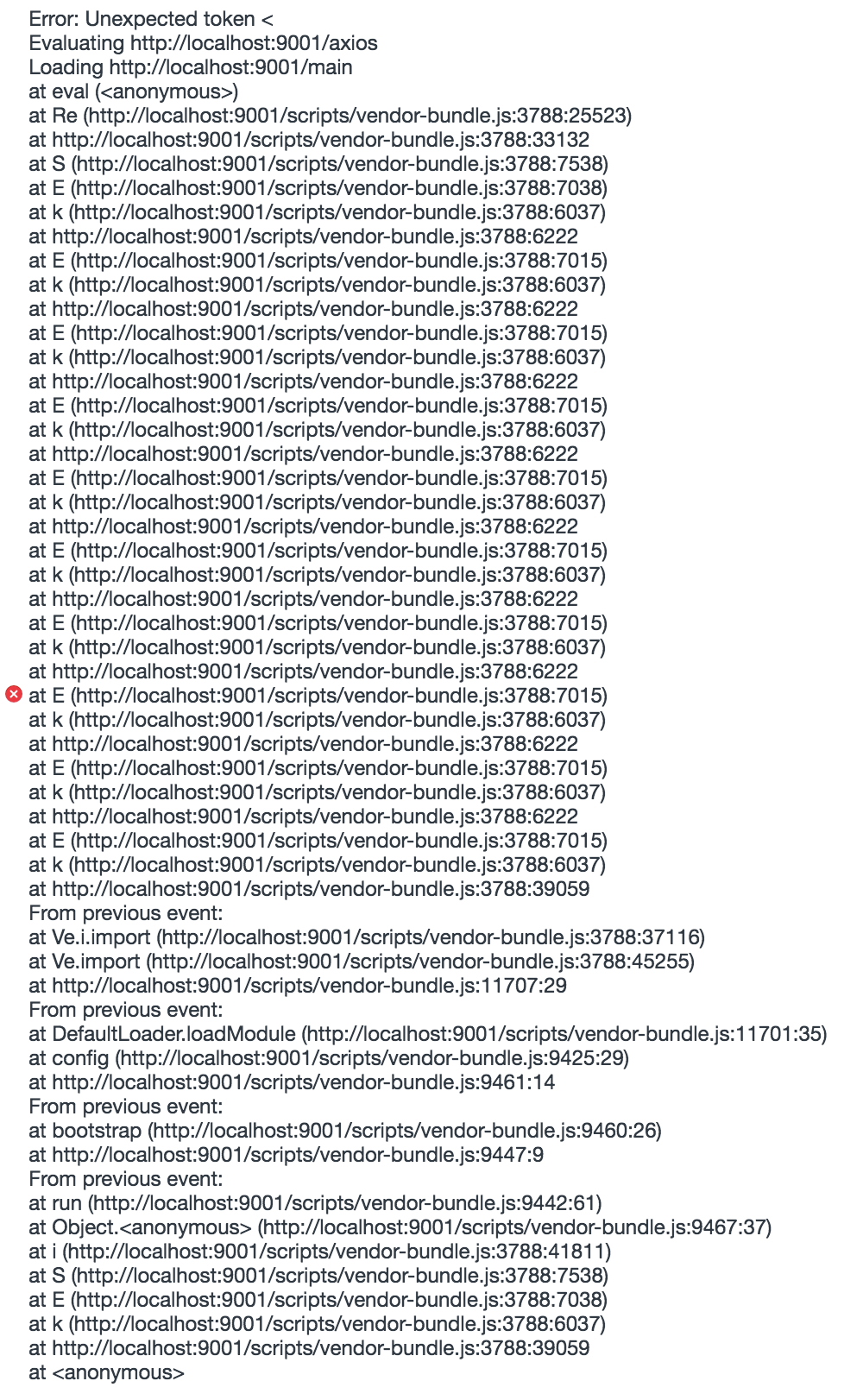
The line 3388 is the definition of SystemJS.
/*
 * SystemJS v0.20.14 Dev
 */
!function(){"use strict" ... }
Note that axios is used by @fivb/sdk.
Here's my current aurelia.json : https://gist.github.com/RomainLanz/cf6738932e73379dc62c994006e1fb18
I can give access to this application repository and to @fivb/sdk if needed.