feat: replaced download icon with cloud icon#708
Conversation


|
|


Features
Bug Fixes
ContributorsCommit-Lint commandsYou can trigger Commit-Lint actions by commenting on this PR:
|

|
I have implemented the basic feature request to replace the However, I will need some further clarifications to enable me implement the pending items on this pull request.
|

All good questions. Here is my recommendations:
Regular color codes. Primary color as with the other informative icons on the nav bar. Optional:
Side note:
Tooltips can have the same text as the pop-up messages above.
I don't think so. Since this is the normal behavior most of the time, it will be unnecessary clutter. Optional: display cloud-on icon for a few moments and then hide it. |

|
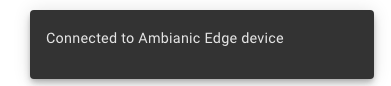
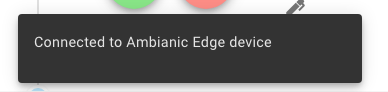
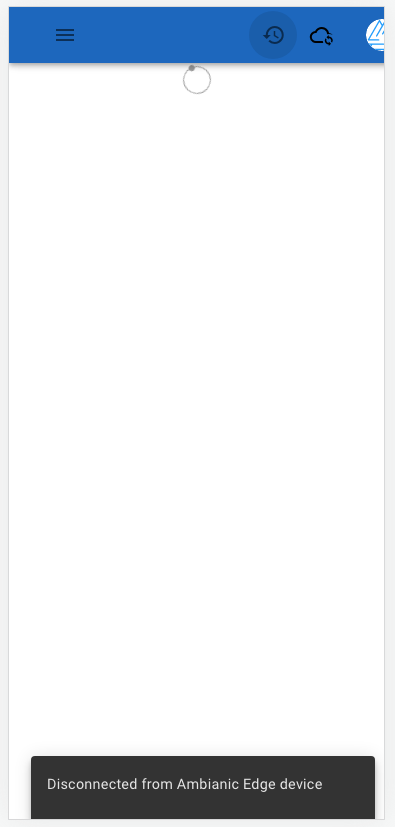
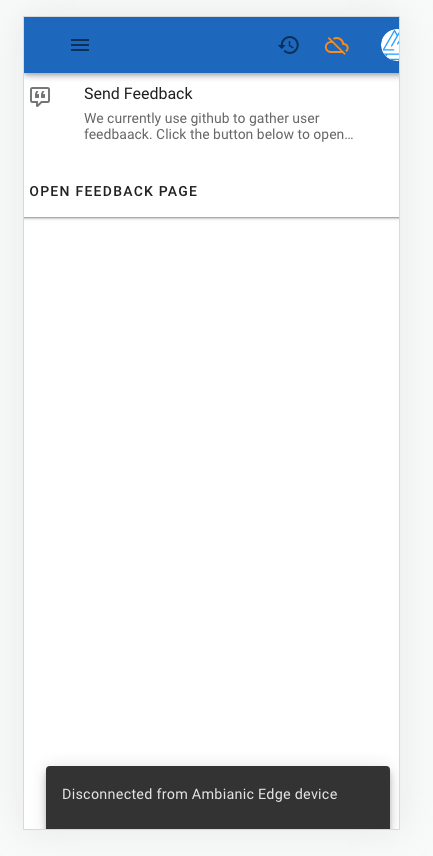
@ivelin I have just implemented the Snackbar component and displayed it in the timeline component. The cloud icon and Snackbar responds to the PEER_CONNECTED, PEER_DISCONNECTED, PEER_CONNECTING states. |

 ivelin
left a comment
ivelin
left a comment
ivelin
left a comment
There was a problem hiding this comment.
@vickywane nice work! See a couple of cosmetic comments.
|
@ivelin I just addressed all the last comments; making the snackbar standalone, moving it to the |
ivelin
left a comment
ivelin
left a comment
There was a problem hiding this comment.
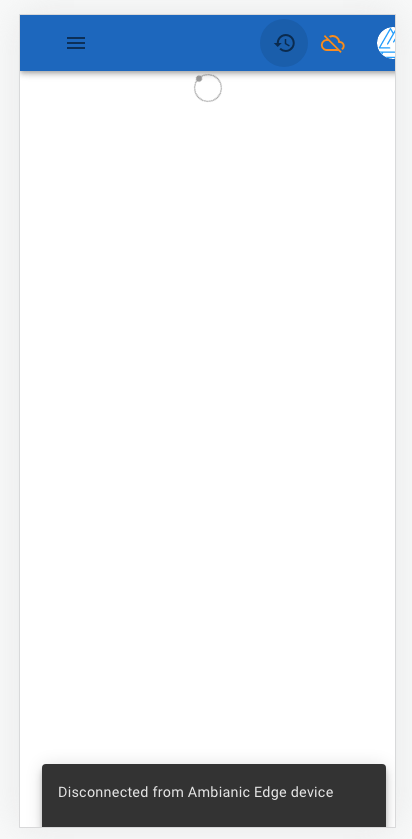
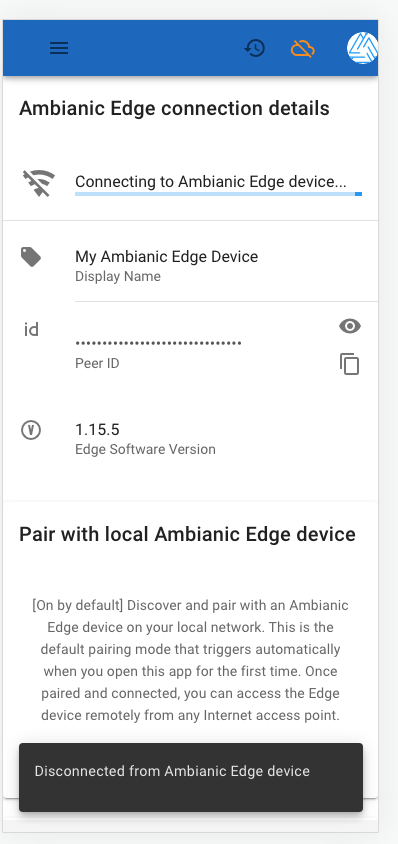
@vickywane UI behavior seems correct. I made a comment about consistency of pop-up/snackbar messages with tooltips.
Also, see if you can improve the snackbar UX. Seems to have a bit too much empty space around the text. Also as a best practice we should show an X or a Close button to allow users to manually close it before the timeout period if they choose to.
|
|

 vickywane
force-pushed
the
update/connection-icon
branch
from
vickywane
force-pushed
the
update/connection-icon
branch
from
01ccc70 to
6870ca2
Compare
ivelin
left a comment
ivelin
left a comment
There was a problem hiding this comment.
Almost there. A couple of new comments came up.
| @@ -0,0 +1,82 @@ | |||
| <template> | |||
| <div id="ConnectionStatusSnack-ctn"> | |||
There was a problem hiding this comment.
@vickywane this component shows its current snackbar message each time a new page is loaded. Try going from Timeline to Settings to About and see what happens. Once a message is shown, some flag should clear and the same message should not be shown again. We probably need a vuex mutation for the flag to take care of race conditions as users switch pages while new system messages are pushed.
We can also think about a message queue. If multiple system messages are pushed, queue them up and show them one at a time until the queue is empty. This could be another PR as it adds a fair bit of new logic to think through.

There was a problem hiding this comment.
Micro-Learning Topic: Race condition (Detected by phrase)
A race condition is a flaw that produces an unexpected result when the timing of actions impact other actions.
Try this challenge in Secure Code Warrior
There was a problem hiding this comment.
This is a valid concern and also an advanced use case.
For a quick fix, I think we can limit the Snackbar to only the timeline screen while this edge case is being worked upon in a new PR.
What do you think?
There was a problem hiding this comment.
I don't consider this an edge case. A system wide message should be only shown once.
With your suggestion if the user goes away and back to the timeline screen, they will still see the last message.
There was a problem hiding this comment.
Okay.
Should I proceed with a fix for that in this PR?
There was a problem hiding this comment.
Yes, please implement the flag to clear shown messages in this PR. Open a separate issue for system message queuing.
ivelin
left a comment
ivelin
left a comment
There was a problem hiding this comment.
@vickywane still need to fix the repetitieve message issue and open a new one for queuing.
| <div | ||
| v-bind="attrs" | ||
| id="close-icon" | ||
| @click="handleClose" |
There was a problem hiding this comment.
@vickywane what about the case when the snackbar closes itself due to timeout and not a click?
There was a problem hiding this comment.
I don't understand what you are trying to point out.
The x icon for closing the snackbar manually, and it can also close after a timeout
There was a problem hiding this comment.
The point is that visibility is only switched to false on click, but not if the snackbar closes due to timeout. In effect the problem with showing the latest old message when switching between menu items sill remains.
| <template> | ||
| <div id="ConnectionStatusSnack-ctn"> | ||
| <v-snackbar v-model="visibility"> | ||
| <span id="snack-message"> |
There was a problem hiding this comment.
@vickywane
Maybe an easier way to handle this is to condition rendering on a computed visibility attribute (a function) instead of a fixes parameter. When the computed attribute is read by the v-model check, the function can return the current state and set it to false.
computed:
  visibility: () => {
    if (this.isMessageNew) {
      this.isMessageNew = false
     return true
    } else {
     return false
    }
then in setConnectionStatusNotification before the switch statement:
this.isMessageNew = true
| setConnectionStatusNotification () { | ||
| switch (this.peerConnectionStatus) { | ||
| case 'PEER_CONNECTING': | ||
| this.visibility = this.message !== PEER_CONNECTING_NOTIFICATION |
There was a problem hiding this comment.
@vickywane this repeated check should not be necessary. If the peer state machine fires the same state message multiple times, then something is wrong with the state machine.
There was a problem hiding this comment.
This condition was to handle scenarios when a user navigates to a new screen and the setConnectionStatusNotification function is (re)fired.
| <div | ||
| v-bind="attrs" | ||
| id="close-icon" | ||
| @click="handleClose" |
There was a problem hiding this comment.
The point is that visibility is only switched to false on click, but not if the snackbar closes due to timeout. In effect the problem with showing the latest old message when switching between menu items sill remains.
Okay, I understand this better. But the timeout is automatically handled by Vuetify. Would you prefer we disable the timeout and make it manual-close only? |
|
@ivelin I have just written a fix to the repetitive bug issue and testing it out, it works as expected. Taking a closer look into the issue, the I decided to employ the use of On some further notes, the settings page only checks if an |
ivelin
left a comment
ivelin
left a comment
There was a problem hiding this comment.
@ivelin I have just written a fix to the repetitive bug issue and testing it out, it works as expected.
Glad you are taking the time to carefully think through and test.
Taking a closer look into the issue, the
Snackbarcomponent was getting recreated on each page navigation, hence, it needed some other way to persist the last shown notification rather than using local state.I decided to employ the use of
localstorage, each time checking that the last stored status is not the same as the one about to be displayed.
localstorage is more appropriate for persisting state between app sessions. What you need here is a session scoped connectivity state variable. See how we use Vuex store for PnPService and Peer connection status.
On some further notes, the settings page only checks if an
edgePeerIdis present before it shows that the PWA is connecting. This causes the settings page to lose sync with the Tooltip and Snackbar ( if displayed ). Do we need to make any modifications on the Settings page?
Interesting catch. Can you show exactly the problem with a self documented test case that fails. Once the bug is fixed the test should pass and keep the code from regressing.
| switch (this.peerConnectionStatus) { | ||
| case 'PEER_CONNECTING': | ||
| this.message = PEER_CONNECTING_NOTIFICATION | ||
| this.visibility = true |
There was a problem hiding this comment.
@vickywane
this.visibility = true can be set once before or after the switch. No need to repeat the same code multiple times without clear benefit.
There was a problem hiding this comment.
Setting visibility once before the switch will mean the snackbar will be displayed for all notification statuses. Currently, the notification is only being shown for connected, connecting and disconnected statuses.
There was a problem hiding this comment.
I have extracted the assignments within each case to a separate method to make follow the DRY convention.
I took a second shot at this and I created a new state within the |
This is not a bug. Its the way the |
ivelin
left a comment
ivelin
left a comment
There was a problem hiding this comment.
My manual testing showing acceptable behavior. See a few cosmetic comments.
src/components/AppFrame.vue
Outdated
| <div> | ||
| <!-- nav goes here --> | ||
| <NavBar /> | ||
| <ComponentStatusSnack /> |
There was a problem hiding this comment.
@vickywane usually Vue component names are not prefixed with Component. It becomes redundant and noisy as components add up. Let's rename to statusSnackbar to keep it close to the standard meaning of the material design component names.
| vuetify, | ||
| store | ||
| }) | ||
|
|
There was a problem hiding this comment.
@vickywane how about a couple of test cases to cover the behavior of the status snackbar when the user switches between menus. This will help prevent regression on this known issue.
@vickywane to keep this PR moving, let's open a new issue and PR for the settings page. I agree that it should be in sync with the cloud icon and status snackbar. |
vickywane
force-pushed
the
update/connection-icon
branch
from
c39d0cd to
4e1076c
Compare
@vickywane Are these tasks/checkboxes left open on purpose? |
No. |
Aright. I have opened this feature request to follow up on this issue. |
ivelin
left a comment
ivelin
left a comment
There was a problem hiding this comment.
Please address the pending comments.
src/components/NavBar.vue
Outdated
| this.connectionIconColor = 'warning' | ||
| } else if (this.peerConnectionStatus === 'PEER_CONNECTING') { | ||
| this.connectionStatusIcon = 'cloud-sync-outline' | ||
| this.connectionIconColor = 'black' |
There was a problem hiding this comment.
@vickywane let's use default colors such as warning and info to avoid problems when the OS switches between light and dark themes. We had this issue in the past several times when some contributors pick colors they like for their widgets which do not agree with the colors of widgets elsewhere in the app.
| vuetify, | ||
| store | ||
| }) | ||
|
|

|
🎉 This PR is included in version 2.18.0 🎉 The release is available on: Your semantic-release bot 📦🚀 |

2 participants


Purpose
This pull request will fix this issue here.
Approach
New code within this pull request changes the
download-officon to acloud-officon to better depict the connection status of the PWA to an edge deviceResolved TODOs within this pull request
Merge Checklist