Cleanup usings #277
Cleanup usings #277
Conversation


|
@Turnerj, I am not sure why the CodeCov failed. Is there anything I should do or undo ? |

Basically, because you changed formatting on certain lines, it is expecting tests to be run on them for code coverage. Some don't have existing code coverage so it sees your changes as untested and then errors. This includes even lines that just have formatting changes. |


|
hi @Turnerj |
|
I'll probably do a new release soon. Just FYI though, technically you can use this with .NET 6 already as it implements .NET Standard 2.1. Where we can benefit from the specific targets is the additional APIs we can take advantage of within MongoFramework itself. |
|
Thank you. Yes, I am using it now.... just wondering. I maybe have sometime in the next few weeks to tackles some of the issues. I'll let you know/ask if it makes sense when I am ready. |
|
Hi @Turnerj. |
|
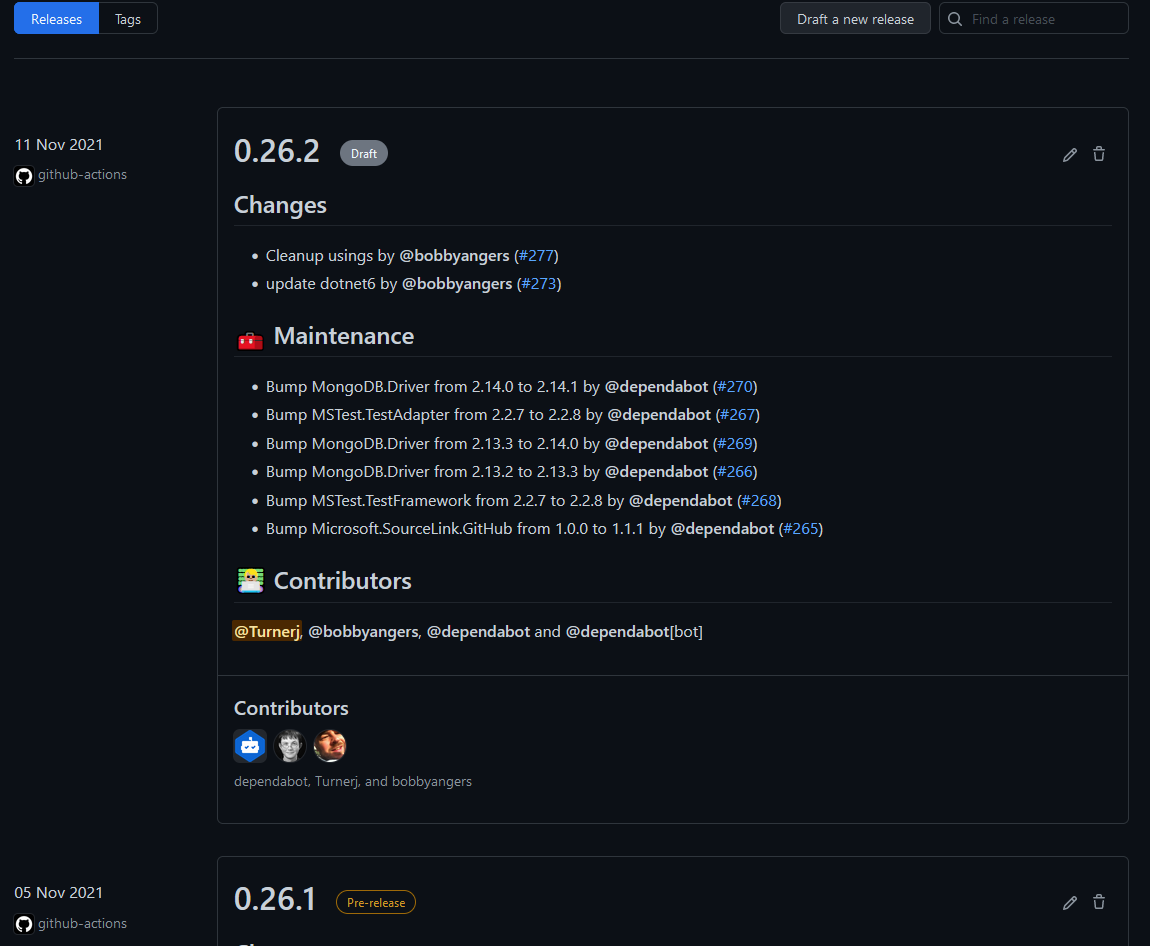
I've got most of my repositories setup to use tags for releases. Specifically, I use the Releases section in GitHub:
Basically I just edit the draft release, set the appropriate tag (it can do it automatically but I often forget to make PRs etc with the appropriate labels), check that it is a pre-release and press publish. I might update the release text so it is a bit nicer too or highlight a particular change more obviously too. My GitHub Actions "build" workflow then is triggered because of the published release. When the applications build, they use another library of mine called Build Versioning, to correctly set the version of the application and generated package. At the bottom of the build workflow, you'll see there is a "push-to-github-packages" and a "push-to-nuget" - they pretty much do what their names suggest. There are secret keys used for both to allow publishing without me needing to do it manually. It is a very straight forward process to do a release. I don't like to release too often (I've had to release a few versions within a few days before) and I like to make sure each version provides a decent number of useful changes. Bug fixes I might push out as individual releases, maybe big features get their own releases. Pretty much anything inbetween though I like to package up with other changes unless something about it is particularly pressing. |
2 participants


Done #275