 A Randomizer for Pikmin 1 (GCN/Wii) powered entirely by Gecko Codes
Go to this repository's release tab. Download release.zip.
This package contains *.txt files with Gecko Codes formatted to be parsed by the Wii Homebrew app Cheat Manager. Since it's all plaintext, one can easily open these files to copy the Gecko Codes into Dolphin's Cheat Code Editor.
In addition to the randomizer code, a patch that re-enables the unused pluckaphone feature is included as well. This is because Candypop Buds will often spawn in undesirable places, leading to Pikmin being unpluckable by normal means. Use this patch at your discretion.
5.0-11969 was when my Extendo-RAM feature was added to Dolphin Emulator. Make sure you have a build equal to or greater than this, otherwise the Configurable MEM1 will not be available.
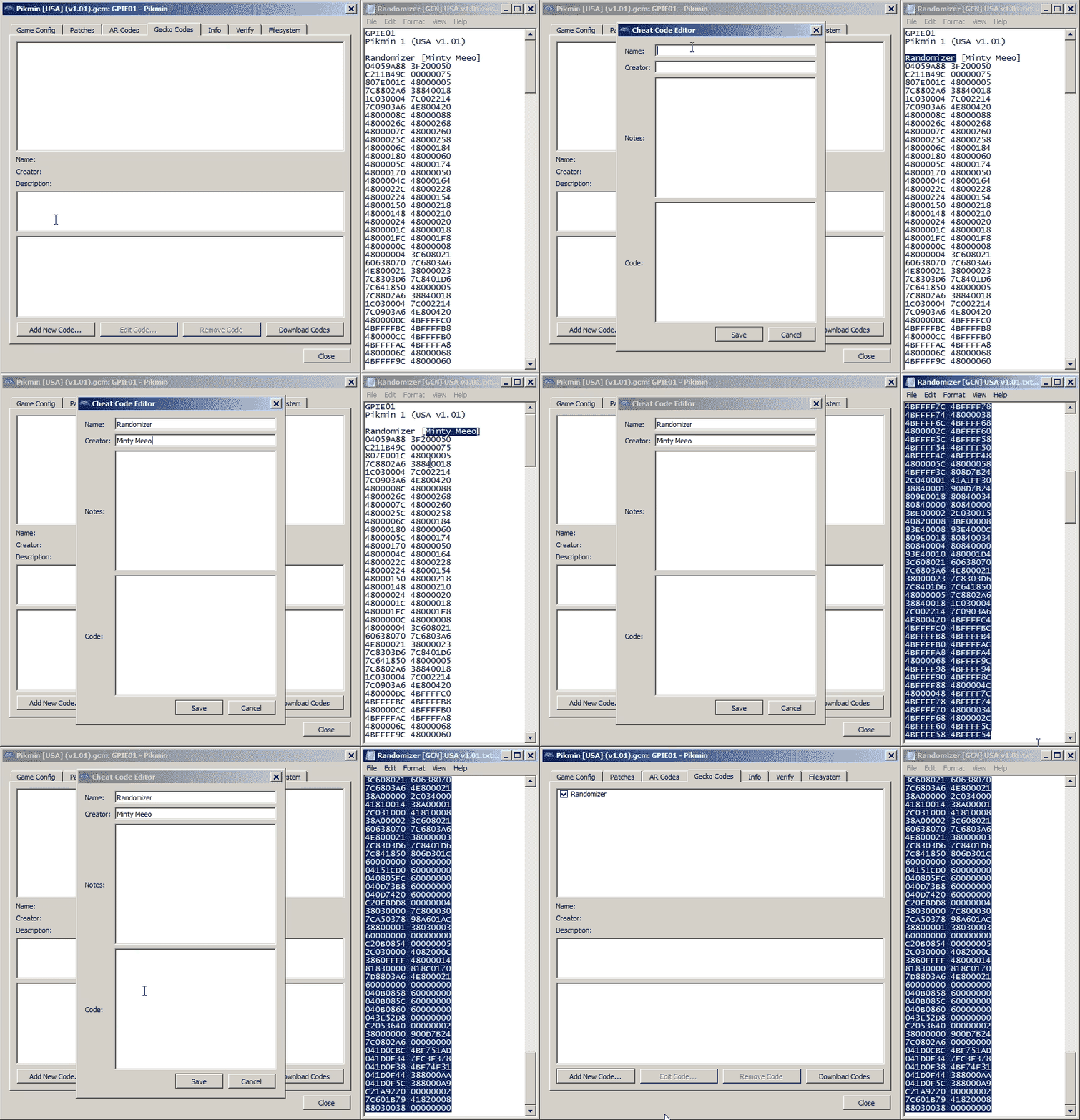
In the *.txt files from release.zip, copy the relevant lines of text into the Gecko Code editor in Dolphin Emulator's Game Properties window. You can also do this for the "Always Pluckaphone" code if desired.
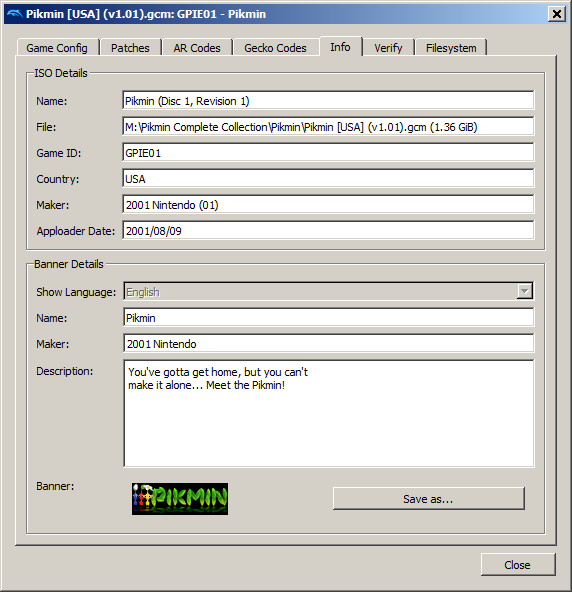
Make sure the revision of your copy of Pikmin 1 matches the code you are using. You can find this in the Game Properties window. Revision 1 is v1.01, Revision 2 is v1.02, etc. New Play Control! releases have no revisions (outside of regional releases, of course).
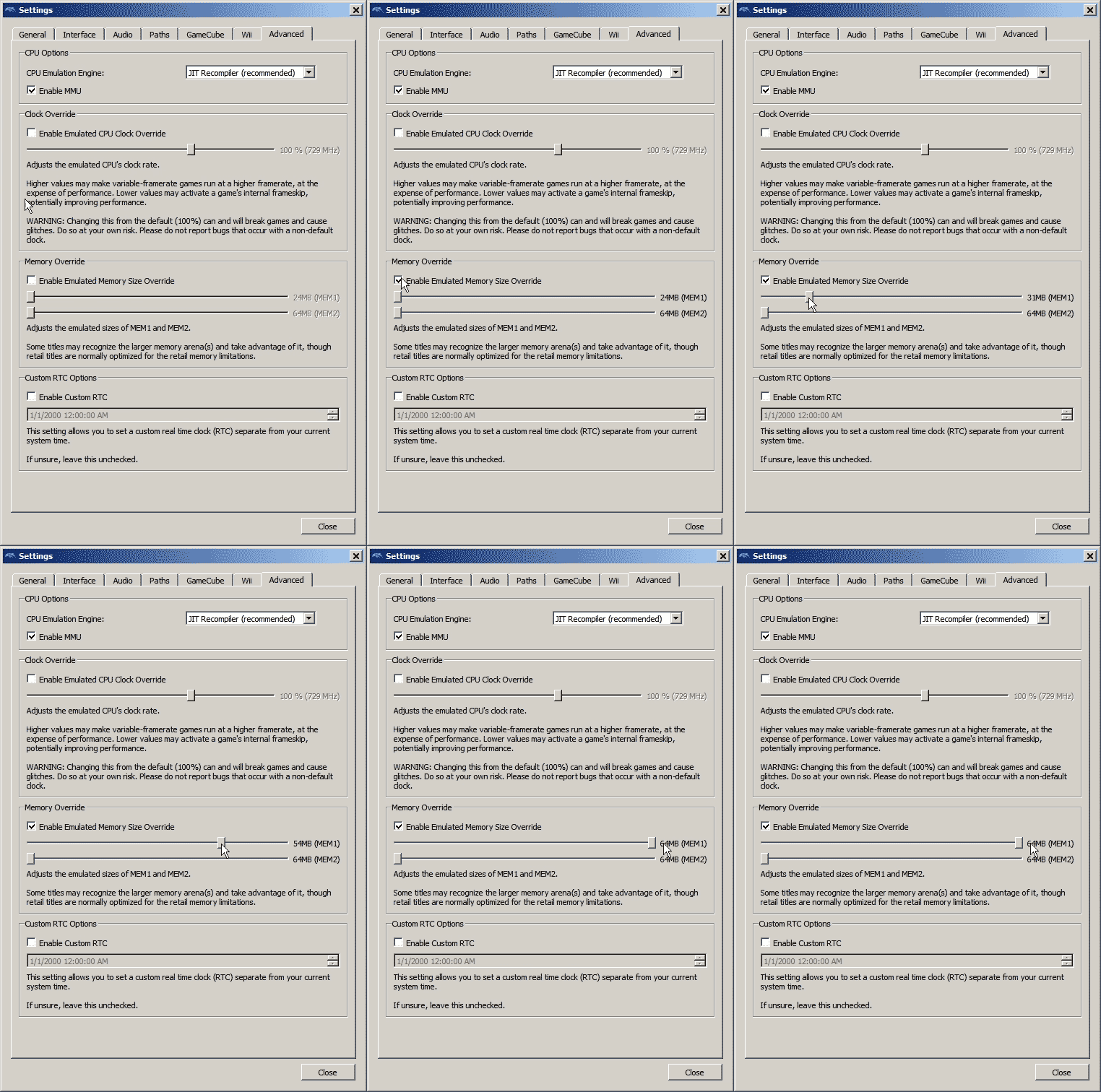
If playing a GameCube version of Pikmin 1, also boost the MEM1 size in Dolphin's Config window. 32MB should be enough. THIS IS NOT REQUIRED FOR NEW PLAY CONTROL!
IMPORTANT NOTE: GCN versions of Pikmin 1 will run out of memory on real hardware and can only be played on Dolphin Emulator. I apologize for the inconvenience.
This guide assumes you have a homebrewed Wii with Cheat Manager and Gecko OS installed.
If one does not exist already, create a "txtcodes" folder on the root of your Wii's SD card. Copy the *.txt files from release.zip into the "txtcodes" folder on your SD card.
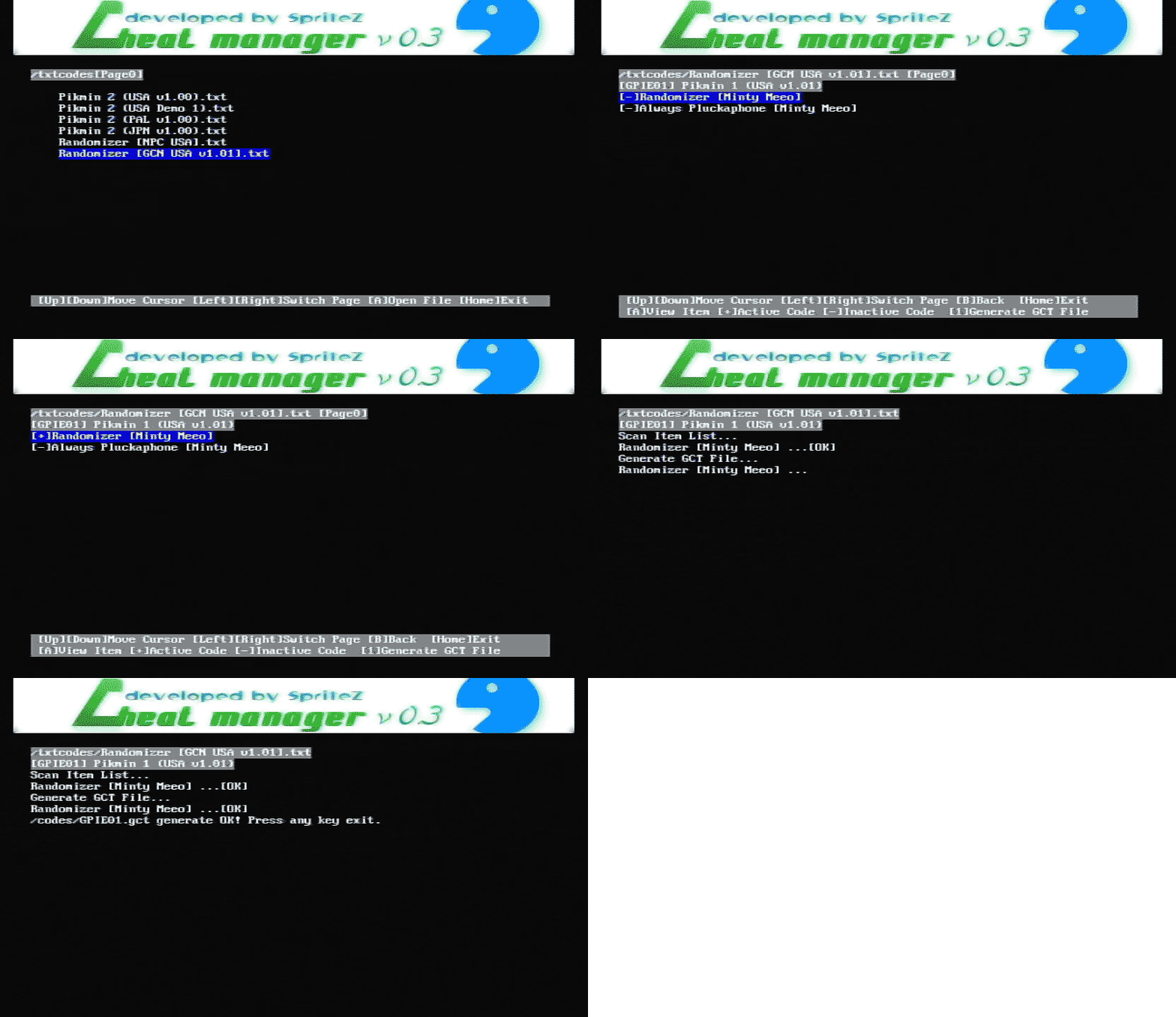
On your Wii, open Cheat Manager and enable the desired patches, then generate a *.gct file.
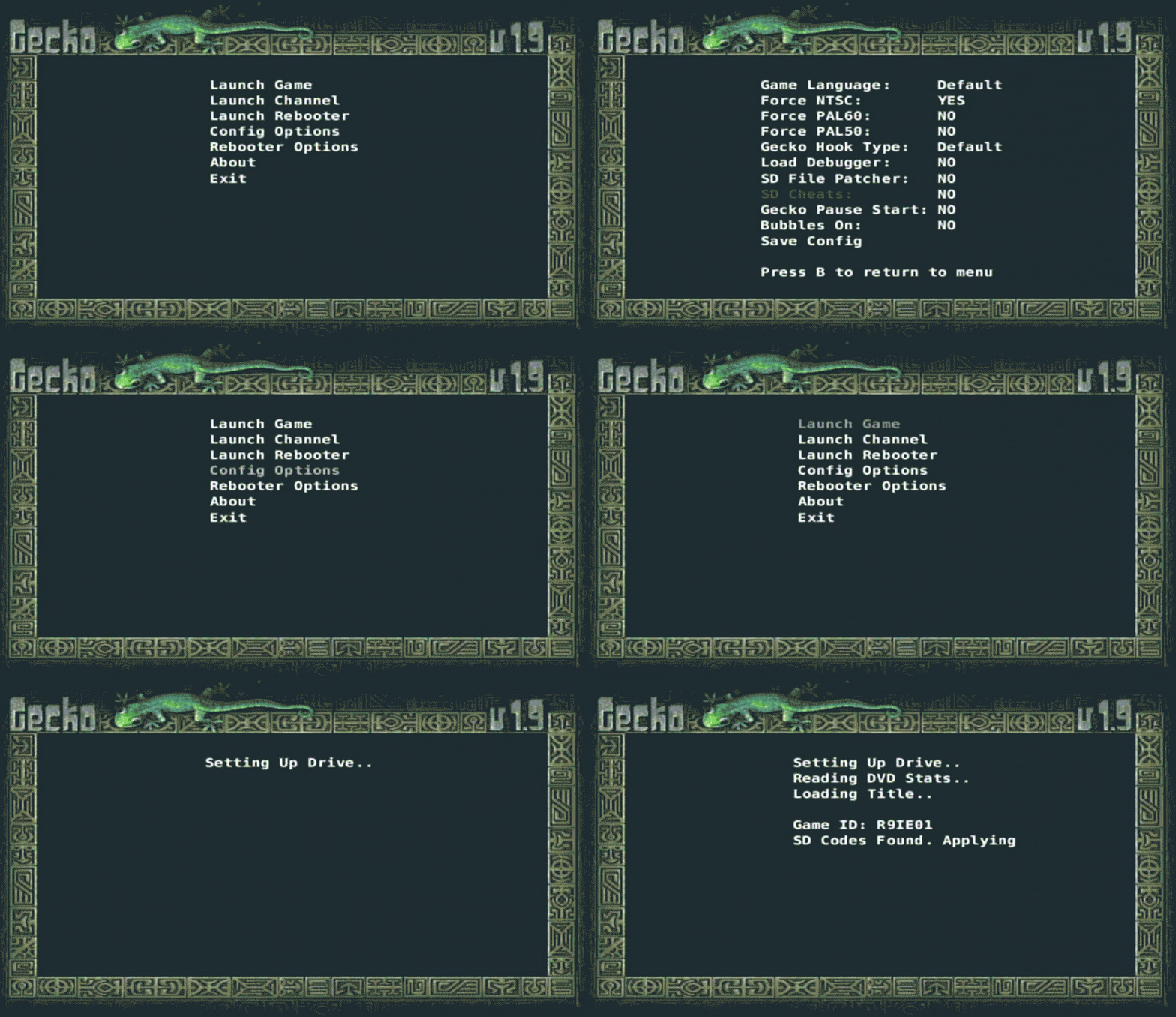
Following that, open Gecko OS and, with SD Cheats enabled, launch the game.
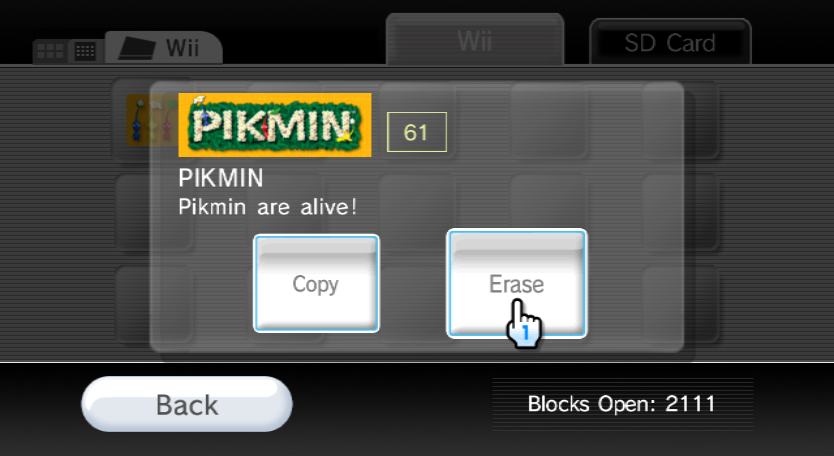
Save data for New Play Control! Pikmin 1 Randomizer will not appear separately in the Wii System Menu's Save Data Mangement menu. If you need to delete your New Play Control! Pikmin 1 save data, you must you must delete all Pikmin save data or use a homebrew title data manager of your choosing to delete the specific *.dat file. The New Play Control! Pikmin 1 Randomizer's save data is a file named "RandoV2.dat", while vanilla New Play Control! Pikmin 1's save data is a file named "Pikmin1.dat".
Pikmin 1 Randomizer is written entirely using Gecko Codes using CodeWrite.
See the file "Randomizer Notes.txt" for information on the logic of the randomizer.
You may notice a port to GCN USA v1.00 in this repository. This was a warm-up port of the Randomizer v1 from before I ported it to New Play Control! USA. It has fallen a bit behind code-wise from the final product (I have no plans of supporting it), so it should only be used if absolutely necessary.
I have no plans to port the Randomizer to any other revisions of Pikmin 1 at the moment, but the source and documentation is available to anyone who wants to try.
To anyone expecting further updates to Pikmin 1 Randomizer, I sincerely apologize for neglecting to take this concept further. Continuing development with Gecko Codes would be untenable, and I have yet to find the urge to restart development using decomp.
I consider the development of this Randomizer to be concluded, but if you're playing in Dolphin Emulator and experience a crash or some other oddity, the best thing you can do is make a savestate (preferably before the crash) and share it with me. The GameCube revisions of Pikmin 1 also have a crash handler that prints to OSReports, which in turn are captured by Dolphin Emulator and displayed in its log. If you could send me that log as well, that'd be super. You can send these things either via an Issue Report on this Github page, or on Discord via Hocotate Hacker (my tag is @The JustGreat Minty Meeo#0244). That being said, unless it is a Earth-shattering issue, I may decide not to fix it. The reason being: Gecko Codes require hand-written assembly and are starved for codehandler space in this project. If you are let down by this reality, I apologize once again.