Tutorial: one box cluster
This tutorial demonstrates how to manage a cluster and run services in rDSN with our web portal as well as the existing modules. To start with, make sure you have already finished the installation of rDSN. We here use Windows as the example, but the tutorial also works on Linux.
The following commands will install all related modules into DSN_ROOT/lib.
c:\Work> git clone [email protected]:Microsoft/rDSN.git
c:\Work> cd rDSN
c:\Work\rDSN> run.cmd build Debug .\buildsln build_plugins
c:\Work\rDSN> run.cmd install Debug .\buildsln
On Linux
$ git clone [email protected]:Microsoft/rDSN.git
$ cd rDSN
$ ./run.sh build --build_plugins
$ ./run.sh install
c:\Work\rDSN> dsn.run.cmd onecluster
On Linux
$ dsn.run.sh onecluster
Now you can open your web browser and visit here. If the web site is not accessible, it is highly because the python support is not installed appropriately (e.g., python command not available yet or certain modules are not installed). Checkout web studio for instructions and start the web portal manually.
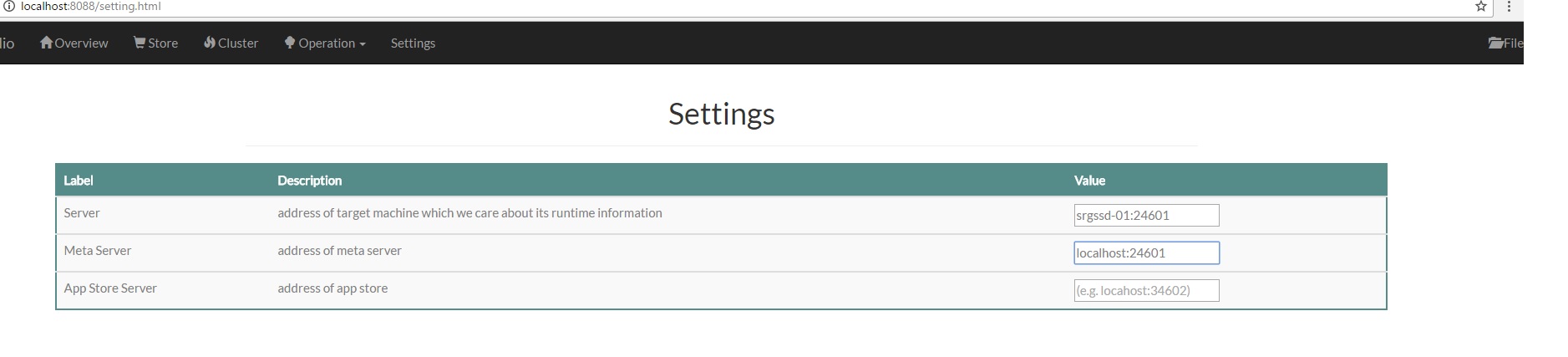
Click here and set meta server address to localhost:24601.
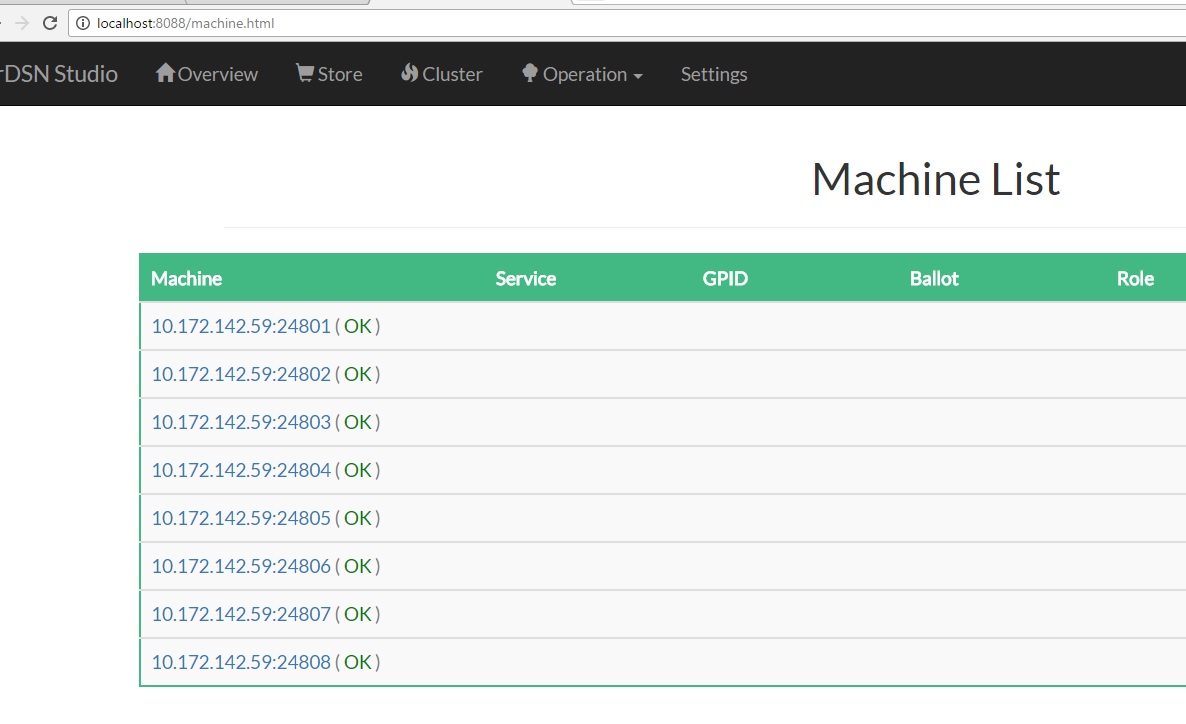
Click here and you should see all the machines in your demo cluster.
Developers now use our code generator to develop a service module (see tutorial), and package them into a tar ball (.zip on windows, and .tar.gz on Linux). Here we use the existing sample service dsn.apps.simple_kv as an example.
- prepare the package
c:\Work\rDSN> mkdir simple_kv
c:\Work\rDSN> copy .\buildsln\bin\Debug\dsn.app.simple_kv.dll .\simple_kv\
c:\work\rDSN> copy .\src\plugins\apps.skv\config.deploy.ini .\simple_kv\
-
pack the directory
simple_kvabove into a zip file, i.e.,simple_kv.zip. -
register it into our web portal here
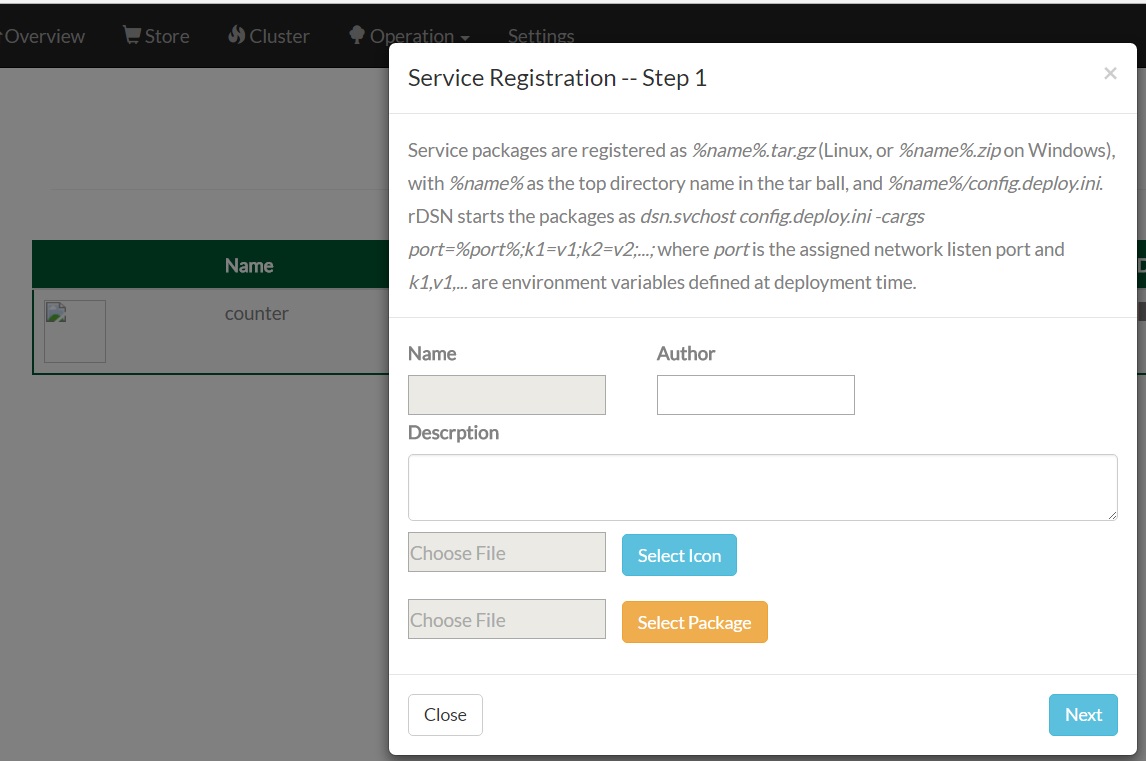
Don't forget to find a nice icon for your project:) You can skip Step 2 and 3 for now in the registration wizard by simply clicking Next, then everything is done.
Click the deploy button at the same store page, and fill the deployment form as follows.
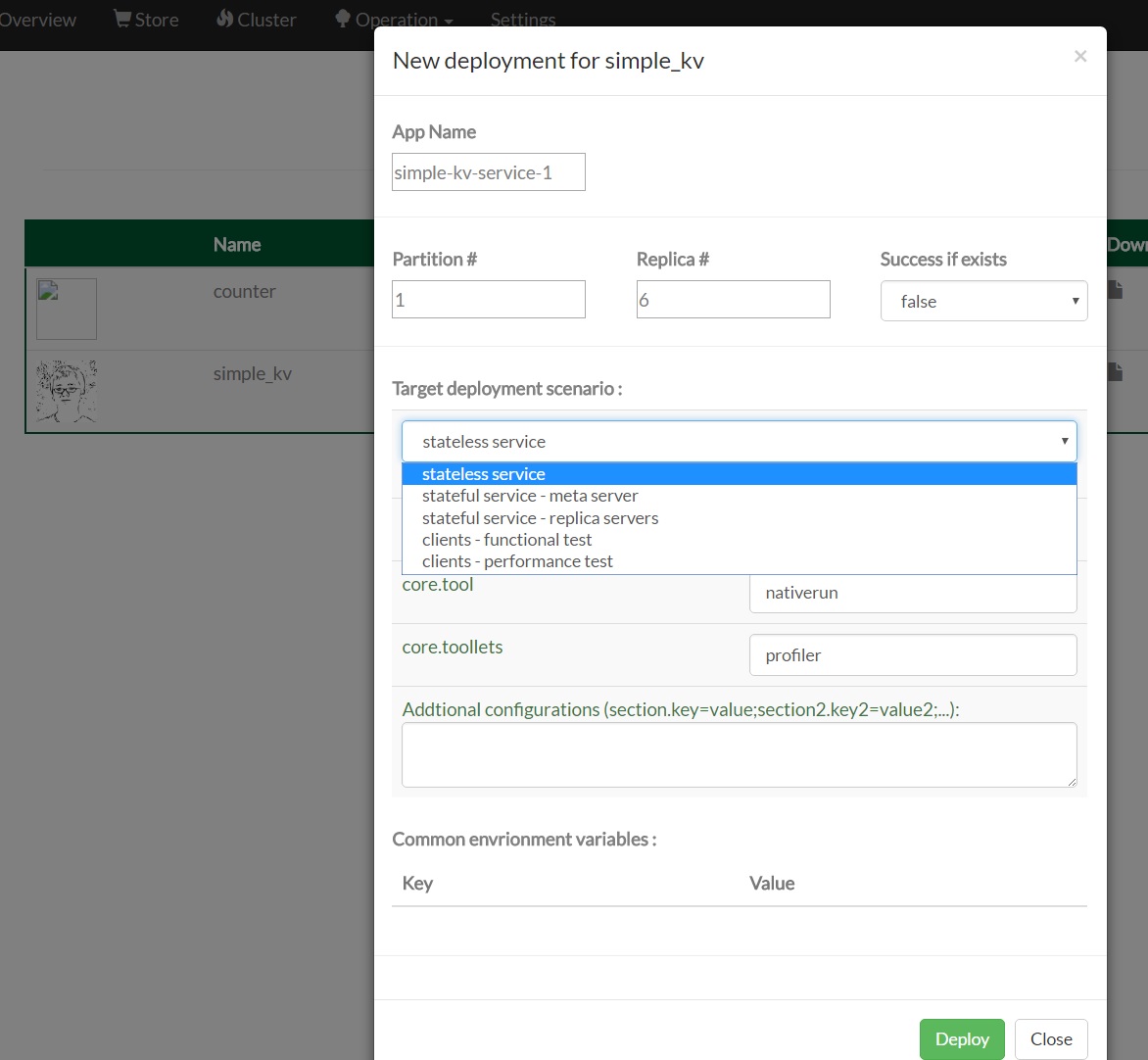
Click Deploy, and you can see the service running by checking the service view and the machine view.
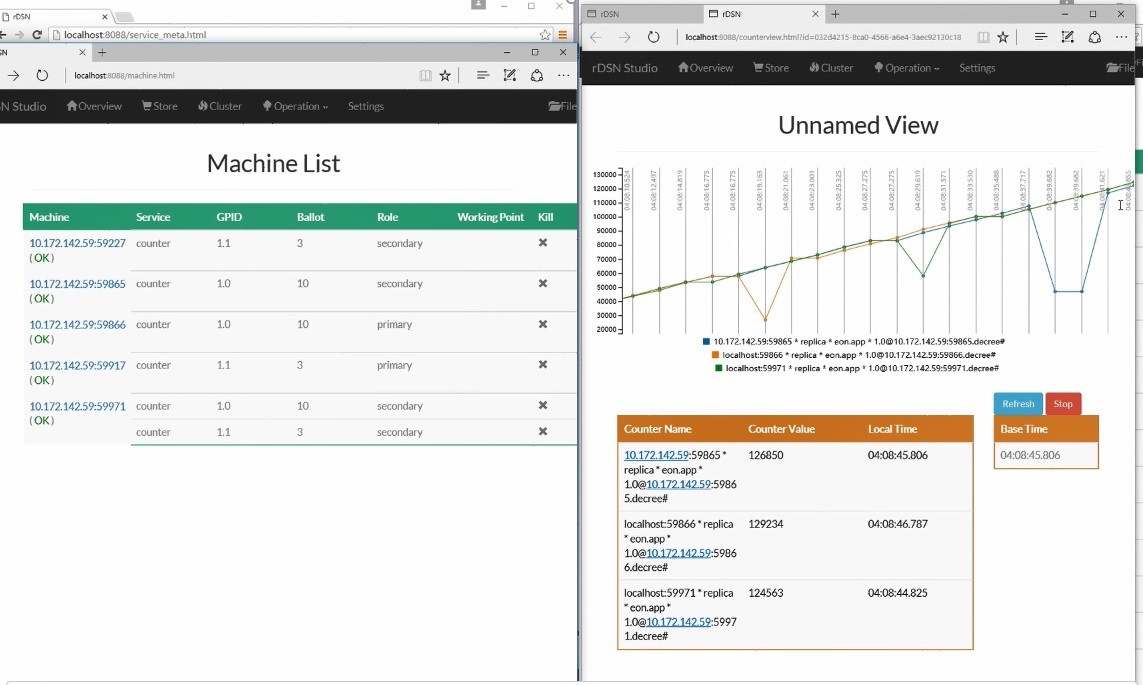
You may try the other deployment options for more scenarios such as client workload test, deployed as a stateful service, etc. Following is a sample screen shot with performance monitoring for a stateful service.
The cluster management is done by dsn.dist.service.stateless and dsn.dist.service.meta_server frameworks.
For local cluster deployment of the cluster management software, you can try the dsn.run.cmd deploy|start|stop|cleanup commands, etc.
For services deployed as stateful replicated service, we are using dsn.dist.service.meta_server and dsn.dist.service.stateful.type1 frameworks.
All deployment configurations are defined here, which can be enhanced with more configurations in the future.