BUG: Strange behavior when trying to change color of buttons and texts #4719

Description

GrapesJS version
- I confirm to use the latest version of GrapesJS
What browser are you using?
Brave last version
Reproducible demo link
https://jsfiddle.net/qsd9zjrc/
Describe the bug
How to reproduce the bug?
- Open the link (https://jsfiddle.net/qsd9zjrc/)
- Try to change text color
- Try to change green button color by click in it and go to Typography
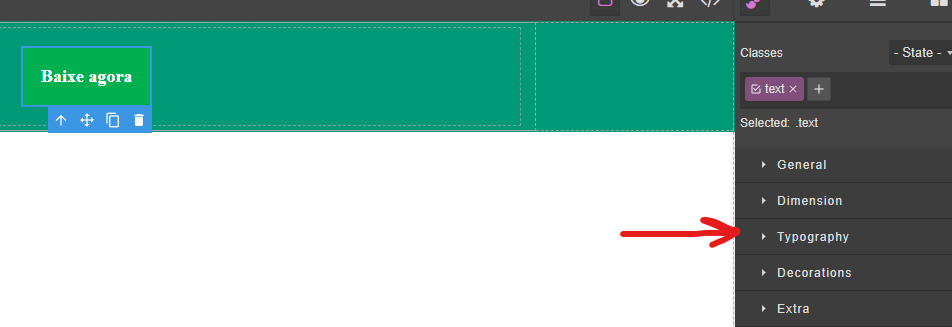
- You will notice that color has a
!importantin it. 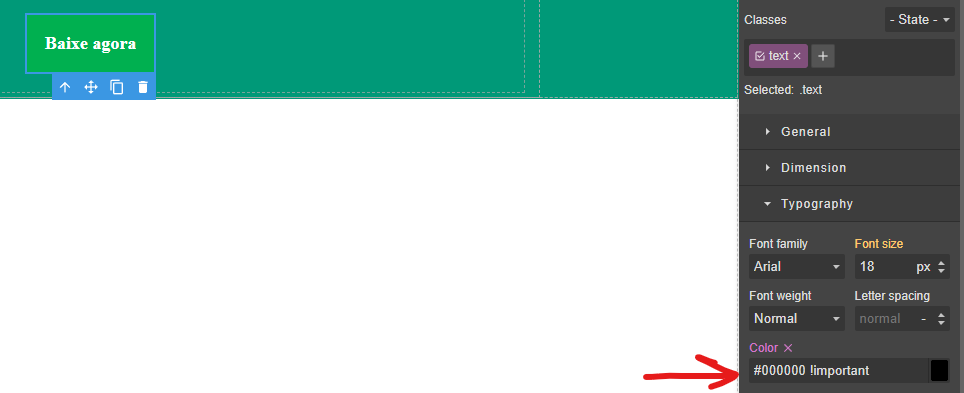
- Also, when you try to change the color, it always keep going back to the previews color with
!importanton it.
What is the expected behavior?
Make the StyleManager not use the !important on elements or have a flag for the StyleManager not to use it.
What is the current behavior?
GrapesJs is putting !important in css rules
If is necessary to execute some code in order to reproduce the bug, paste it here below:
This code is in jsfiddle, the html and styles were generated by our tool created to convert templates with old patterns to be interpreted by GrapesJs.
editor.setComponents(`  <div din_editor_version="2.0.0" class="body">
    <div draggable="true" data-highlightable="1" class="gjs-row" id="ig50u">
      <div draggable="true" data-highlightable="1" class="gjs-cell not-flex-grow" id="iieji">
        <div id="ic9nr">
          <p id="isd7g">
            <a background-color="#00B050" margin-horizontal="20" margin-vertical="20" padding-horizontal-botao="20" padding-vertical-botao="20" border-radius="0" class="text" id="idr7f"><b>
              Baixe agora
              </b></a>
          </p>
        </div>
      </div>
    </div>
    <div draggable="true" data-highlightable="1" class="gjs-row" id="i1sf4">
    </div>
  </div><style>.text{
  color:#d31f1f !important;
}
#ig50u{
  background-color:rgb(0, 153, 120);
  background-size:cover;
  background-position:center top;
}
#iieji{
  margin:0 auto;
  width:900px;
}
#ic9nr{
  padding:5px 15px;
}
#isd7g{
  padding:0px;
  text-align:center;
  margin:0 auto;
}
#idr7f{
  display:inline-block;
  border-style:solid;
  border-width:0px;
  border-radius:0px;
  font-size:18px;
  padding:20px;
  margin:20px;
  text-align:center;
  background-color:rgb(0, 176, 80);
  border-color:transparent;
  text-decoration:none !important;
  color:rgb(255, 255, 255) !important;
}
#ix52f{
  font-size:20px;
}
#i1sf4{
  background-color:rgb(209, 209, 209);
}
</style>`)
Code of Conduct
- I agree to follow this project's Code of Conduct