You signed in with another tab or window. Reload to refresh your session.You signed out in another tab or window. Reload to refresh your session.You switched accounts on another tab or window. Reload to refresh your session.Dismiss alert
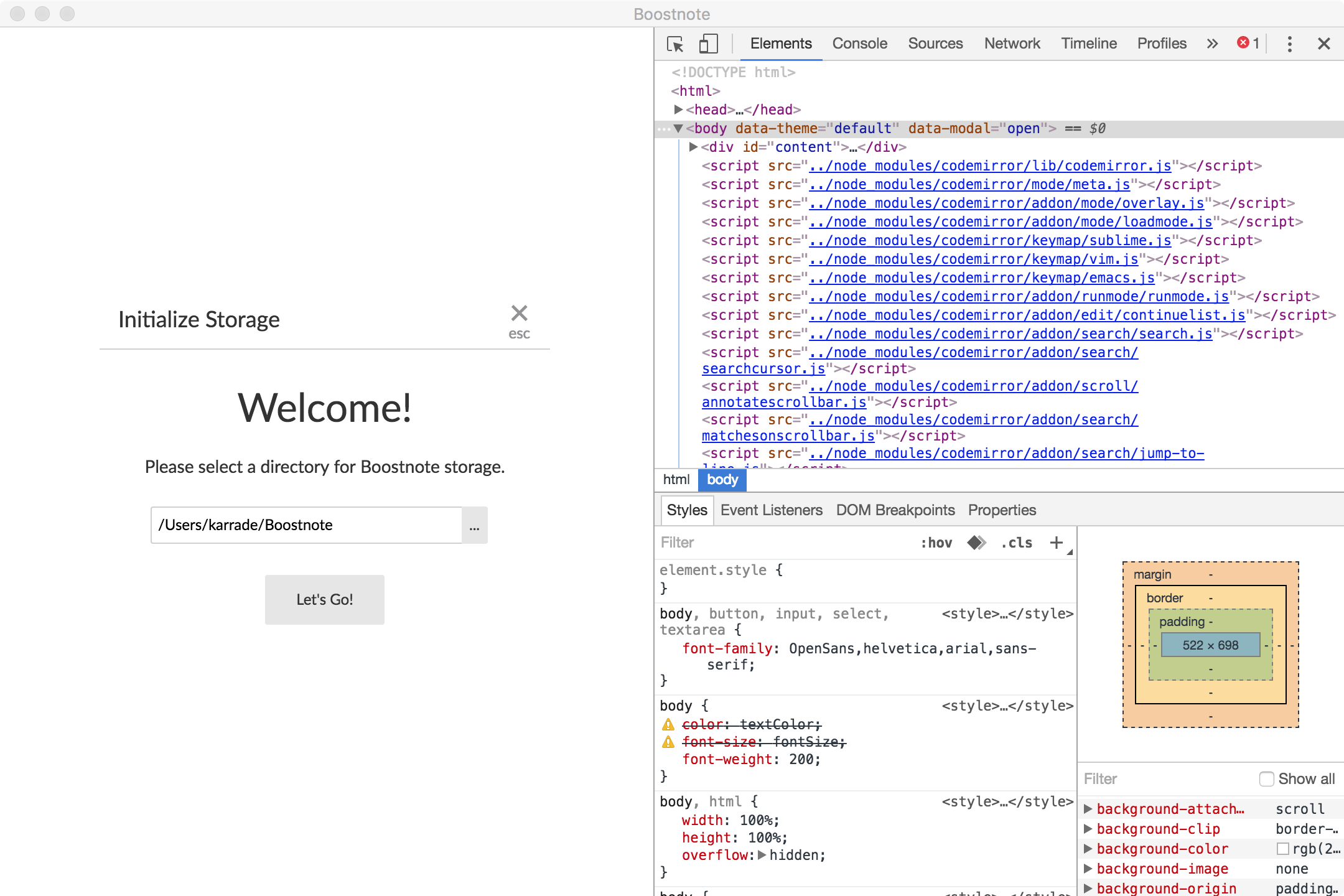
When loading Boostnote for first time, it prompts for storage location.
If you try to edit the path directly by typing text it closes the windows and moves into the main program with an error of no storage mount. Using the UI to select folder works fine.
Step 1: Open Boostnote with no storage mount
Step 2:
type in a letter into the "select a directory" text box. I have tried C and D.
Boostnotes assumes input is complete and moves to main screen with no mount
When loading Boostnote for first time, it prompts for storage location.
If you try to edit the path directly by typing text it closes the windows and moves into the main program with an error of no storage mount. Using the UI to select folder works fine.
Step 1: Open Boostnote with no storage mount
Step 2:
type in a letter into the "select a directory" text box. I have tried C and D.
Boostnotes assumes input is complete and moves to main screen with no mount