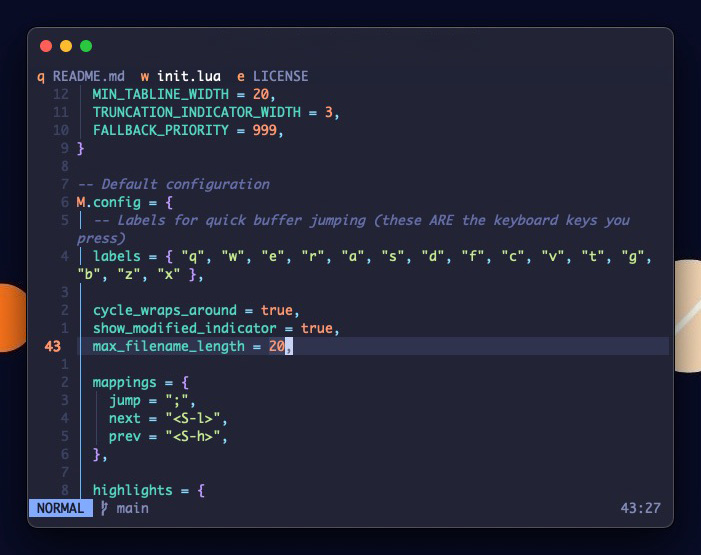
Prowl gives you lightning-fast access to your buffers with single-key jumps. No fuzzy finder popup, no buffer lists to scroll through - just press ;q to jump to buffer 'q', ;w for 'w', and so on.
- Jump:
;a→ instantly switch to buffer 'a' - Close:
;A→ close buffer 'a' (uppercase) - Close all others:
;!→ close everything except current buffer - Cycle:
Shift+L/Shift+H→ move through buffers
- 🎯 Instant Buffer Access - Single keypress jumping with no popups or delays
- ✋ Customisable Labels - Configure your own easy access key labels
- ⚡ Highly Performant - Extensive caching, lookup tables, and memory optimisations
- 🧠 Logical Buffer Management - New buffers appear right, older ones shift left naturally
- 🎨 Themeable - Customise colours to match your colourscheme
{
  "smellydelli/prowl.nvim",
  name = "prowl",
  opts = {},
}The labels are chosen based on which keys are easiest to reach for me, and buffers are populated in the same order. The default theme works well with Tokyonight.
{
  labels = { "q", "w", "e", "r", "a", "s", "d", "f", "c", "v", "t", "g", "b", "z", "x" },

  cycle_wraps_around = true,
  show_modified_indicator = true,
  max_filename_length = 20,

  mappings = {
    jump = ";",
    next = "<S-l>",
    prev = "<S-h>",
  },

  highlights = {
    bar = { fg = "#ffffff", bg = "#1f2335" },

    active_tab = { fg = "#ffffff", bg = "#1f2335" },
    active_label = { fg = "#ff9e64", bg = "#1f2335", bold = false },
    active_tab_modified = { fg = "#ffffff", bg = "#1f2335" },
    active_label_modified = { fg = "#ff9e64", bg = "#1f2335", bold = false },

    inactive_tab = { fg = "#828BB8", bg = "#1f2335" },
    inactive_label = { fg = "#ff9e64", bg = "#1f2335", bold = false },
    inactive_tab_modified = { fg = "#828BB8", bg = "#1f2335" },
    inactive_label_modified = { fg = "#ff9e64", bg = "#1f2335", bold = false },

    truncation = { fg = "#ff9e64", bg = "#1f2335" },
  },
}Inspired by https://github.com/iofq/dart.nvim.
Prowl will remain barebones simple, so try their plugin if you need more features.