Ephemeral container is a special type of container that runs temporarily in an existing Pod to accomplish user-initiated actions such as troubleshooting. It is especially useful when kubectl exec is insufficient because a container has crashed or a container image doesn't include debugging utilities.
For instance, ephemeral containers help you execute a curl request from within pods that typically lack this utility.
{% hint style="info" %} Ephemeral containers are turned on by default in Kubernetes v1.23 and later {% endhint %}
Wherever you can access pod resources in Devtron, you can launch an ephemeral container as shown below.
{% embed url="https://www.youtube.com/watch?v=TnaHRugYvSI" caption="Launching Ephemeral Container from App Details" %}
-
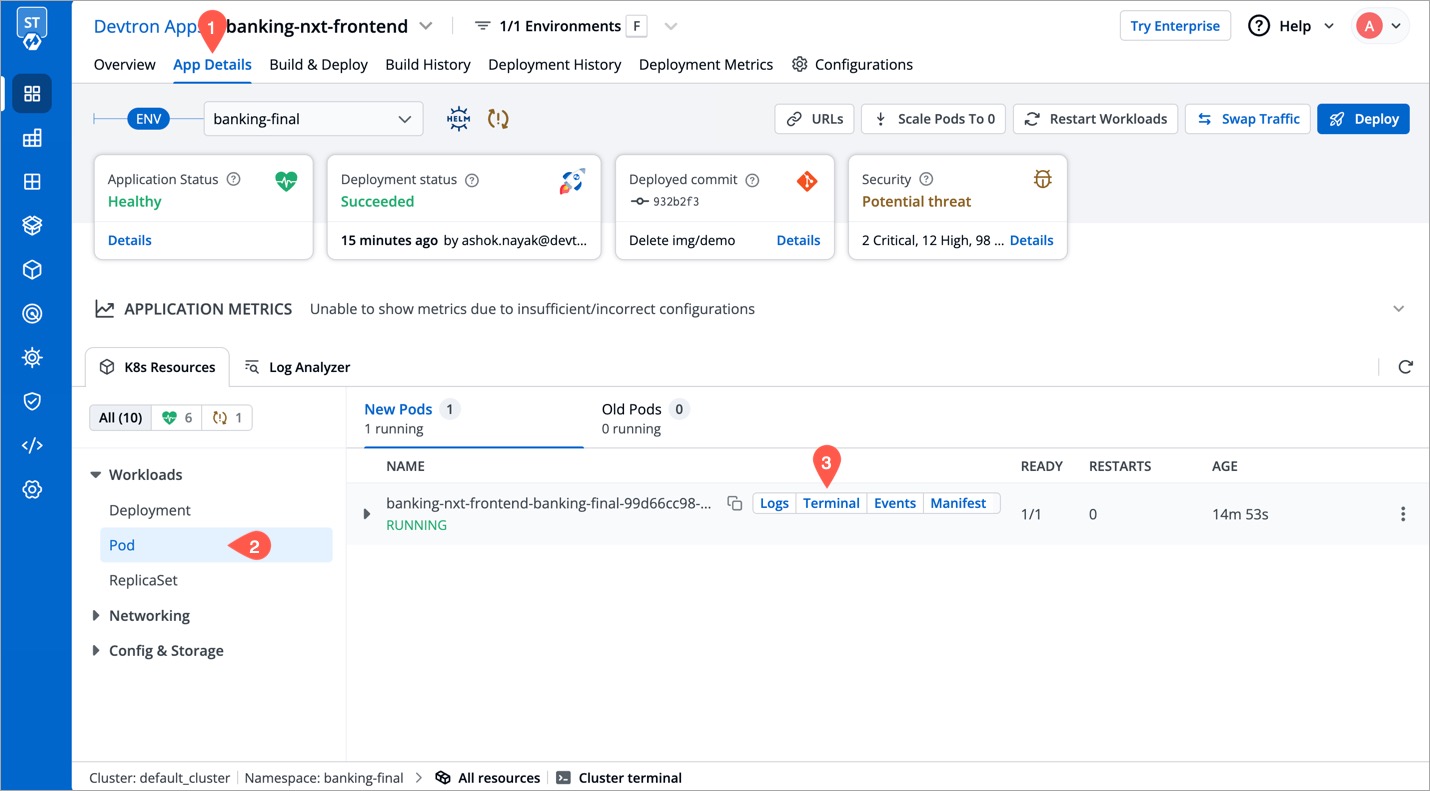
In the left sidebar, go to Applications.
-
Search and click your application from the list of Devtron Apps.
-
Go to the App Details tab.
-
Under the K8 Resources tab, select Pod inside
Workloads. -
Locate the pod you wish to debug. Hover and choose click Terminal.
-
Click Launch Ephemeral Container as shown below.
-
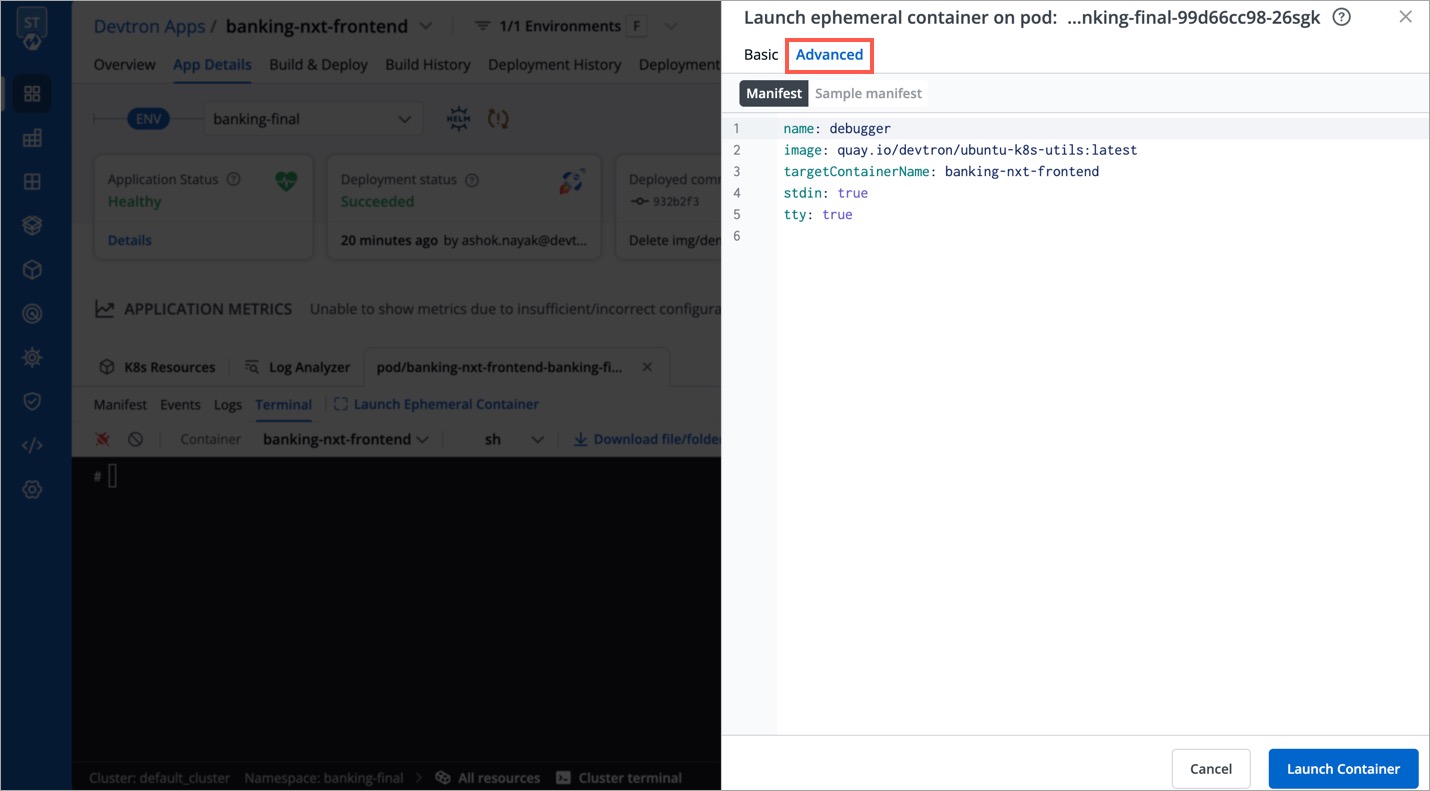
You get 2 tabs:
- Basic - It provides the bare minimum configurations required to launch an ephemeral container.
It contains 3 mandatory fields:
-
Container name prefix - Type a prefix to give to your ephemeral container, for e.g., debug. Your container name would look like
debug-jndvs. -
Image - Choose an image to run from the dropdown. Ephemeral containers need an image to run and provide the capability to debug, such as
curl. You can use a custom image too. -
Target Container name - Since a pod can have one or more containers, choose a target container you wish to debug, from the dropdown.
- Advanced - It is particularly useful for advanced users that wish to use labels or annotations since it provides additional key-value options. Refer Ephemeral Container Spec to view the supported options.
{% hint style="info" %} Devtron ignores the
commandfield while launching an ephemeral container {% endhint %} -
Click Launch Container.


Click here to know more.
(This is not a recommended method. This option is available only if you are an admin.)
{% embed url="https://www.youtube.com/watch?v=PzB6dFRYe38" caption="Externally Created Ephemeral Container" %}
You can launch an ephemeral container from Kubernetes CLI. For this, you need access to the cluster terminal on Devtron.
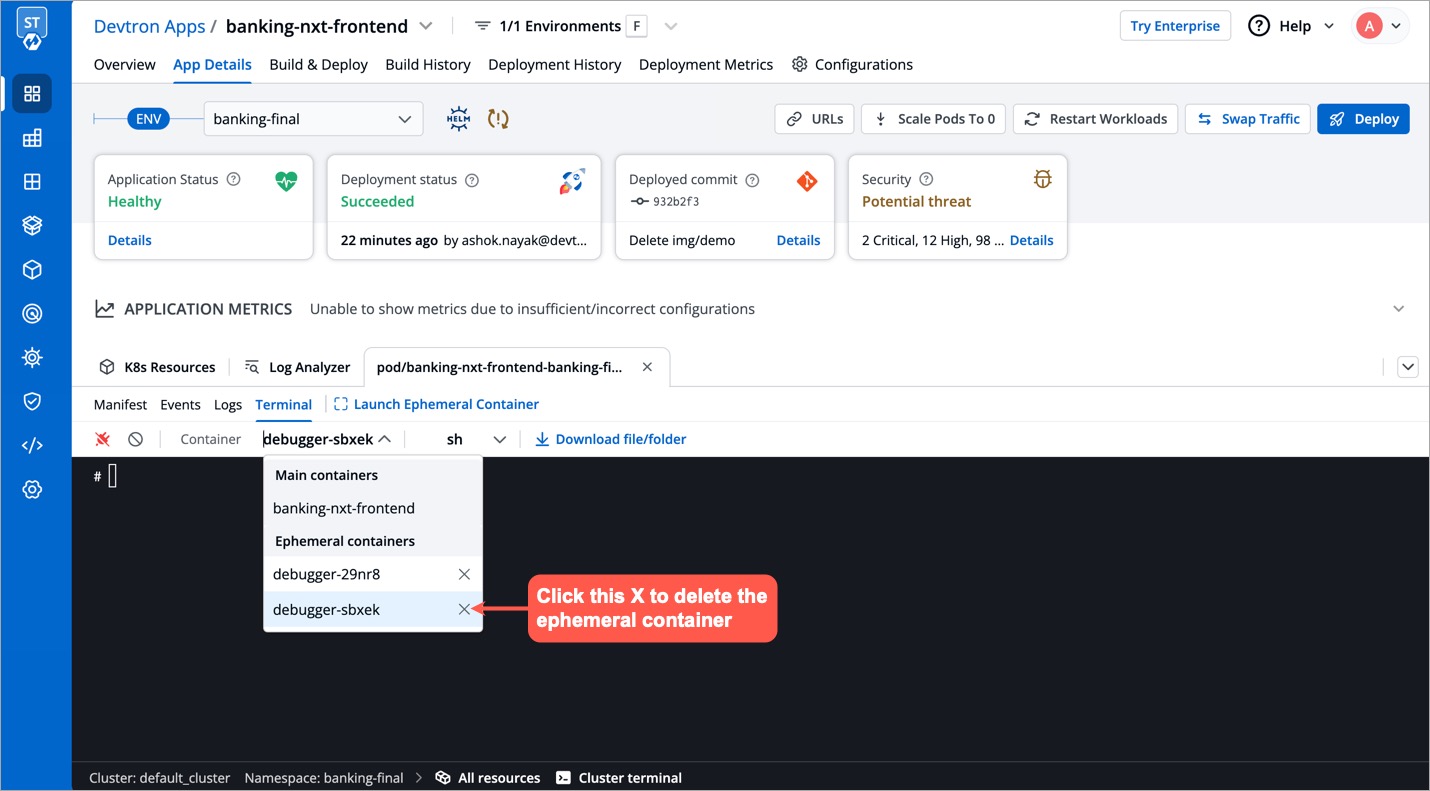
{% embed url="https://www.youtube.com/watch?v=tZID0YU0YUU" caption="Deleting Ephemeral Containers" %}
You can remove an ephemeral container using either App Details or Resource Browser (from the same screen you used to create the ephemeral container).
{% hint style="info" %} You cannot use App Details or Resource Browser to remove an ephemeral container created using Kubernetes CLI {% endhint %}