| title | Live Chat - Floating Ajax Live Chat with Agent Portal for Botble CMS | ||||||||
|---|---|---|---|---|---|---|---|---|---|
| description | A real-time chat plugin for Botble CMS with a floating widget, dedicated Agent Portal, auto-assign round-robin, webhook integrations (Slack, Discord, Zapier), working hours, and full customization — self-hosted with no monthly fees. | ||||||||
| categories |
|
||||||||
| tags |
|
||||||||
| image | https://botble.com/storage/news/botble-live-chat-banner.jpg | ||||||||
| status | published | ||||||||
| is_featured | true |
If you're running a Botble CMS site and want to talk to your visitors in real time, you've probably looked at Tawk.to, Crisp, or Intercom. They work — but your conversations live on someone else's server, and the good features are always behind a monthly plan.
We just released Live Chat, a plugin that adds a floating chat widget to your site, gives your support agents their own portal, and keeps everything on your server. Built with Laravel and jQuery, no external dependencies, no monthly fees.
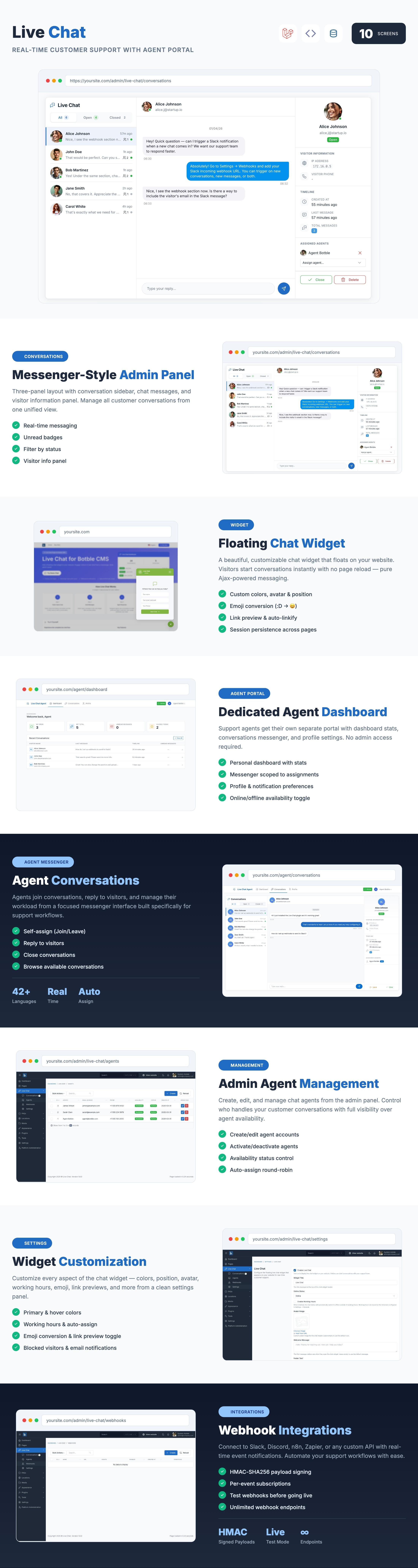
The flow is simple:
- Visitor opens the widget — floating chat button on every page. They enter their name and start typing
- Agent gets notified — browser notification, email, or sound alert. New conversations auto-assign to available agents
- Agent responds — from the Agent Portal or admin messenger. Messages appear in real time
- Done — agent closes the conversation. Full history is preserved
No WebSocket server, no Redis, no Pusher. The plugin uses Ajax polling (configurable from 1 to 30 seconds) so it works on any shared hosting.
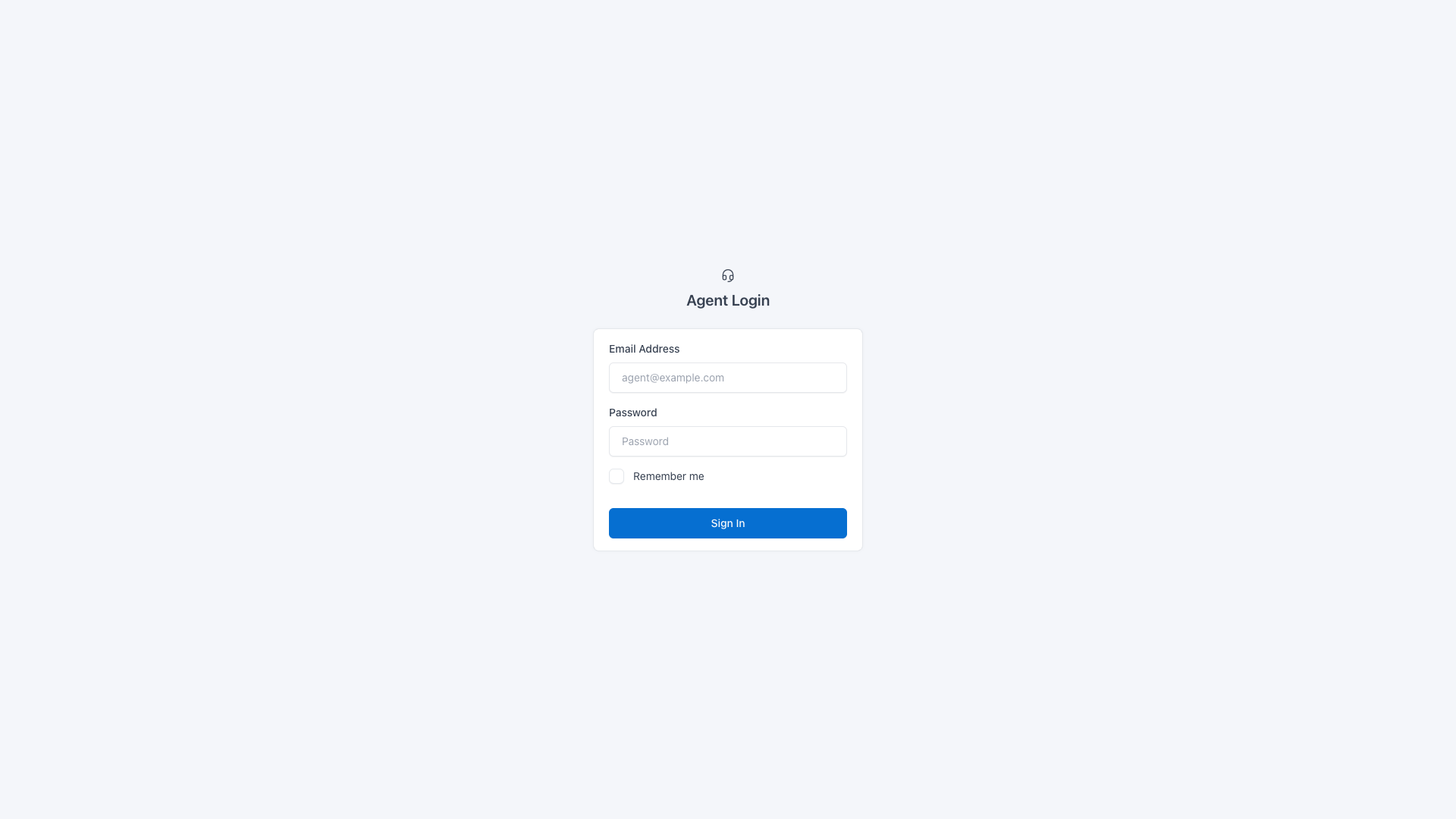
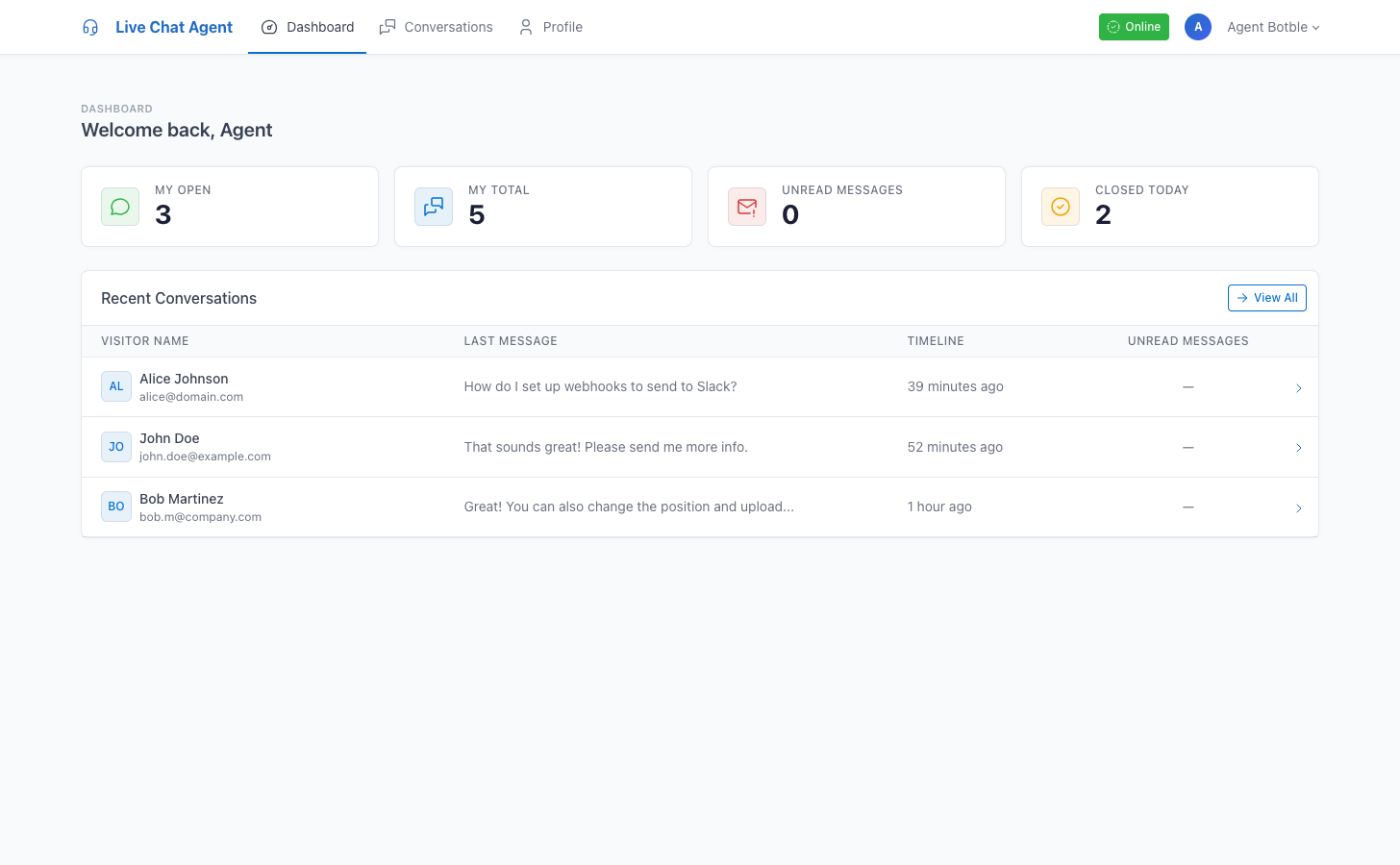
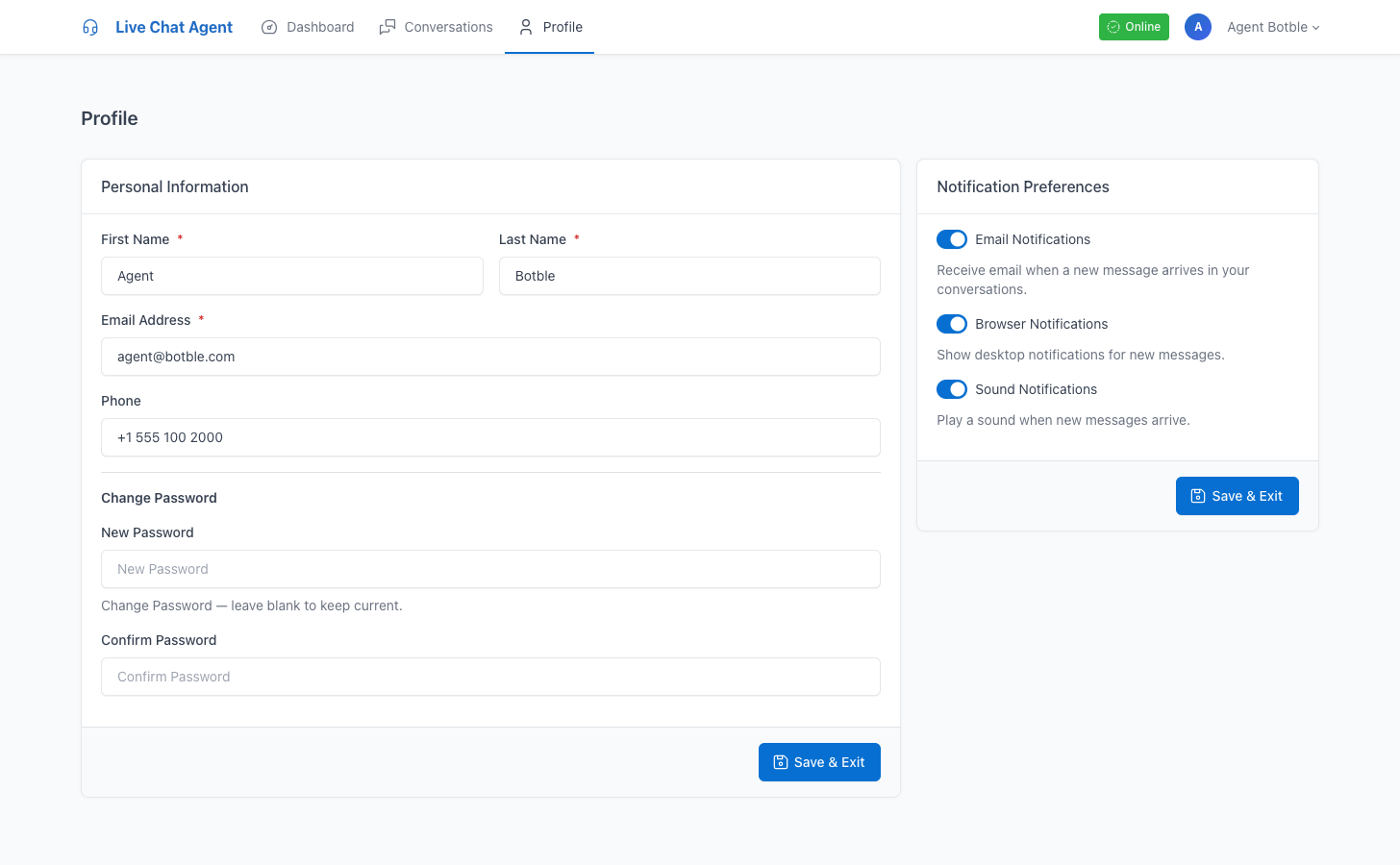
This is probably the biggest differentiator. Support agents get their own portal at /agent/login — completely separate from the admin panel. They log in, see their dashboard with open conversations and unread counts, and respond from a messenger-style interface.
Each agent can toggle their availability, set notification preferences (email, browser, sound), and manage their own profile. Admins never need to share admin panel access with support staff.
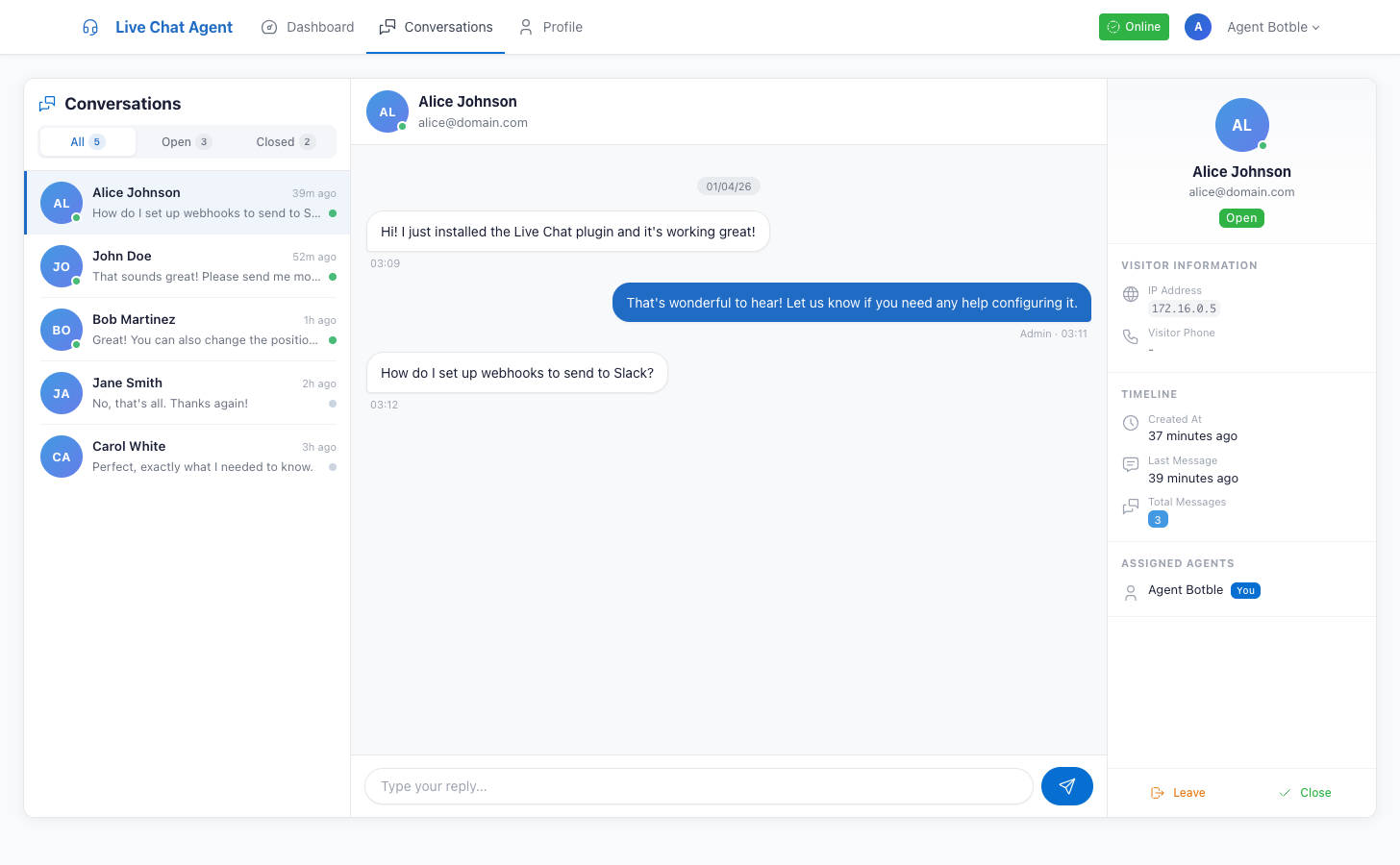
New conversations automatically go to the agent with the fewest open chats. Only available, active agents are considered. If nobody's online, the conversation stays unassigned until someone picks it up.
You can turn this off if you prefer manual assignment. Agents can also self-assign by clicking "Join" on any open conversation.
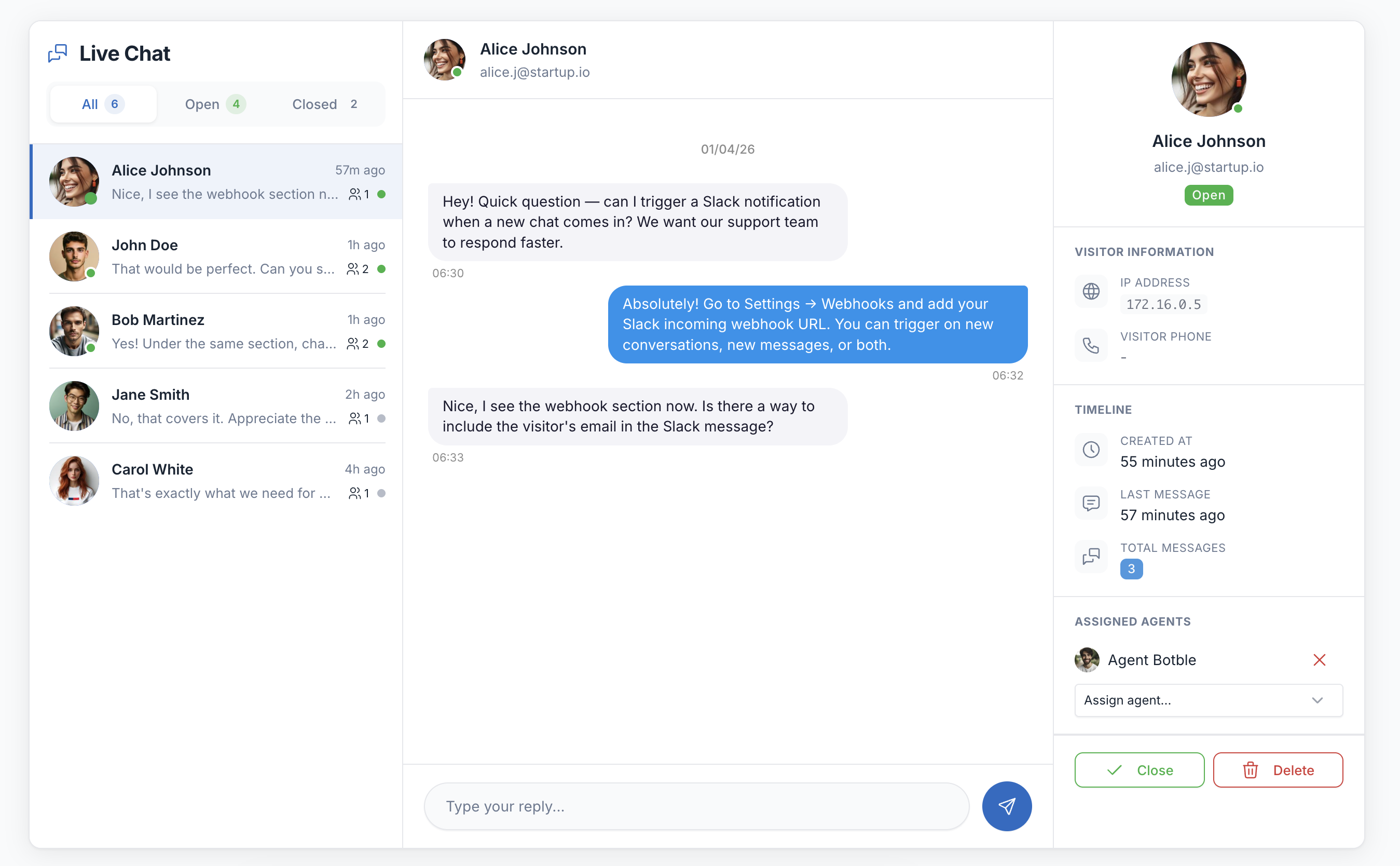
The admin panel gets a messenger-style interface — three-panel layout with conversation list, chat area, and visitor info sidebar. Filter by All/Open/Closed, see unread badges, and get the full picture on each visitor: name, email, phone, IP, current page, browser, device, and timeline.
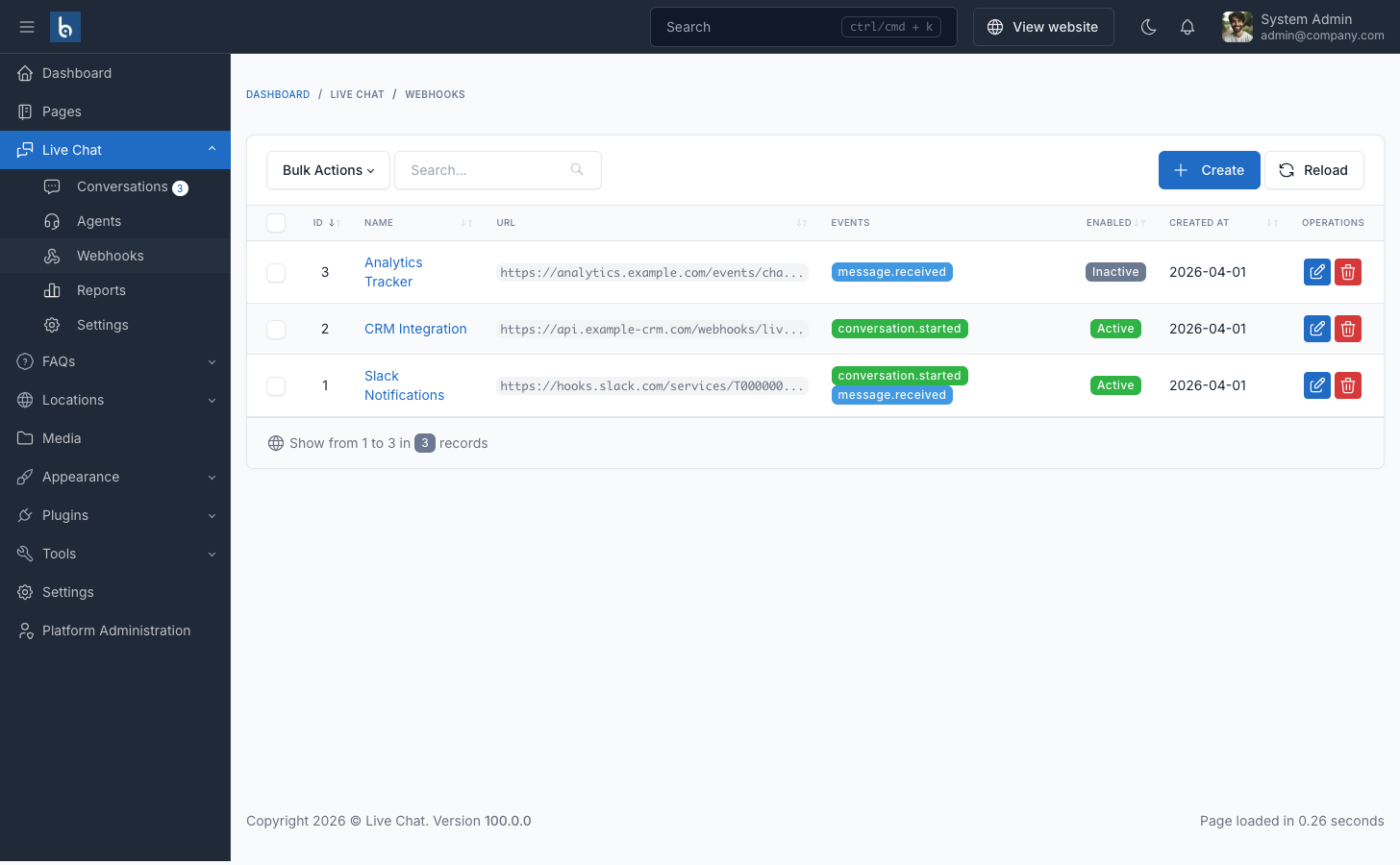
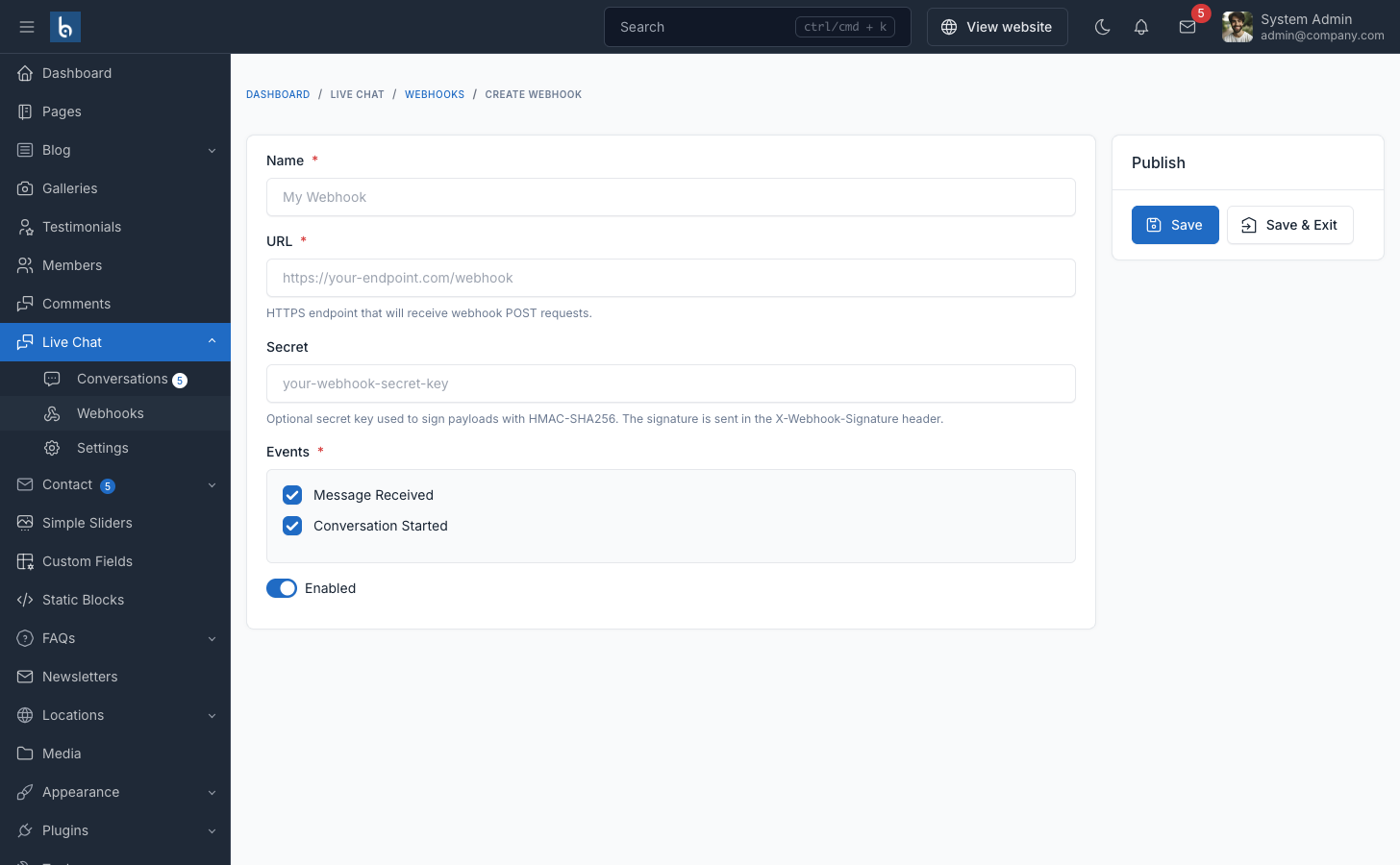
Connect Live Chat to Slack, Discord, Telegram, n8n, Zapier, Make, or any custom API. Create unlimited webhooks that fire when a visitor sends a message or starts a new conversation.
All payloads are signed with HMAC-SHA256. Each webhook has a test button so you can verify the connection before going live.
Set your support schedule — start time, end time, working days — and the widget automatically switches between online and offline status. Visitors can still start conversations when you're offline, they just see a visual indicator that response may be delayed.
Make it match your brand. Primary color, hover color, custom avatar, position (4 corners), offset from screen edge, mobile visibility toggle. Customize the title, welcome message, and which visitor form fields to show (name, email, phone) with individual required toggles.
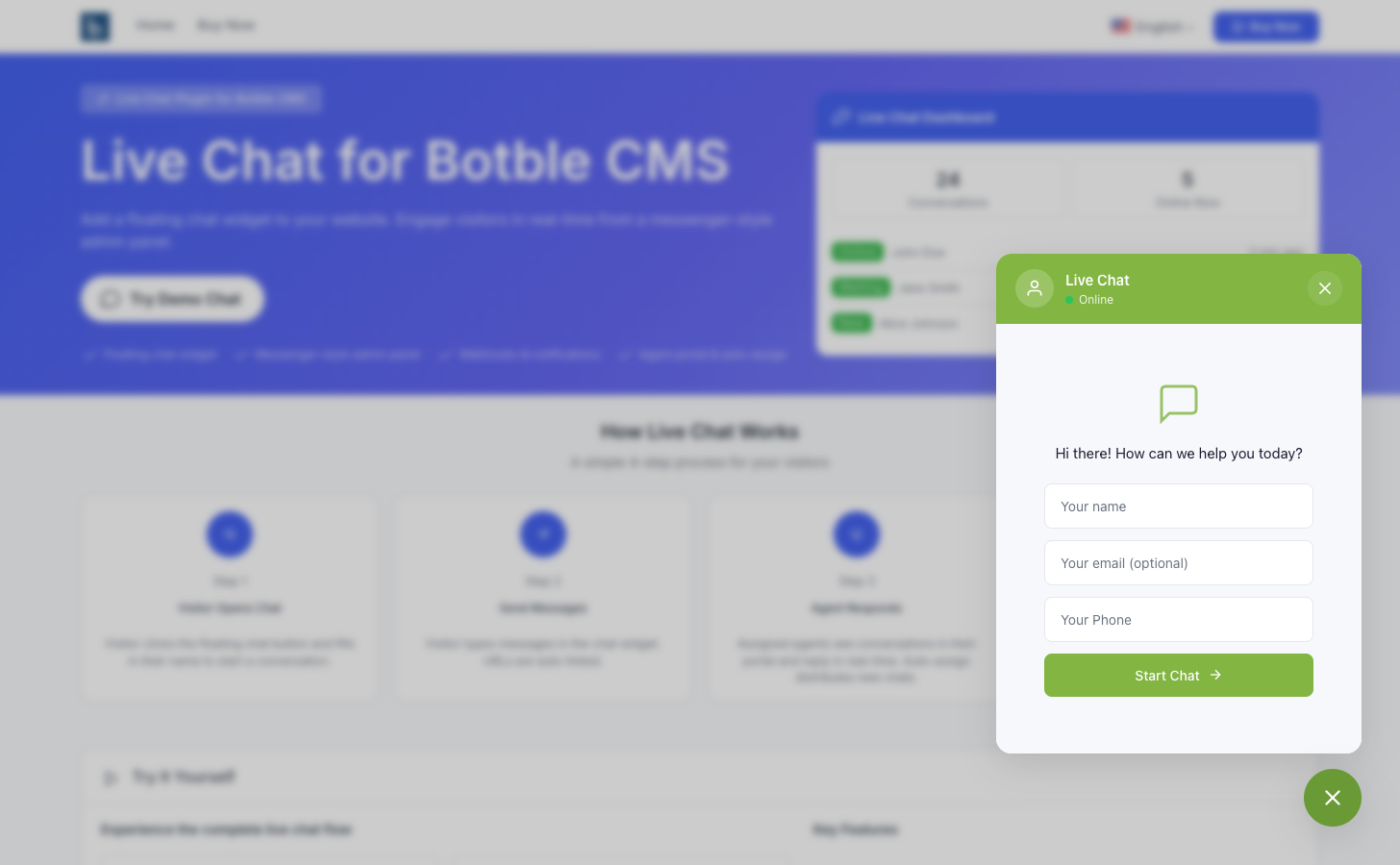
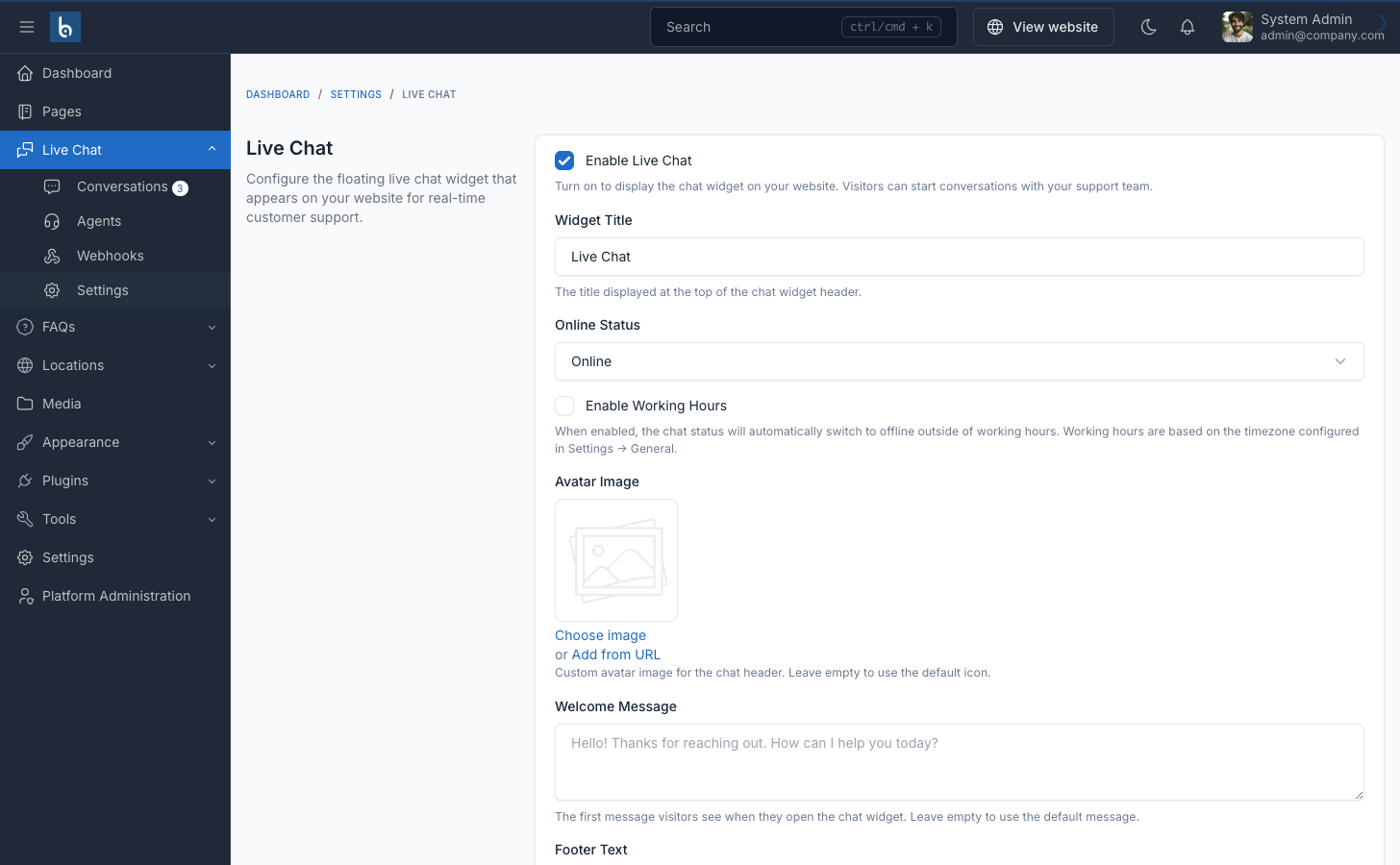
Small touches that make the chat feel polished — link previews for shared URLs, emoji conversion (:) becomes a real emoji), pulse animation on the chat button, and backdrop blur behind the chat window. All toggleable from settings.
Email alerts when new conversations start. Configure recipient emails, customize the template with variables (visitor name, email, current page, conversation URL). Queued via Laravel's queue system so it doesn't slow anything down.
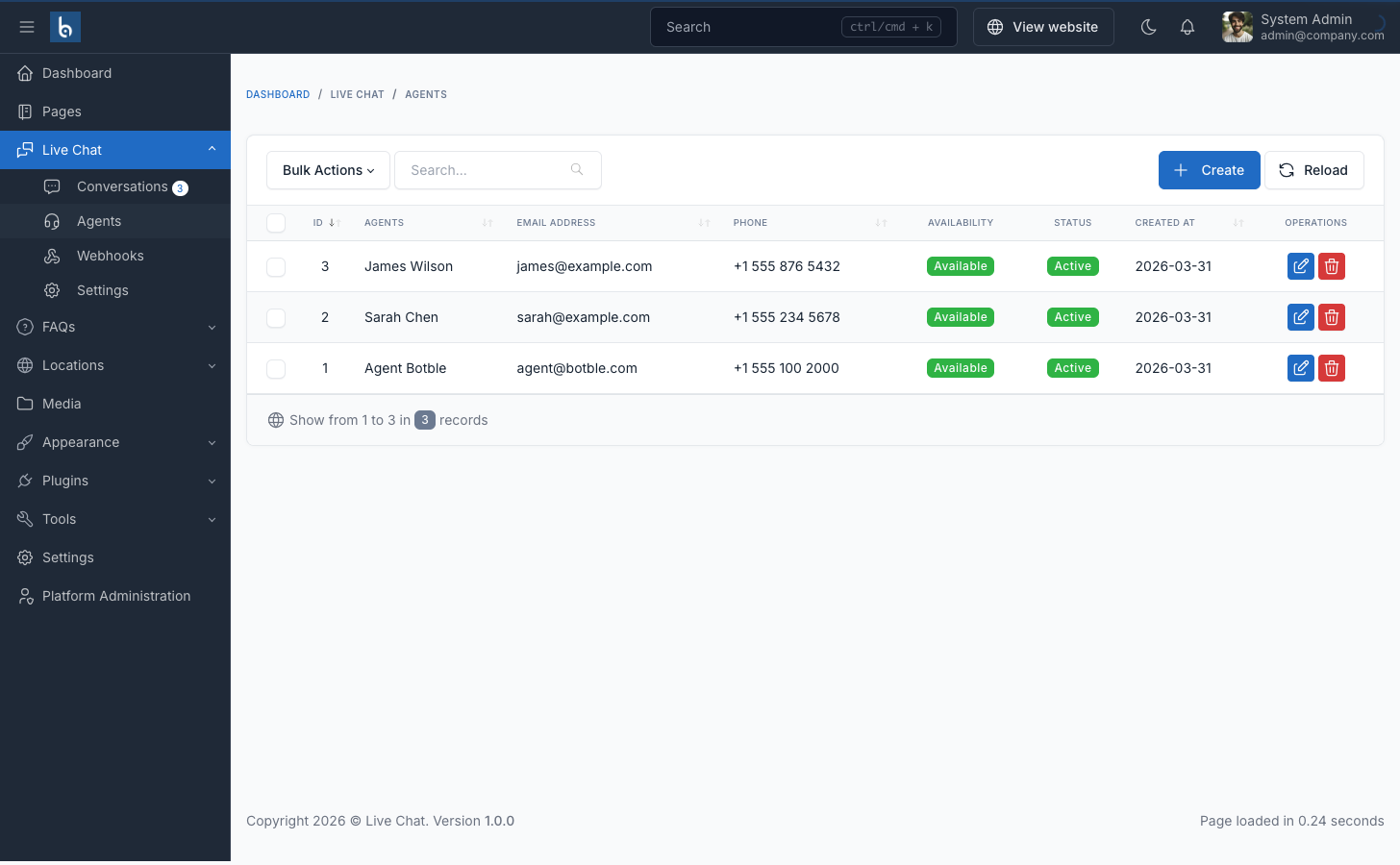
Create and manage agents from Admin > Live Chat > Agents. Set them as active/inactive, available/unavailable. Deactivated agents can't log in, unavailable ones don't get auto-assigned. Simple CRUD — nothing fancy, just what you need.
| Specification | Details |
|---|---|
| Framework | Laravel + jQuery (Botble CMS plugin) |
| PHP Version | 8.2+ |
| CMS Version | Botble CMS 7.3.0+ |
| Languages | 42+ built-in translations with RTL support |
| Messaging | Ajax polling (1-30s configurable) |
Important: This is a plugin, not a standalone application. It requires an existing Botble CMS installation. Works with all Botble scripts — Shofy, MartFury, Ninico, Nest, Farmart, Flex Home, Hasa, Gerow, and more.
- Floating chat widget with full customization
- Agent Portal (login, dashboard, messenger, profile)
- Admin messenger interface
- Agent management (CRUD)
- Auto-assign with round-robin
- Webhook integrations (Slack, Discord, Telegram, Zapier, etc.)
- Working hours scheduling
- Email and browser notifications
- 42+ language translations with RTL support
- Comprehensive documentation
- Free installation support
- Lifetime free updates
- Storefront: live-chat.botble.com — click the chat widget in the bottom right
- Admin Panel: live-chat.botble.com/admin (admin / 12345678)
- Agent Portal: live-chat.botble.com/agent/login (agent@botble.com / 12345678)
- Documentation: docs.botble.com/live-chat
- Support Center: botble.ticksy.com
If you need a simple, self-hosted live chat for your Botble site without the SaaS overhead, feel free to check it out.
Live Chat is built by Botble Technologies. Visit botble.com for more products and information.