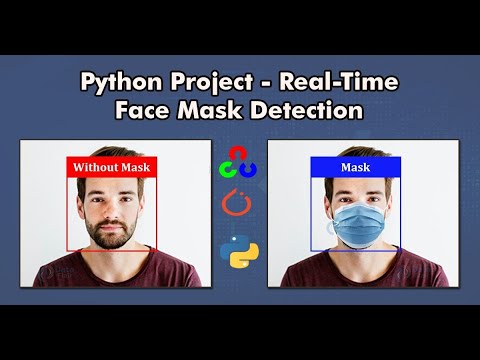
🎥 Click the image above to watch a live demo of this project on YouTube.
This project detects whether a person is wearing a face mask in real time using deep learning and computer vision. Built with PyTorch, OpenCV, and MTCNN, it classifies faces as either:
- 😷 With Mask
- 😶 Without Mask
It promotes public health by enabling real-time monitoring using a webcam, and is trained on labeled image data.
The dataset used is provided in mask_images_ready.zip, containing labeled images split into:
with_maskwithout_mask
To use the dataset:
- Download
mask_images_ready.zip - Extract it into your project directory
- Use it for training/testing the model
Ensure you have the following dependencies installed:
pip install -r requirements.txtRequired Versions:
- Python ≥ 3.6
torch==2.0.1torchvision==0.9.1MTCNN==0.1.12opencv-python==4.5.3.56numpy==1.21.5Pillow==8.3.2matplotlib==3.7.1
Open and run the following notebook in Google Colab or locally (with GPU support):
model.ipynb
- Follow in-notebook instructions
- Ensure your dataset is organized as
with_mask/andwithout_mask/ - Train and save your model
After training:
Open this notebook in Jupyter Notebook or JupyterLab (
realTimeDetection.ipynb
- Connect a webcam
- Run the notebook to begin real-time face mask detection
- Colab users: Google Colab cannot access your local webcam, so use it only for training.
- Webcam access: For real-time detection, ensure your device has a functional camera and use Jupyter locally.
- PyTorch
- OpenCV
- MTCNN (Face Detection)
- Python
- Jupyter Notebook
- Google Colab